Нужна помощь?
Создайте тему в соответствующем разделе
Не нужно писать всё в чат!Загляните на торговую площадку
Там вы можете купить
всё что касается игровых серверовНе хотите бан?
Пожалуйста, ознакомьтесь с нашими правилами
Не нарушайте порядок!Продаёте или покупаете?
Пользуйтесь услугами гаранта
Мы сделаем вашу сделку безопасной
Таблица лидеров

 123new
Популярные публикации
Отображаются публикации с наибольшей репутацией на 09/11/22 во всех областях
-
1 балл

Версия 1.0.2
926 скачиваний
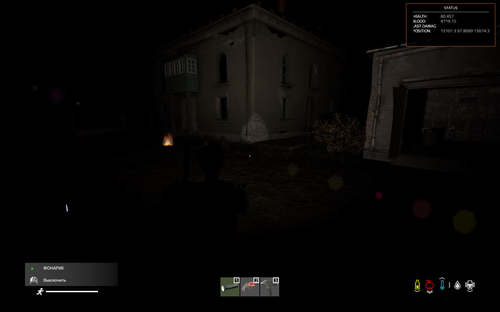
Игра, для который подходит данный товар: DayZ Standalone Тип: мод (клиентский + серверный) Авторство: Sania (проект ZoS) Товар совместим, тестировался и проверялся на чистых версиях игры: 1.14,1.15,1.16,1.17,1.18,1.19,1.20 Описание: Мод, добавляющий 'затемняемые' (для локального игрового мира игрока) зоны в обозначенных на карте зонах. Можно настраивать точки на карте, радиус зоны, коэфициент затемнения, вхождение игрока в диапазон тех или иных координат, а также нахождение игрока на тех или иных поверхностях. Мод требуется к наличию игрокам и является клиент-серверным. В чисто серверной связке не работает!!! Идея по детекту игрока и затемнению игрового мира взята с мода Namalsk. Видео-демонстрация работы на локальном сервере: При проблемах с доступом к файлу: Свяжитесь с Dr.Tauren в личных сообщениях. Почему работа бесплатно и больше не поддерживается: читаем тут Адрес страницы работы в мастерской Steam: https://steamcommunity.com/sharedfiles/filedetails/?id=2768728225 Возможности: 'Затемняемые' (или ночь) локально у каждого игрока на экране при входе игрока в зону и нахождении в ней. При выходе игрока из зоны "затемнение" снимается. Можно совмещать несколько зон в одном месте с разными радиусами Настройки мода вынесены в json-конфиг мода, позволяющий быстро настроить нужное количество зон вам быстро и непритязательно. При ошибках в конфиге мода он будет пересоздан автоматически на стандартный, при этом ошибки будут отмечены в script-логе сервера. Рекоммендуется держать копию конфигурации и наблюдать за логами сервера после его старта! Возможность задать для каждой точки свои настройки. Важно: Скрипт проверен на чистой версии игры версии игры на момент публикации и является работоспособным по сей день и час. Для определения игрока как 'в зоне затемнения' используются 2 варианта работы скрипта, или по вхождению игрока в радиус, или по вхождению игрока в диапазон координат в указаннгых границах. Подробнее об этом ниже в настройках! Не ставьте коэфициент затемнения как 0.000 - он отключит работу прибора ночного видения. Установите хотя бы 0.005, это позволит достичь и приемлемой картинки, и оставит прибор рабочим. Это не исправляется. Модификация не выставляет внутриигровое клиентское время для игрока как 'ночное'. Он симулирует затемнение экрана, создавая видимость наступления темного периода времени в отдельно взятой зоне на карте. Следует это понимать при работе на сервере! ВАЖНО ПРО СОВМЕСТИМОЛСТЬ И КОНФЛИКТЫ С МОДИФИКАЦИЯМИ: СОВМЕСТИМОСТЬ С ДРУГИМИ МОДАМИ НЕ ПРОВЕРЯЛАСЬ! Я НЕ ВЕДУ ПОДДЕРЖКИ ПО СОВМЕСТИМОСТИ И АДАПТАЦИИ С ДРУГИМИ МОДИФИКАЦИЯМИ, НЕ ГАРАНТИРУЮ ИХ РАБОТУ НА ДРУГИХ МОДИФИКАЦИЯХ, КАРТАХ И СЕРВЕРАХ, ОТТЛИЧНЫХ ОТ СТАНДАРТНЫХ ВАНИЛЬНЫХ ВЕРСИЙ ИГРЫ! ПО ПРОБЛЕМАМ СОВМЕСТИМОСТИ С ТАКОВЫМИ ОБРАЩАЙТЕСЬ К АВТОРАМ ЭТИХ МОДИФИКАЦИЙ!!!!!!!!!!!!!!!!!!!!!!!!!!!!!!!!!!!!!!!!!!!! Особенности работы: Чтобы работал ПНВ достаточно установить зону затемнения не на полный 0.00 а на хотя бы 0.005 Известные проблемы: Наблюдаются проблемы с отображением света от костров и факелов в затемняемой зоне. Исправление пока не найдено! Составляющая товара: Файлы самой модификации Описание настроек и модификации в отдельном файле Пример json-конфигурации мода с именем Config_NightZones.json (вы можете изучить пример Config_NightZones.rar) Настройка приложена в архиве с работой Похожие товары, которые могут вас заинтересовать: The game for which this product is suitable: DayZ Standalone Type: Mod (client + Server) Authorship: Sanya (ZoS project) The product is compatible, tested and tested on clean versions of the game: 1.14,1.15,1.16,1.17,1.18,1.19,1.20 Description: A mod that adds 'darkened' (for the player's local game world) zones in the zones marked on the map. You can adjust the points on the map, the radius of the zone, the dimming coefficient, the player's entry into the range of certain coordinates, as well as the player's location on certain surfaces. The mod is required for the presence of players and is client-server. It doesn't work in a purely server bundle!!! The idea of detecting the player and darkening the game world is taken and 'copied' from the Namalsk mod. Video demonstration of work on a local server: If you have problems accessing the file: Contact Dr.Tauren in private messages. Why the work is free and no longer supported: read here Steam Workshop page: https://steamcommunity.com/sharedfiles/filedetails/?id=2768728225 Opportunities: 'Darkened' (or night) locally for each player on the screen when the player enters the zone and is in it. When the player leaves the zone, the "blackout" is removed. It is possible to combine several zones in one place with different radius. The mod settings are made in the json config of the mod, which allows you to quickly configure the right number of zones for you quickly and unassumingly. If there are errors in the mod's config, it will be recreated automatically to the standard one, while the errors will be noted in the server's script log. It is recommended to keep a copy of the configuration and monitor the server logs after it starts! The ability to set your own settings for each point. Important: The script was tested on a clean version of the game version of the game at the time of publication and is operational to this day and hour. To define a player as 'in the blackout zone', 2 variants of the script are used, either by entering the player into the radius, or by entering the player into the coordinate range within the specified boundaries. Read more about this below in the settings! Do not set the dimming coefficient as 0.000 - it will disable the operation of the night vision device. Set at least 0.005, this will allow you to achieve an acceptable picture, and leave the device working. This is not fixed. The modification does not set the in-game client time for the player as 'night'. It simulates the darkening of the screen, creating the appearance of the onset of a dark period of time in a particular area on the map. It should be understood when working on the server! IT IS IMPORTANT ABOUT COMPATIBILITY AND CONFLICTS WITH MODIFICATIONS: COMPATIBILITY WITH OTHER MODS HAS NOT BEEN TESTED! I DO NOT SUPPORT COMPATIBILITY AND ADAPTATION WITH OTHER MODIFICATIONS, I DO NOT GUARANTEE THEIR WORK ON OTHER MODIFICATIONS, MAPS AND SERVERS OTHER THAN THE STANDARD VANILLA VERSIONS OF THE GAME! FOR COMPATIBILITY ISSUES WITH SUCH, PLEASE CONTACT THE AUTHORS OF THESE MODIFICATIONS!!!!!!!!!!!!!!!!!!!!!!!!!!!!!!!!!!!!!!!!!!!!IT IS IMPORTANT ABOUT COMPATIBILITY AND CONFLICTS WITH MODIFICATIONS: COMPATIBILITY WITH OTHER MODS HAS NOT BEEN TESTED! I DO NOT SUPPORT COMPATIBILITY AND ADAPTATION WITH OTHER MODIFICATIONS, I DO NOT GUARANTEE THEIR WORK ON OTHER MODIFICATIONS, MAPS AND SERVERS OTHER THAN THE STANDARD VANILLA VERSIONS OF THE GAME! FOR COMPATIBILITY ISSUES WITH SUCH, PLEASE CONTACT THE AUTHORS OF THESE MODIFICATIONS!!!!!!!!!!!!!!!!!!!!!!!!!!!!!!!!!! Information about work: In order for the NightVision to work, it is enough to set the dimming zone not to full 0.00 but to at least 0.005 Known issues: There are problems with the display of light from bonfires and torches in the darkened area. The fix has not been found yet! Component of the product: Files of the modification itself Description of settings and modifications in a separate file An example of a json configuration of a mod named Config_Nightzone.json (you can study an example Config_NightZones.rar) Customization added in arhive work. Similar products that may interest you:Бесплатно
-
1 балл
Версия 1.2
903 скачивания
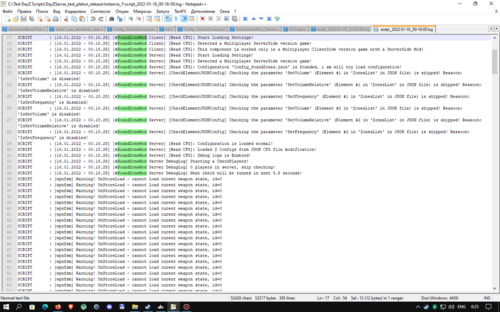
Игра, для который подходит данный товар: DayZ Standalone Тип: мод (клиентский + серверный) Авторство: Sania (проект ZoS) Товар совместим, тестировался и проверялся на чистых версиях игры: 1.14,1.15,1.16,1.17,1.18,1.19,1.20 Описание: Мод, добавляющий проигрывание звукового 'ambient' в обозначенных на карте зонах. Можно настраивать точки на карте, радиус зоны, а также циклическое вопроизведение и громкость относительно стандартной. Мод требуется к наличию игрокам и является клиент-серверным. В чисто серверной связке не работает!!! Видео-демонстрация работы на локальном сервере: При проблемах с доступом к файлу: Свяжитесь с Dr.Tauren в личных сообщениях. Почему работа бесплатно и больше не поддерживается: читаем тут Возможности: Проигрывание 'ambient' (звуков) при входе игрока в зону и нахождении в ней. При выходе игрока из зоны проигрывание звука прекращается. Можно совмещать несколько зон в одном месте с разными радиусами Настройки мода вынесены в json-конфиг мода, позволяющий быстро настроить нужное количество зон вам быстро и непритязатьельно. При ошибках в конфиге мода он будет пересоздан автоматически на стандартный, при этом ошибки будут отмечены в script-логе сервера. Рекоммендуется держать копию конфигурации и наблюдать за логами сервера после его старта! Возможность задать для каждой точки свои настройки и звук. Возможность указать свой звуковой 'ambient' при его наличии в других модах Важно: Скрипт проверен на чистой версии игры версии игры на момент публикации и является работоспособным по сей день и час. Клиентская часть мода разрешена к запаковке в собственные пакеты модов для собственных серверов в неизменном виде (переименовать pbo файл можно). Для этого достаточно поместить pbo-файлы клиентской части мода в папку addons вашего пакета модов и подписать своими ключами! Поумолчанию мод не подписан никаким ключем, для проверки полноценной работы на вашем сервере его необходимо подписать! (Серверную часть подписывать не требуется) Необходимые вам звуки надо искать и создавать отдельно дополнительно. В пакете предложены лишь 3 тестовых звука: хоррор ambient, лягушки на болоте, вой волка в ночи. Составляющая товара: Клиентская часть мода с именем SoundZoneMod, состоящая из скриптовой части работы Клиентская часть мода с именем SoundZoneMod_sounds , состоящая из наборов 3 звуков. В нее мы можете добавить свои звуки. Серверная часть мода с именем SoundZoneMod_Server в отдельной папке Пример json-конфигурации мода с именем Config_SoundZones.json (вы можете изучить пример Config_SoundZones.rar) Настройка: Параметр DebugLogs_Enabled- включает ведение дополнительного логирования для отслеживания работы скрипта (в том числе и на клиентской стороне). Формат значений - 1 - включено, 0 - выключено. Параметр TimeRepeatCheckPlayers_Seconds - указывает как часто проводить проверку игроков на наличие в зонах. Может влиять на FPS сервера и быстроту срабатывания звука при вхождении в зону. Формат значений - время в секундах, сами значения - простые числа и и числа с точкой. Параметр ZonesList - массив из конфигураций элементов с настройками зон. Минимум 1 элемент обязательно должен быть. Параметр Position_play- точка на карте в формате X Y Z (Y - высота) в которой будет центр звуковой зоны. Все 3 значения чувствительны к правильности. Будьте внимательны, если ошибетесь с высотой, дистанция будет считаться от указанной вами точки на высоте. Формат значений - числа с точкой больше 0, разделенные запятой. Параметр SoundSet- текстовое имя звукового SoundSet с существующим и известным игре звуком. Укажете с ошибкой - звук не будет проигрываться. Формат значений - текст. Параметр IsLoop - включает и отключает циклическое воспроизведене указанного вами SoundSet. Формат значений - 1 - вкл, 0 - выкл Параметр IsSetVolume - включает и отключает корректировку громкости звука параметром SetVolume. Формат значений - 1 - вкл, 0 - выкл. Параметр SetVolume - задает громкость воспроизведения звука при IsSetVolume =1. Формат значений - число с точкой. Параметр IsSetVolumeRelative - включает и отключает корректировку объемности воспроизводимого звука параметром SetVolumeRelative. Формат значений - 1 - вкл, 0 - выкл. Параметр SetVolumeRelative- задает объемность для звука при IsSetVolumeRelative =1. Формат значений - число с точкой. Параметр IsSetFrequency - включает и отключает корректировку частоты воспроизводимого звука параметром SetFrequency. Формат значений - 1 - вкл, 0 - выкл Параметр SetFrequency- задает громкость воспроизведения звука при IsSetFrequency =1. Формат значений - число с точкой. Параметр Enable_detect_to_Radius - включает и отключает учет статуса игрока в зоне по указанному в параметре Radius радусу зоны. Формат значений - 1 - вкл, 0 - выкл Параметр Radius_play - дистанция от центра Position_play. В этом радиусе будет работать указанный вами звук SoundSet. Параметр работает только при Enable_detect_to_Radius =1. Может работать совместно с параметром SurfaceTypes и Enable_detect_SurfaceTypeUnderPlayer . Указывается число, которое больше нуля. Формат значений - число с точкой. Параметр Enable_detect_in_X - включает и отключает учет статуса игрока в зоне по указанным в параметрах Coord_x_min и Coord_x_max значениям координаты X. Параметр может работать совместно с другими включенными настройками. Формат значений - 1 - вкл, 0 - выкл Параметр Coord_x_min - значение начального диапазона координаты X на карте для учета игрока. Проще говоря, если координата X у игрока больше или равна этому значению, то считается, что игрок в зоне. Указывается число, которое больше нуля. Работает только при Enable_detect_in_X =1. Формат значений - число с точкой. Параметр Coord_x_max- значение кончного диапазона координаты X на карте для учета игрока. Проще говоря, если координата X у игрока меньше или равна этому значению, то считается, что игрок в зоне. Указывается число, которое больше нуля. Работает только при Enable_detect_in_X =1. Формат значений - число с точкой. Параметр Enable_detect_in_Y - включает и отключает учет статуса игрока в зоне по указанным в параметрах Coord_Y_min и Coord_Y_max значениям координаты Y. Параметр может работать совместно с другими включенными настройками. Формат значений - 1 - вкл, 0 - выкл Параметр Coord_Y_min- значение начального диапазона координаты Y на карте для учета игрока. Проще говоря, если координата Y у игрока больше или равна этому значению, то считается, что игрок в зоне. Указывается число, которое больше нуля. Работает только при Enable_detect_in_Y =1. Формат значений - число с точкой. Параметр Coord_Y_max- значение кончного диапазона координаты Y на карте для учета игрока. Проще говоря, если координата Y у игрока меньше или равна этому значению, то считается, что игрок в зоне. Указывается число, которое больше нуля. Работает только при Enable_detect_in_Y =1. Формат значений - число с точкой. Параметр Enable_detect_in_Z- включает и отключает учет статуса игрока в зоне по указанным в параметрах Coord_Z_min и Coord_Z_max значениям координаты Z. Параметр может работать совместно с другими включенными настройками. Формат значений - 1 - вкл, 0 - выкл. Параметр Coord_Z_min- значение начального диапазона координаты Z на карте для учета игрока. Проще говоря, если координата Z у игрока больше или равна этому значению, то считается, что игрок в зоне. Указывается число, которое больше нуля. Работает только при Enable_detect_in_Z=1. Формат значений - число с точкой. Параметр Coord_Z_max- значение кончного диапазона координаты Z на карте для учета игрока. Проще говоря, если координата Z у игрока меньше или равна этому значению, то считается, что игрок в зоне. Указывается число, которое больше нуля. Работает только при Enable_detect_in_Z=1. Формат значений - число с точкой. Параметр Enable_detect_SurfaceTypeUnderPlayer - включает и отключает учет статуса игрока в зоне по указанным в параметре SurfaceTypes значениям поверхностей. Параметр может работать совместно с другими включенными настройками. Формат значений - 1 - вкл, 0 - выкл. Параметр SurfaceTypes - параметр-массив со списком типов поверхностей, на которых игрок будет считаться как вошедшим в зону при условии, если он находится на данном типе поверхности. Проще говоря, если игрок стоит на этом типе поверхности внутри зоны, то считается, что игрок в зоне. Работает только при Enable_detect_SurfaceTypeUnderPlayer =1. Формат значений - текст в кавычках. Значения разделять через запятую Возможно вам пригодится: Гайд по созданию своих ключей и подписей к своему моду: https://s-platoon.ru/topic/7701-dayz-standalone-sozdanie-klyuchey-i-podpisey-k-modam-i-addonam/ Гайд по загрузке своей модификации в Steam: https://s-platoon.ru/topic/7702-dayz-standalone-kak-zalitzakachat-svoy-mod-v-stim/ Похожие товары, которые могут вас заинтересовать: The game for which this product is suitable: DayZ Standalone Type: Mod (client + Server) Authorship: Sanya (ZoS project) The product is compatible, tested and tested on clean versions of the game: 1.14,1.15,1.16,1.17,1.18,1.19,1.20 Description: A mod that adds the playback of the sound 'ambient' in the zones indicated on the map. You can adjust the points on the map, the radius of the zone, as well as cyclic playback and volume relative to the standard. The mod is required for the presence of players and is client-server. It doesn't work in a purely server bundle!!! Video demonstration of work on a local server: If you have problems accessing the file: Contact Dr.Tauren in private messages. Opportunities: Playing 'ambient' (sounds) when the player enters the zone and is in it. When the player leaves the zone, the sound playback stops. It is possible to combine several zones in one place with different radius The mod settings are made in the json config of the mod, which allows you to quickly configure the right number of zones for you quickly and unobtrusively. If there are errors in the mod's config, it will be recreated automatically to the standard one, while the errors will be noted in the server's script log. It is recommended to keep a copy of the configuration and monitor the server logs after it starts! The ability to set your own settings and sound for each point. The ability to specify your own sound 'ambient' if it is available in other mods Important: The script was tested on a clean version of the game version of the game at the time of publication and is operational to this day and hour. The client part of the mod is allowed to be packed into its own packages of mods for its own servers in an unchanged form (you can rename the pbo file). To do this, it is enough to put the pbo files of the client part of the mod in the addons folder of your mod package and sign with your keys! By default, the mod is not signed with any key, to check its full operation on your server, it must be signed! (The server part does not need to be signed) The sounds you need should be searched for and created separately additionally. The package offers only 3 test sounds: ambient horror, frogs in the swamp, howling wolf in the night. Component of the product: The client part of the mod named Sound Zone Mod, consisting of the script part of the work The client part of the mod named Sound Zone Mod_sounds, consisting of sets of 3 sounds. We can add our own sounds to it. The server part of the mod named Sound Zone Mod_Server in a separate folder Example of a json configuration of a mod named Config_Sound Zones.json (you can download a sample Config_SoundZones.rar) Customization: The DebugLogs_Enabled parameter enables additional logging to track the script (including on the client side). The format of the values is 1 - on, 0 - off. The TimeRepeatCheckPlayers_Seconds parameter specifies how often to check players for presence in zones. It can affect the FPS of the server and the speed of sound triggering when entering the zone. The format of the values is time in seconds, the values themselves are prime numbers and and numbers with a dot. The ZonesList parameter is an array of element configurations with zone settings. There must be at least 1 element. The Position_play parameter is a point on the map in the format X Y Z (Y is the height) in which the center of the sound zone will be. All 3 values are sensitive to correctness. Be careful, if you make a mistake with the height, the distance will be calculated from the point you specified at the height. The format of the values is numbers with a dot greater than 0, separated by a comma. The SoundSet parameter is the text name of an audio SoundSet with an existing and known sound to the game. Specify with an error - the sound will not be played. The format of the values is text. The IsLoop parameter - enables and disables cyclic playback of the SoundSet you specified. The format of the values is 1 - on, 0 - off The IsSetVolume parameter - enables and disables sound volume adjustment with the setVolume parameter. The format of the values is 1 - on, 0 - off. The setVolume parameter - sets the volume of sound playback when IsSetVolume =1. The format of the values is a number with a dot. The IsSetVolumeRelative parameter - enables and disables volume correction of the reproduced sound by the SetVolumeRelative parameter. The format of the values is 1 - on, 0 - off. The SetVolumeRelative parameter- sets the volume for the sound when IsSetVolumeRelative =1. The format of the values is a number with a dot. The IsSetFrequency parameter - enables and disables the correction of the frequency of the sound being played by the SetFrequency parameter. The format of the values is 1 - on, 0 - off The SetFrequency parameter- sets the volume of sound playback when IsSetFrequency =1. The format of the values is a number with a dot. The Enable_detect_to_Radius parameter - enables and disables the accounting of the player's status in the zone according to the Radius radius specified in the Radius parameter. The format of the values is 1 - on, 0 - off The Radius_play parameter is the distance from the center of Position_play. The SoundSet you specified will work in this radius. The parameter only works when Enable_detect_to_Radius =1. It can work together with the SurfaceTypes parameter and Enable_detect_SurfaceTypeUnderPlayer . A number that is greater than zero is specified. The format of the values is a number with a dot. The Enable_detect_in_X parameter - enables and disables the accounting of the player's status in the zone according to the values of the X coordinate specified in the parameters Coord_x_min and Coord_x_max. The parameter can work together with other enabled settings. The format of the values is 1 - on, 0 - off The parameter Coord_x_min is the value of the initial range of the X coordinate on the map to account for the player. Simply put, if the player's X coordinate is greater than or equal to this value, then it is assumed that the player is in the zone. A number that is greater than zero is specified. Works only when Enable_detect_in_X =1. The format of the values is a number with a dot. The parameter Coord_x_max is the value of the point range of the X coordinate on the map to account for the player. Simply put, if the player's X coordinate is less than or equal to this value, then it is assumed that the player is in the zone. A number that is greater than zero is specified. Works only when Enable_detect_in_X =1. The format of the values is a number with a dot. The Enable_detect_in_Y parameter enables and disables the accounting of the player's status in the zone according to the values of the Y coordinate specified in the parameters Coord_Y_min and Coord_Y_max. The parameter can work together with other enabled settings. The format of the values is 1 - on, 0 - off The parameter Coord_Y_min is the value of the initial range of the Y coordinate on the map to account for the player. Simply put, if the Y coordinate of a player is greater than or equal to this value, then it is assumed that the player is in the zone. A number that is greater than zero is specified. Works only when Enable_detect_in_Y =1. The format of the values is a number with a dot. The parameter Coord_Y_max is the value of the point range of the Y coordinate on the map to account for the player. Simply put, if the Y coordinate of a player is less than or equal to this value, then it is assumed that the player is in the zone. A number that is greater than zero is specified. Works only when Enable_detect_in_Y =1. The format of the values is a number with a dot. The Enable_detect_in_Z parameter- enables and disables the accounting of the player's status in the zone according to the values of the Z coordinate specified in the parameters Coord_Z_min and Coord_Z_max. The parameter can work together with other enabled settings. The format of the values is 1 - on, 0 - off. The parameter Coord_Z_min is the value of the initial range of the Z coordinate on the map to account for the player. Simply put, if the player's Z coordinate is greater than or equal to this value, then it is assumed that the player is in the zone. A number that is greater than zero is specified. Works only when Enable_detect_in_Z=1. The format of the values is a number with a dot. The parameter Coord_Z_max is the value of the point range of the Z coordinate on the map to account for the player. Simply put, if the player's Z coordinate is less than or equal to this value, then it is assumed that the player is in the zone. A number that is greater than zero is specified. Works only when Enable_detect_in_Z=1. The format of the values is a number with a dot. The Enable_detect_SurfaceTypeUnderPlayer parameter - enables and disables the accounting of the player's status in the zone according to the surface values specified in the SurfaceTypes parameter. The parameter can work together with other enabled settings. The format of the values is 1 - on, 0 - off. The SurfaceTypes parameter is an array parameter with a list of types of surfaces on which the player will be considered as having entered the zone, provided that he is on this type of surface. Simply put, if a player stands on this type of surface inside the zone, then it is considered that the player is in the zone. Works only when Enable_detect_SurfaceTypeUnderPlayer =1. The format of the values is text in quotation marks. Values separated by commas You may find it useful: Guide to creating your own keys and signatures for your mod: https://s-platoon.ru/topic/7701-dayz-standalone-sozdanie-klyuchey-i-podpisey-k-modam-i-addonam/ Guide for uploading your modification to Steam: https://s-platoon.ru/topic/7702-dayz-standalone-kak-zalitzakachat-svoy-mod-v-stim/ Similar products that may interest you:Бесплатно