Перейти к публикации
Поиск в
  • Дополнительно...
Искать результаты, содержащие...
Искать результаты в...
  • Нужна помощь?

    Создайте тему в соответствующем разделе
    Не нужно писать всё в чат!
  • Загляните на торговую площадку

    Там вы можете купить
    всё что касается игровых серверов
  • Не хотите бан?

    Пожалуйста, ознакомьтесь с нашими правилами
    Не нарушайте порядок!
  • Продаёте или покупаете?

    Пользуйтесь услугами гаранта
    Мы сделаем вашу сделку безопасной
Alexis

Открытие информации о предмете

Рекомендованные сообщения

Скрипт позволяющий просматривать информацию о предмете без необходимости ложить ее в инвентарь игрока


Установка:

1. Создайте файл с названием p2_inspectLoop.sqf

2. Поместите в него этот код 

/*---------------------------------------------------------------------------
Player2's Inspect Item Script
Version: 1.0
---------------------------------------------------------------------------*/

/*--Конфигурация----------------------------------------------------
---------------------------------------------------------------------------*/

//Вулючить/выключить скрипт
P2_INSPECT_ENABLE = true;
//Дистанция с которой можно проверить информацию о предмете (Стандарт 2.75)
P2_INSPECT_DISTANCE = 2.75;

/*--Конец конфигурации---------------------------------------------
---------------------------------------------------------------------------*/

/*--Старт скрипта----------------------------------------------------------
---------------------------------------------------------------------------*/

//Настройка глобальных переменных
INSPECT_ITEM_ACTIONS = [];

//ensure user didnt fuck up the config
if (isNil 'P2_INSPECT_DISTANCE') then { P2_INSPECT_DISTANCE = 2.75; };
if (isNil 'P2_INSPECT_ENABLE') then { P2_INSPECT_ENABLE = true; };

//	make sure key function exists / hasnt been renamed by exile mod team
//declare these
private["_timeSlept","_errorMsg","_quit"];
//initialise these
_timeSlept 	= 0;
_errorMsg 	= "P2_INSPECT: Error - ExileMod has removed or renamed the key function 'ExileClient_gui_itemDetails_show'";
_quit 		= false;

waitUntil{ 
	//wait 10 seconds per check
	uiSleep 10; 
	//add to total time waited so far
	_timeSlept = _timeSlept + 10;
	//wait up to 30 seconds for function to be defined
	if (_timeSlept > 30) exitWith {
		//30 second limit reached, function isnt gonna be found bruh
		_quit = true;
	};

	//if function exists, continue
	!isNil 'ExileClient_gui_itemDetails_show';
};

//output error messages before quitting
if (_quit) exitWith { 
	systemChat(_errorMsg);
	diag_log(_errorMsg);
};

//start loop
while {P2_INSPECT_ENABLE} do {
	//declare this here instead of down there because it is used in both scopes
	private["_nearObjects"];

	//get near objects (P2_INSPECT_DISTANCE meters)
	_nearObjects = player nearObjects P2_INSPECT_DISTANCE;

	//wait a moment so we retrieve the objects properly (script would only fail without this on super slow systems surrounded by items)
	sleep 0.01;

	//for all nearby objects found
	{
		//declare our private vars for this scope
		private ["_obj", "_mags", "_weps", "_bags", "_items", "_full"];

		//store current object
		_obj = _x;

		//if object not the player themselves
		if (player != _obj && ((vehicle player) != _obj) && !isNull _obj && (typeOf _obj == "GroundWeaponHolder")) then {

			//get object contents
			_mags  = getMagazineCargo 	_obj;
			_weps  = getWeaponCargo 	_obj;
			_bags  = getBackpackCargo 	_obj;
			_items = getItemCargo 		_obj;

			//we only want the classnames, not the amount of items there are, so we select 0
			_mags  = _mags 	select 0;
			_weps  = _weps 	select 0;
			_bags  = _bags 	select 0;
			_items = _items select 0;

			//combine object contents into 1 array
			_full = []; _full = _mags + _weps + _bags + _items;

			//if there are items in the object
			if (count _full > 0) then {

				//for all things inside the object
				{
					//declare our privates for this scope
					private ["_itemClassName", "_configName", "_itemDispName", "_inspectActionText", "_inspectAction"];

					//store classname
					_itemClassName = _x;

					//retrieve configname
					_configName = _itemClassName call ExileClient_util_gear_getConfigNameByClassName;

					//retrieve item display name
					_itemDispName = getText (configFile >> _configName >> _itemClassName >> "displayname");

					//Create inspect text
					_inspectActionText = ("Inspect " + _itemDispName);

					//Add scroll action
					_inspectAction = player addAction [
						_inspectActionText, //scroll text
						//code that gets run when action is clicked
						{
							//needed since we're calling a dialog script
							disableSerialization;
							//use input vars (see below) to call up the item detail menu
							[_this select 3 select 0, _this select 3 select 1] call ExileClient_gui_itemDetails_show;
							//ensure that while the menu is open that the consume/construct/inspect buttons cannot be clicked
							[] spawn {
								disableSerialization;
								//while dialog is open
								while {(str(uiNameSpace getVariable ["RscExileItemDetailsDialog", displayNull]) != "No display")} do {
									_dialog = uiNameSpace getVariable ["RscExileItemDetailsDialog", displayNull];
									(_dialog displayCtrl 1300) ctrlEnable false; //disable consume button
									(_dialog displayCtrl 1301) ctrlEnable false; //disable inspect button
									(_dialog displayCtrl 1303) ctrlEnable false; //disable construct button
								};
							};
						},
						//vars parsed to code (see above)
						[_configName, _itemClassName],
						//priority (lower the number the lower priority)
						0,
						//show text in center screen
						false,
						//hide on use?
						false
					];

					//add action to our array of all inspect actions
					INSPECT_ITEM_ACTIONS set [count INSPECT_ITEM_ACTIONS, _inspectAction];

				} count _full;

				//wait until player is no longer near the object or the object is null
				waitUntil {
					//lonely private var is lonely
					private["_dist"];
					//hold up a moment, we dont want to run this every 0.00001 seconds now do we?
					uiSleep 0.1;
					//if undefined it should default to this and assume the items gone and exit
					_dist = P2_INSPECT_DISTANCE + 1;
					//if item not found, it is null
					if (isNil '_obj') then { _obj = objNull; };
					//if item not null, check distance from it
					if (!isNull _obj) then {
						_dist = player distance _obj;
					//if item is null, then set distance to > P2_INSPECT_DISTANCE so it exits
					} else {
						_dist = P2_INSPECT_DISTANCE + 1;
					};
					//if item distance > P2_INSPECT_DISTANCE, then exit, otherwise keep loopin'
					(_dist > P2_INSPECT_DISTANCE)
				};

				//remove all actions now that player has moved away from object
				{ player removeAction _x } count INSPECT_ITEM_ACTIONS;
				INSPECT_ITEM_ACTIONS = [];
			};
		};
	} count _nearObjects;

	//wait a moment before checking nearby objects again - using uiSleep as we're not waiting for code to process
	uiSleep 0.667;
}; //byPlayer2


3. Поместите файл в вашу миссию

4. В файле initPlayerLocal.sqf  пропишите

[] execVM "p2_inspectLoop.sqf";

5. Перезапустите сервер и наслаждайтесь!


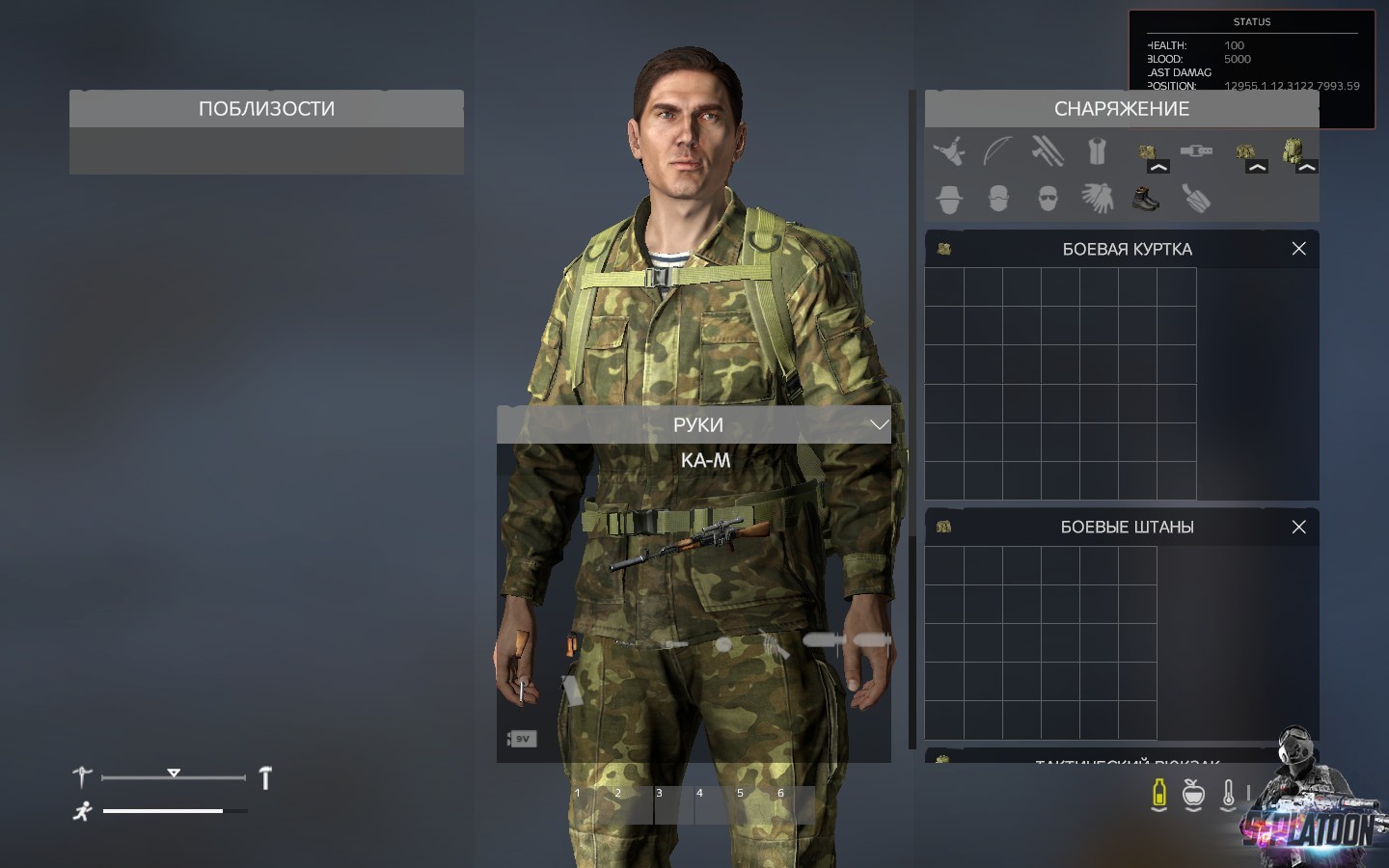
Ну и пару скринов

Пожалуйста, Войдите или Зарегистрируйтесь, чтобы увидеть это: Вложение.

Пожалуйста, Войдите или Зарегистрируйтесь, чтобы увидеть это: Вложение.

Пожалуйста, Войдите или Зарегистрируйтесь, чтобы увидеть это: Вложение.

Пожалуйста, Войдите или Зарегистрируйтесь, чтобы увидеть это: Вложение.

Изменено пользователем NeVaD (история изменений)

Поделиться сообщением


Ссылка на сообщение
Поделиться на других сайтах
MagicByte MagicByte MagicByte

Скрипт позволяющий просматривать информацию о предмете без необходимости ложить ее в инвентарь игрока


Установка:

1. Создайте файл с названием p2_inspectLoop.sqf

2. Поместите в него этот код 

/*---------------------------------------------------------------------------
Player2's Inspect Item Script
Version: 1.0
---------------------------------------------------------------------------*/

/*--Configuration Options----------------------------------------------------
---------------------------------------------------------------------------*/

//enable/disable this script (you could do it here or just remove its execVM, up to you m8)
P2_INSPECT_ENABLE = true;
//distance at which items can be inspected (default: 2.75)
P2_INSPECT_DISTANCE = 2.75;

/*--End of Configuration Options---------------------------------------------
---------------------------------------------------------------------------*/

/*--Start of Script----------------------------------------------------------
---------------------------------------------------------------------------*/

//set up global vars
INSPECT_ITEM_ACTIONS = [];

//ensure user didnt fuck up the config
if (isNil 'P2_INSPECT_DISTANCE') then { P2_INSPECT_DISTANCE = 2.75; };
if (isNil 'P2_INSPECT_ENABLE') then { P2_INSPECT_ENABLE = true; };

//	make sure key function exists / hasnt been renamed by exile mod team
//declare these
private["_timeSlept","_errorMsg","_quit"];
//initialise these
_timeSlept 	= 0;
_errorMsg 	= "P2_INSPECT: Error - ExileMod has removed or renamed the key function 'ExileClient_gui_itemDetails_show'";
_quit 		= false;

waitUntil{ 
	//wait 10 seconds per check
	uiSleep 10; 
	//add to total time waited so far
	_timeSlept = _timeSlept + 10;
	//wait up to 30 seconds for function to be defined
	if (_timeSlept > 30) exitWith {
		//30 second limit reached, function isnt gonna be found bruh
		_quit = true;
	};

	//if function exists, continue
	!isNil 'ExileClient_gui_itemDetails_show';
};

//output error messages before quitting
if (_quit) exitWith { 
	systemChat(_errorMsg);
	diag_log(_errorMsg);
};

//start loop
while {P2_INSPECT_ENABLE} do {
	//declare this here instead of down there because it is used in both scopes
	private["_nearObjects"];

	//get near objects (P2_INSPECT_DISTANCE meters)
	_nearObjects = player nearObjects P2_INSPECT_DISTANCE;

	//wait a moment so we retrieve the objects properly (script would only fail without this on super slow systems surrounded by items)
	sleep 0.01;

	//for all nearby objects found
	{
		//declare our private vars for this scope
		private ["_obj", "_mags", "_weps", "_bags", "_items", "_full"];

		//store current object
		_obj = _x;

		//if object not the player themselves
		if (player != _obj && ((vehicle player) != _obj) && !isNull _obj && (typeOf _obj == "GroundWeaponHolder")) then {

			//get object contents
			_mags  = getMagazineCargo 	_obj;
			_weps  = getWeaponCargo 	_obj;
			_bags  = getBackpackCargo 	_obj;
			_items = getItemCargo 		_obj;

			//we only want the classnames, not the amount of items there are, so we select 0
			_mags  = _mags 	select 0;
			_weps  = _weps 	select 0;
			_bags  = _bags 	select 0;
			_items = _items select 0;

			//combine object contents into 1 array
			_full = []; _full = _mags + _weps + _bags + _items;

			//if there are items in the object
			if (count _full > 0) then {

				//for all things inside the object
				{
					//declare our privates for this scope
					private ["_itemClassName", "_configName", "_itemDispName", "_inspectActionText", "_inspectAction"];

					//store classname
					_itemClassName = _x;

					//retrieve configname
					_configName = _itemClassName call ExileClient_util_gear_getConfigNameByClassName;

					//retrieve item display name
					_itemDispName = getText (configFile >> _configName >> _itemClassName >> "displayname");

					//Create inspect text
					_inspectActionText = ("Inspect " + _itemDispName);

					//Add scroll action
					_inspectAction = player addAction [
						_inspectActionText, //scroll text
						//code that gets run when action is clicked
						{
							//needed since we're calling a dialog script
							disableSerialization;
							//use input vars (see below) to call up the item detail menu
							[_this select 3 select 0, _this select 3 select 1] call ExileClient_gui_itemDetails_show;
							//ensure that while the menu is open that the consume/construct/inspect buttons cannot be clicked
							[] spawn {
								disableSerialization;
								//while dialog is open
								while {(str(uiNameSpace getVariable ["RscExileItemDetailsDialog", displayNull]) != "No display")} do {
									_dialog = uiNameSpace getVariable ["RscExileItemDetailsDialog", displayNull];
									(_dialog displayCtrl 1300) ctrlEnable false; //disable consume button
									(_dialog displayCtrl 1301) ctrlEnable false; //disable inspect button
									(_dialog displayCtrl 1303) ctrlEnable false; //disable construct button
								};
							};
						},
						//vars parsed to code (see above)
						[_configName, _itemClassName],
						//priority (lower the number the lower priority)
						0,
						//show text in center screen
						false,
						//hide on use?
						false
					];

					//add action to our array of all inspect actions
					INSPECT_ITEM_ACTIONS set [count INSPECT_ITEM_ACTIONS, _inspectAction];

				} count _full;

				//wait until player is no longer near the object or the object is null
				waitUntil {
					//lonely private var is lonely
					private["_dist"];
					//hold up a moment, we dont want to run this every 0.00001 seconds now do we?
					uiSleep 0.1;
					//if undefined it should default to this and assume the items gone and exit
					_dist = P2_INSPECT_DISTANCE + 1;
					//if item not found, it is null
					if (isNil '_obj') then { _obj = objNull; };
					//if item not null, check distance from it
					if (!isNull _obj) then {
						_dist = player distance _obj;
					//if item is null, then set distance to > P2_INSPECT_DISTANCE so it exits
					} else {
						_dist = P2_INSPECT_DISTANCE + 1;
					};
					//if item distance > P2_INSPECT_DISTANCE, then exit, otherwise keep loopin'
					(_dist > P2_INSPECT_DISTANCE)
				};

				//remove all actions now that player has moved away from object
				{ player removeAction _x } count INSPECT_ITEM_ACTIONS;
				INSPECT_ITEM_ACTIONS = [];
			};
		};
	} count _nearObjects;

	//wait a moment before checking nearby objects again - using uiSleep as we're not waiting for code to process
	uiSleep 0.667;
}; //byPlayer2


3. Поместите файл в вашу миссию

4. В файле initPlayerLocal.sqf  пропишите

[] execVM "p2_inspectLoop.sqf";

5. Перезапустите сервер и наслаждайтесь!


Ну и пару скринов

Классная вещь а для Армы 2 не пойдёт?

Поделиться сообщением


Ссылка на сообщение
Поделиться на других сайтах

Классная вещь а для Армы 2 не пойдёт?

нет

Поделиться сообщением


Ссылка на сообщение
Поделиться на других сайтах

Vitalik попробуй :smile:

не выйдет, у dayz mod нет подобной функции и подобного окна в принципе, если ты его конечно сам не напишешь

Поделиться сообщением


Ссылка на сообщение
Поделиться на других сайтах

Выдает ошибку :

13:00:38 Error 0 elements provided, 3 expected
13:00:38 File mpmissions\__cur_mp.Altis\p2_inspectLoop.sqf, line 62
13:00:38 Bad conversion: array
13:00:38 Error in expression <_nearObjects"];


_nearObjects = player nearObjects P2_INSPECT_DISTANCE;


sleep>


Где что не так?
 

сам массив :


//start loop
while {P2_INSPECT_ENABLE} do {
//declare this here instead of down there because it is used in both scopes
private["_nearObjects"];

//get near objects (P2_INSPECT_DISTANCE meters)
_nearObjects = player nearObjects P2_INSPECT_DISTANCE;


Изменено пользователем Chaser (история изменений)

Поделиться сообщением


Ссылка на сообщение
Поделиться на других сайтах

не выйдет, у dayz mod нет подобной функции и подобного окна в принципе, если ты его конечно сам не напишешь

Инфо есть.

Окно только написать

Поделиться сообщением


Ссылка на сообщение
Поделиться на других сайтах

Создайте аккаунт или войдите в него для комментирования

Вы должны быть пользователем, чтобы оставить комментарий

Создать аккаунт

Зарегистрируйтесь для получения аккаунта. Это просто!

Зарегистрировать аккаунт

Войти

Уже зарегистрированы? Войдите здесь.

Войти сейчас

×
×
  • Создать...

Важная информация

Используя этот сайт, вы автоматически обязуетесь соблюдать наши Правила и Политика конфиденциальности.
Чтобы сделать этот веб-сайт лучше, мы разместили cookies на вашем устройстве. Вы можете изменить свои настройки cookies, в противном случае мы будем считать, что вы согласны с этим.

Поддержка