
Нужна помощь?
Создайте тему в соответствующем разделе
Не нужно писать всё в чат!Загляните на торговую площадку
Там вы можете купить
всё что касается игровых серверовНе хотите бан?
Пожалуйста, ознакомьтесь с нашими правилами
Не нарушайте порядок!Продаёте или покупаете?
Пользуйтесь услугами гаранта
Мы сделаем вашу сделку безопасной
- Кто может продавать файлы?
- Условия использования
-

Бесплатно
SoundZoneMod
Автор:
 123new
Игра, для который подходит данный товар: DayZ Standalone
123new
Игра, для который подходит данный товар: DayZ Standalone
Тип: мод (клиентский + серверный)
Авторство: Sania (проект ZoS)
Товар совместим, тестировался и проверялся на чистых версиях игры: 1.14,1.15,1.16,1.17,1.18,1.19,1.20
Описание:
Мод, добавляющий проигрывание звукового 'ambient' в обозначенных на карте зонах. Можно настраивать точки на карте, радиус зоны, а также циклическое вопроизведение и громкость относительно стандартной. Мод требуется к наличию игрокам и является клиент-серверным. В чисто серверной связке не работает!!!
Видео-демонстрация работы на локальном сервере:
При проблемах с доступом к файлу: Свяжитесь с Dr.Tauren в личных сообщениях.
Почему работа бесплатно и больше не поддерживается: читаем тут
Возможности:
Проигрывание 'ambient' (звуков) при входе игрока в зону и нахождении в ней. При выходе игрока из зоны проигрывание звука прекращается. Можно совмещать несколько зон в одном месте с разными радиусами Настройки мода вынесены в json-конфиг мода, позволяющий быстро настроить нужное количество зон вам быстро и непритязатьельно. При ошибках в конфиге мода он будет пересоздан автоматически на стандартный, при этом ошибки будут отмечены в script-логе сервера. Рекоммендуется держать копию конфигурации и наблюдать за логами сервера после его старта! Возможность задать для каждой точки свои настройки и звук. Возможность указать свой звуковой 'ambient' при его наличии в других модах
Важно:
Скрипт проверен на чистой версии игры версии игры на момент публикации и является работоспособным по сей день и час.
Клиентская часть мода разрешена к запаковке в собственные пакеты модов для собственных серверов в неизменном виде (переименовать pbo файл можно). Для этого достаточно поместить pbo-файлы клиентской части мода в папку addons вашего пакета модов и подписать своими ключами!
Поумолчанию мод не подписан никаким ключем, для проверки полноценной работы на вашем сервере его необходимо подписать! (Серверную часть подписывать не требуется)
Необходимые вам звуки надо искать и создавать отдельно дополнительно. В пакете предложены лишь 3 тестовых звука: хоррор ambient, лягушки на болоте, вой волка в ночи.
Составляющая товара:
Клиентская часть мода с именем SoundZoneMod, состоящая из скриптовой части работы Клиентская часть мода с именем SoundZoneMod_sounds , состоящая из наборов 3 звуков. В нее мы можете добавить свои звуки. Серверная часть мода с именем SoundZoneMod_Server в отдельной папке Пример json-конфигурации мода с именем Config_SoundZones.json (вы можете изучить пример Config_SoundZones.rar)
Настройка:
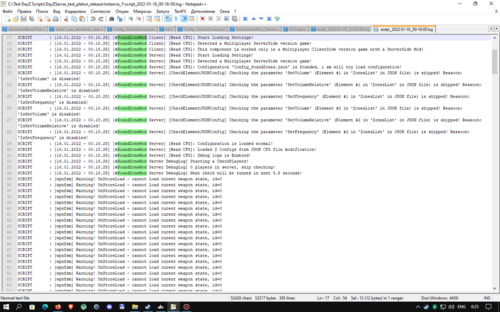
Параметр DebugLogs_Enabled- включает ведение дополнительного логирования для отслеживания работы скрипта (в том числе и на клиентской стороне). Формат значений - 1 - включено, 0 - выключено.
Параметр TimeRepeatCheckPlayers_Seconds - указывает как часто проводить проверку игроков на наличие в зонах. Может влиять на FPS сервера и быстроту срабатывания звука при вхождении в зону. Формат значений - время в секундах, сами значения - простые числа и и числа с точкой.
Параметр ZonesList - массив из конфигураций элементов с настройками зон. Минимум 1 элемент обязательно должен быть.
Параметр Position_play- точка на карте в формате X Y Z (Y - высота) в которой будет центр звуковой зоны. Все 3 значения чувствительны к правильности. Будьте внимательны, если ошибетесь с высотой, дистанция будет считаться от указанной вами точки на высоте. Формат значений - числа с точкой больше 0, разделенные запятой.
Параметр SoundSet- текстовое имя звукового SoundSet с существующим и известным игре звуком. Укажете с ошибкой - звук не будет проигрываться. Формат значений - текст.
Параметр IsLoop - включает и отключает циклическое воспроизведене указанного вами SoundSet. Формат значений - 1 - вкл, 0 - выкл
Параметр IsSetVolume - включает и отключает корректировку громкости звука параметром SetVolume. Формат значений - 1 - вкл, 0 - выкл.
Параметр SetVolume - задает громкость воспроизведения звука при IsSetVolume =1. Формат значений - число с точкой.
Параметр IsSetVolumeRelative - включает и отключает корректировку объемности воспроизводимого звука параметром SetVolumeRelative. Формат значений - 1 - вкл, 0 - выкл.
Параметр SetVolumeRelative- задает объемность для звука при IsSetVolumeRelative =1. Формат значений - число с точкой.
Параметр IsSetFrequency - включает и отключает корректировку частоты воспроизводимого звука параметром SetFrequency. Формат значений - 1 - вкл, 0 - выкл
Параметр SetFrequency- задает громкость воспроизведения звука при IsSetFrequency =1. Формат значений - число с точкой.
Параметр Enable_detect_to_Radius - включает и отключает учет статуса игрока в зоне по указанному в параметре Radius радусу зоны. Формат значений - 1 - вкл, 0 - выкл
Параметр Radius_play - дистанция от центра Position_play. В этом радиусе будет работать указанный вами звук SoundSet. Параметр работает только при Enable_detect_to_Radius =1. Может работать совместно с параметром SurfaceTypes и Enable_detect_SurfaceTypeUnderPlayer . Указывается число, которое больше нуля. Формат значений - число с точкой.
Параметр Enable_detect_in_X - включает и отключает учет статуса игрока в зоне по указанным в параметрах Coord_x_min и Coord_x_max значениям координаты X. Параметр может работать совместно с другими включенными настройками. Формат значений - 1 - вкл, 0 - выкл
Параметр Coord_x_min - значение начального диапазона координаты X на карте для учета игрока. Проще говоря, если координата X у игрока больше или равна этому значению, то считается, что игрок в зоне. Указывается число, которое больше нуля. Работает только при Enable_detect_in_X =1. Формат значений - число с точкой.
Параметр Coord_x_max- значение кончного диапазона координаты X на карте для учета игрока. Проще говоря, если координата X у игрока меньше или равна этому значению, то считается, что игрок в зоне. Указывается число, которое больше нуля. Работает только при Enable_detect_in_X =1. Формат значений - число с точкой.
Параметр Enable_detect_in_Y - включает и отключает учет статуса игрока в зоне по указанным в параметрах Coord_Y_min и Coord_Y_max значениям координаты Y. Параметр может работать совместно с другими включенными настройками. Формат значений - 1 - вкл, 0 - выкл
Параметр Coord_Y_min- значение начального диапазона координаты Y на карте для учета игрока. Проще говоря, если координата Y у игрока больше или равна этому значению, то считается, что игрок в зоне. Указывается число, которое больше нуля. Работает только при Enable_detect_in_Y =1. Формат значений - число с точкой.
Параметр Coord_Y_max- значение кончного диапазона координаты Y на карте для учета игрока. Проще говоря, если координата Y у игрока меньше или равна этому значению, то считается, что игрок в зоне. Указывается число, которое больше нуля. Работает только при Enable_detect_in_Y =1. Формат значений - число с точкой.
Параметр Enable_detect_in_Z- включает и отключает учет статуса игрока в зоне по указанным в параметрах Coord_Z_min и Coord_Z_max значениям координаты Z. Параметр может работать совместно с другими включенными настройками. Формат значений - 1 - вкл, 0 - выкл.
Параметр Coord_Z_min- значение начального диапазона координаты Z на карте для учета игрока. Проще говоря, если координата Z у игрока больше или равна этому значению, то считается, что игрок в зоне. Указывается число, которое больше нуля. Работает только при Enable_detect_in_Z=1. Формат значений - число с точкой.
Параметр Coord_Z_max- значение кончного диапазона координаты Z на карте для учета игрока. Проще говоря, если координата Z у игрока меньше или равна этому значению, то считается, что игрок в зоне. Указывается число, которое больше нуля. Работает только при Enable_detect_in_Z=1. Формат значений - число с точкой.
Параметр Enable_detect_SurfaceTypeUnderPlayer - включает и отключает учет статуса игрока в зоне по указанным в параметре SurfaceTypes значениям поверхностей. Параметр может работать совместно с другими включенными настройками. Формат значений - 1 - вкл, 0 - выкл.
Параметр SurfaceTypes - параметр-массив со списком типов поверхностей, на которых игрок будет считаться как вошедшим в зону при условии, если он находится на данном типе поверхности. Проще говоря, если игрок стоит на этом типе поверхности внутри зоны, то считается, что игрок в зоне. Работает только при Enable_detect_SurfaceTypeUnderPlayer =1. Формат значений - текст в кавычках. Значения разделять через запятую
Возможно вам пригодится:
Гайд по созданию своих ключей и подписей к своему моду: https://s-platoon.ru/topic/7701-dayz-standalone-sozdanie-klyuchey-i-podpisey-k-modam-i-addonam/
Гайд по загрузке своей модификации в Steam: https://s-platoon.ru/topic/7702-dayz-standalone-kak-zalitzakachat-svoy-mod-v-stim/
Похожие товары, которые могут вас заинтересовать:
The game for which this product is suitable: DayZ Standalone
Type: Mod (client + Server)
Authorship: Sanya (ZoS project)
The product is compatible, tested and tested on clean versions of the game: 1.14,1.15,1.16,1.17,1.18,1.19,1.20
Description:
A mod that adds the playback of the sound 'ambient' in the zones indicated on the map. You can adjust the points on the map, the radius of the zone, as well as cyclic playback and volume relative to the standard. The mod is required for the presence of players and is client-server. It doesn't work in a purely server bundle!!!
Video demonstration of work on a local server:
If you have problems accessing the file: Contact Dr.Tauren in private messages.
Opportunities:
Playing 'ambient' (sounds) when the player enters the zone and is in it. When the player leaves the zone, the sound playback stops. It is possible to combine several zones in one place with different radius The mod settings are made in the json config of the mod, which allows you to quickly configure the right number of zones for you quickly and unobtrusively. If there are errors in the mod's config, it will be recreated automatically to the standard one, while the errors will be noted in the server's script log. It is recommended to keep a copy of the configuration and monitor the server logs after it starts! The ability to set your own settings and sound for each point. The ability to specify your own sound 'ambient' if it is available in other mods
Important:
The script was tested on a clean version of the game version of the game at the time of publication and is operational to this day and hour.
The client part of the mod is allowed to be packed into its own packages of mods for its own servers in an unchanged form (you can rename the pbo file). To do this, it is enough to put the pbo files of the client part of the mod in the addons folder of your mod package and sign with your keys!
By default, the mod is not signed with any key, to check its full operation on your server, it must be signed! (The server part does not need to be signed)
The sounds you need should be searched for and created separately additionally. The package offers only 3 test sounds: ambient horror, frogs in the swamp, howling wolf in the night.
Component of the product:
The client part of the mod named Sound Zone Mod, consisting of the script part of the work The client part of the mod named Sound Zone Mod_sounds, consisting of sets of 3 sounds. We can add our own sounds to it. The server part of the mod named Sound Zone Mod_Server in a separate folder Example of a json configuration of a mod named Config_Sound Zones.json (you can download a sample Config_SoundZones.rar)
Customization:
The DebugLogs_Enabled parameter enables additional logging to track the script (including on the client side). The format of the values is 1 - on, 0 - off.
The TimeRepeatCheckPlayers_Seconds parameter specifies how often to check players for presence in zones. It can affect the FPS of the server and the speed of sound triggering when entering the zone. The format of the values is time in seconds, the values themselves are prime numbers and and numbers with a dot.
The ZonesList parameter is an array of element configurations with zone settings. There must be at least 1 element.
The Position_play parameter is a point on the map in the format X Y Z (Y is the height) in which the center of the sound zone will be. All 3 values are sensitive to correctness. Be careful, if you make a mistake with the height, the distance will be calculated from the point you specified at the height. The format of the values is numbers with a dot greater than 0, separated by a comma.
The SoundSet parameter is the text name of an audio SoundSet with an existing and known sound to the game. Specify with an error - the sound will not be played. The format of the values is text.
The IsLoop parameter - enables and disables cyclic playback of the SoundSet you specified. The format of the values is 1 - on, 0 - off
The IsSetVolume parameter - enables and disables sound volume adjustment with the setVolume parameter. The format of the values is 1 - on, 0 - off.
The setVolume parameter - sets the volume of sound playback when IsSetVolume =1. The format of the values is a number with a dot.
The IsSetVolumeRelative parameter - enables and disables volume correction of the reproduced sound by the SetVolumeRelative parameter. The format of the values is 1 - on, 0 - off.
The SetVolumeRelative parameter- sets the volume for the sound when IsSetVolumeRelative =1. The format of the values is a number with a dot.
The IsSetFrequency parameter - enables and disables the correction of the frequency of the sound being played by the SetFrequency parameter. The format of the values is 1 - on, 0 - off
The SetFrequency parameter- sets the volume of sound playback when IsSetFrequency =1. The format of the values is a number with a dot.
The Enable_detect_to_Radius parameter - enables and disables the accounting of the player's status in the zone according to the Radius radius specified in the Radius parameter. The format of the values is 1 - on, 0 - off
The Radius_play parameter is the distance from the center of Position_play. The SoundSet you specified will work in this radius. The parameter only works when Enable_detect_to_Radius =1. It can work together with the SurfaceTypes parameter and Enable_detect_SurfaceTypeUnderPlayer . A number that is greater than zero is specified. The format of the values is a number with a dot.
The Enable_detect_in_X parameter - enables and disables the accounting of the player's status in the zone according to the values of the X coordinate specified in the parameters Coord_x_min and Coord_x_max. The parameter can work together with other enabled settings. The format of the values is 1 - on, 0 - off
The parameter Coord_x_min is the value of the initial range of the X coordinate on the map to account for the player. Simply put, if the player's X coordinate is greater than or equal to this value, then it is assumed that the player is in the zone. A number that is greater than zero is specified. Works only when Enable_detect_in_X =1. The format of the values is a number with a dot.
The parameter Coord_x_max is the value of the point range of the X coordinate on the map to account for the player. Simply put, if the player's X coordinate is less than or equal to this value, then it is assumed that the player is in the zone. A number that is greater than zero is specified. Works only when Enable_detect_in_X =1. The format of the values is a number with a dot.
The Enable_detect_in_Y parameter enables and disables the accounting of the player's status in the zone according to the values of the Y coordinate specified in the parameters Coord_Y_min and Coord_Y_max. The parameter can work together with other enabled settings. The format of the values is 1 - on, 0 - off
The parameter Coord_Y_min is the value of the initial range of the Y coordinate on the map to account for the player. Simply put, if the Y coordinate of a player is greater than or equal to this value, then it is assumed that the player is in the zone. A number that is greater than zero is specified. Works only when Enable_detect_in_Y =1. The format of the values is a number with a dot.
The parameter Coord_Y_max is the value of the point range of the Y coordinate on the map to account for the player. Simply put, if the Y coordinate of a player is less than or equal to this value, then it is assumed that the player is in the zone. A number that is greater than zero is specified. Works only when Enable_detect_in_Y =1. The format of the values is a number with a dot.
The Enable_detect_in_Z parameter- enables and disables the accounting of the player's status in the zone according to the values of the Z coordinate specified in the parameters Coord_Z_min and Coord_Z_max. The parameter can work together with other enabled settings. The format of the values is 1 - on, 0 - off.
The parameter Coord_Z_min is the value of the initial range of the Z coordinate on the map to account for the player. Simply put, if the player's Z coordinate is greater than or equal to this value, then it is assumed that the player is in the zone. A number that is greater than zero is specified. Works only when Enable_detect_in_Z=1. The format of the values is a number with a dot.
The parameter Coord_Z_max is the value of the point range of the Z coordinate on the map to account for the player. Simply put, if the player's Z coordinate is less than or equal to this value, then it is assumed that the player is in the zone. A number that is greater than zero is specified. Works only when Enable_detect_in_Z=1. The format of the values is a number with a dot.
The Enable_detect_SurfaceTypeUnderPlayer parameter - enables and disables the accounting of the player's status in the zone according to the surface values specified in the SurfaceTypes parameter. The parameter can work together with other enabled settings. The format of the values is 1 - on, 0 - off.
The SurfaceTypes parameter is an array parameter with a list of types of surfaces on which the player will be considered as having entered the zone, provided that he is on this type of surface. Simply put, if a player stands on this type of surface inside the zone, then it is considered that the player is in the zone. Works only when Enable_detect_SurfaceTypeUnderPlayer =1. The format of the values is text in quotation marks. Values separated by commas
You may find it useful:
Guide to creating your own keys and signatures for your mod: https://s-platoon.ru/topic/7701-dayz-standalone-sozdanie-klyuchey-i-podpisey-k-modam-i-addonam/
Guide for uploading your modification to Steam: https://s-platoon.ru/topic/7702-dayz-standalone-kak-zalitzakachat-svoy-mod-v-stim/
Similar products that may interest you:
903 скачивания
(5 отзывов)Обновлено
-
Бесплатно
ToxicZoneSpawner
Автор:
123new
Игра, для который подходит данный товар: DayZ Standalone
Тип: мод (серверный)
Авторство: я (123new)
Страница работы в Мастерской Steam: https://steamcommunity.com/sharedfiles/filedetails/?id=2768754903
Товар совместим, тестировался и проверялся на чистых версиях игры: 1.11,1.12,1.13,1.14,1.15,1.16,1.17,1.18,1.19,1.20
Описание:
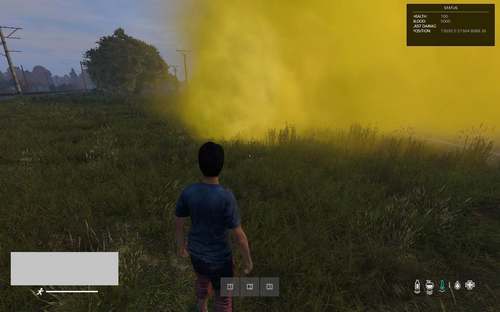
Скрипт, добавляющий на карте токсичные и зараженные зоны, которые можно настраивать по своему разумению. Иммитаця зон заражения выполняется посредством дымовых гранат, которые переспавниваются время от времени. (да, это может нагружать сервер игры дополнительно, но не сильно(проверял заказчик)) Скрипт не требуется к наличию игрокам и является серверным.
Дополнительно:
Доработка под новшества токсчных зон с новых версий игры 1.14 и 1.15 не проводилась, но сам скрипт работает. Такая работа есть в планах на изучение ?
При проблемах с доступом к файлу: Свяжитесь с Dr.Tauren в личных сообщениях.
Почему работа бесплатно и больше не поддерживается: читаем тут
Комплектация:
Скрипт (мод) Информация по слотам, которая может пригодиться к настройке товара (для раздела настройки) Пример заполненной конфигурации товара с тестового сервера с несколькими зонами (не чистая конфигурация товара)
Возможности:
Указание зон на карте с чисто индивидуальными для них характеристиками Имеется возможность отправлять игроку как текстовые уведомления в чат, так и всплывающие уведомления при входе и приближении к зоне (отключаемая и настраиваемая опции) Имеется возможность задать 2 радиусе, в одном из которых будет уведомление о близости игрока к зоне, а в другом именно само воздействие зоны (отключаемая опция) Имеется возможность включить спавн дымовых гранат и указать их тип (опциональная опция)(может дополнительно нагружать сервер)(для каждой дымовой гранаты надо будет ручками указать ее точку появления) Возможность настроить нанесение урона игроку, высчитываемого в зависимости от надетых на него вещей на слотах (отключаемая и настраиваемая опция) Возможность настроить нанесение урона вещам, надетым на игрок по коэфициенту, в зависимости от надетых на него вещей на слотах (отключаемая опция) Возможность настроить какие из вещей, надетые на игрока в слоте инвентаря, с каким коэфициентом будет защищать игрока в зависимости от ее качества. Можно указать несколько вещей и коэфициентных настроек. (НЕ отключаемая опция) Возможность настроить выдачу симптомов игроку (например чихание) при входе в зону без защиты/воздействии зоны на игрока (отключаемая опция) (не все симптомы проверялись) Мод является чисто-серверным (не требуется игроку) Возможность переписать код скрипта под себя, если вам это нужно (не зашифровано) Настройки мода вынесены в json-конфиг мода, позволяющий быстро настроить нужное количество схронов, точек их спавна и лута. При ошибках в конфиге мода он будет пересоздан автоматически на стандартный, при этом ошибки будут отмечены в script-логе сервера. Рекоммендуется держать копию конфигурации и наблюдать за логами сервера после его старта!
Важно:
Скрипт проверен на чистой версии игр на момент публикации и является работоспособным по сей день и час. Скрипт настраивается исключительно по настройкам из JSON-файла скрипта. Если у вас нет конфигурационного файла, мод сам создат чистую конфигурацию спавна мода 'поумолчанию' Если вы укажете настройки скрипта не верно, сервер сам пересоздат чистую конфигурацию спавна мода 'поумолчанию' Причины неверной настройки ищите в script-log файлах сервера. Возможна дополнительная нагрузка и влияние на fps сервера/игры при включении скрипта, а также активации определенных опций в настройках скрипта. Основной функционал отлажен и протестирован на чистом сервере. Скрипт целиком и полностью зависит от корректности работы официальных игровых функций игры (функции, имеющиеся в игре и добавленные в нее авторами игры). Автор скрипта (т.е. я) снимает с себя ответственность за некорректность работы данных функций.
Настройка: приложена внутри
Чистый JSON-конфиг файл работы с настройками (для тех кто хочет посмотреть сам): Config_ToxicZoneSpawner.rar
The game for which this product is suitable: DayZ Standalone
Type: mod (server-side)
Authorship: I am (123new)
The page of work in the Steam Workshop: https://steamcommunity.com/sharedfiles/filedetails/?id=2768754903
The product is compatible, tested and tested on clean versions of the game: 1.11,1.12,1.13,1.14,1.15,1.16,1.17,1.18,1.19,1.20
Description:
A script that adds toxic and infected areas to the map, which you can customize as you see fit. The infection zones are imitated by smoke grenades, which are re-spawned from time to time. (yes, this can load the game server additionally, but not much(checked by the customer)) The script is not required for the presence of players and is server-side.
If there are problems accessing the file: Contact Dr.Tauren in private messages.
Why is the work free and no longer supported: read this
Equipment
Script (mod) Information on slots that can be useful for configuring the product (for the settings section) Example of a completed product configuration from a test server with multiple zones (not a clean product configuration)
More description in Russian version site or arhive file!
488 скачиваний
(2 отзыва)Обновлено
-
Бесплатно
TeleportAnomaly
Автор:
123new
Игра, для который подходит данный товар: DayZ Standalone
Тип: мод (клиент-серверный)
Авторство: я (123new)
Товар совместим, тестировался и проверялся на чистых версиях игры: 1.07, 1.08, 1.09,1.10,1.11,1.12,1.13,1.14,1.15,1.16,1.17,1.18,1.19,1.20
Страница работы в мастерской Steam: https://steamcommunity.com/sharedfiles/filedetails/?id=2768751191
Описание:
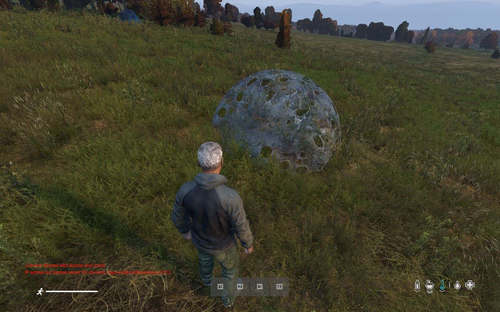
Мод, добавляющий спавн аномалии-телепорта в указанных зонах на карте. Можно указывать свои аномалии по их ID объекта в игре, а также задавать количество аномалий на карте и их точки рандомного телепорта игроков. Мод с самой аномалией требуется к наличию игрокам и является клиент-серверным. Мод самого спавнера и телепорта НЕ требуется к наличию игрокам и является чисто серверным.
При проблемах с доступом к файлу: Свяжитесь с Dr.Tauren в личных сообщениях.
Почему работа бесплатно и больше не поддерживается: читаем тут
Game that this product is suitable for: DayZ Standalone
Type: mod (server)
Authorship: I (123new)
The product is compatible, tested and tested on clean versions of the game: 1.07, 1.08, 1.09, 1.10,1.11,1.12,1.13,1.14,1.15,1.16,1.17,1.18,1.19,1.20
The page of work in the Steam workshop: https://steamcommunity.com/sharedfiles/filedetails/?id=2768751191
Description:
Mod that adds spawn anomalies-teleport in the specified zones on the map. You can specify your own anomalies by their object ID in the game, as well as set the number of anomalies on the map and their random teleport points for players. The mod with the anomaly itself is required for the presence of players and is client-server. The mod of the Spawner and teleport itself is not required for the presence of players and is purely server-side.
If you have problems accessing the file: Contact Dr.Tauren in private messages.
Why the work is free and no longer supported: read here
Возможности:
Спавн аномалий в указанных точках на карте Можно задавать свои ID аномалий на карте, если вам не нравятся предложенные У каждой аномалии есть свой список точек, куда она может телепортировать игрока. Точка выбирается каждый раз случайным образом. У каждой аномалии можно менять размеры активной хитбокс-зоны, при входе в которую сработает телепорт игрока Можно задать минимальное и максимальное количество аномалий, среди которых сервер при запуске выберет сам случайным образом количество аномалий из всего списка. При указании или выпадении количества аномалий меньшего количества, чем имеется в списке, будут выбраны случайным образом аномалии к спавну на карте Сам спавнер является чисто-серверной модификацией Возможность переписать код модификации под себя, если вам это нужно Настройки мода вынесены в json-конфиг мода, позволяющий быстро настроить нужное количество зон вам быстро и непритязатьельно.
При ошибках в конфиге мода он будет пересоздан автоматически на стандартный, при этом ошибки будут отмечены в script-логе сервера. Рекоммендуется держать копию конфигурации и наблюдать за логами сервера после его старта!
Opportunities:
Spawn anomalies at specified points on the map You can set your own anomaly IDS on the map if you don't like the suggested ones Each anomaly has its own list of points where it can teleport the player. The point is selected randomly each time. For each anomaly, you can change the size of the active HitBox zone, at the entrance to which the player's teleport will work You can set the minimum and maximum number of anomalies, among which the server will randomly select the number of anomalies from the entire list at startup. If you specify or drop the number of anomalies less than the number in the list, the anomalies to spawn on the map will be randomly selected The spavner itself is a purely server-side modification Ability to rewrite the modification code for yourself, if you need it Mod settings are made in the JSON config of the mod, which allows you to quickly configure the desired number of zones for you quickly and unobtrusively. If there are errors in the mod's config, it will be recreated automatically to the standard one, and errors will be noted in the server's script log. It is recommended to keep a copy of the configuration and monitor the server logs after it starts!
Важно:
Скрипт проверен на чистой версии игры на момент публикации и является работоспособным по сей день и час. Для работы модификации требуются аномалии! В данном моде представлены 2 варианта аномалий. Сделать новые или найти вы можете сами!!! Если вы укажете настройки скрипта не верно, сервер сам пересоздат конфигурацию спавна мода 'поумолчанию' Основной функционал отлажен и протестирован на чистом сервере. Клиентская часть мода разрешена к запаковке в собственные пакеты модов для собственных серверов в любом виде (переименовать pbo файл можно). Для этого достаточно поместить pbo-файлы клиентской части мода в папку addons вашего пакета модов и подписать своими ключами! Поумолчанию мод не подписан никаким ключем, для проверки полноценной работы на вашем сервере его необходимо подписать! (Серверную часть подписывать не обязательно)
Important:
The script was tested on a clean version of the game at the time of publication and is functional to this day and hour. The modification requires anomalies to work! There are 2 variants of anomalies in this mod. You can make new ones or find them yourself!!! If you specify the script settings incorrectly, the server itself will recreate the configuration of the spawn mod 'silent' The main functionality is debugged and tested on a clean server. The client part of the mod is allowed to be Packed into its own mod packages for its own servers in any form (you can rename the pbo file). To do this, just put the PBO files of the client part of the mod in the addons folder of your mod package and sign them with your keys! By default, the mod is not signed by any key, to check the full operation on your server, you need to sign it! (You don't need to sign the server part)
Настройка в скриншотах / Setting up in screenshots:
777 скачиваний
(1 отзыв)Обновлено
-
Бесплатно
CheckArtefacts
Автор:
123new
Тип: мод (серверный)
Авторство: 123new
Совместим, тестировался и проверялся на чистых версиях игры: 1.07, 1.08, 1.09,1.10,1.11,1.12,1.13,1.14,1.15,1.16,1.17,1.18,1.19,1.20
Страница работы в мастерской Steam: https://steamcommunity.com/sharedfiles/filedetails/?id=2842850280
Страница старой версии работы на форуме: https://s-platoon.ru/topic/12370-checkartefacts/
Описание:
Скрипт, позволяющий вам применять опеределенные настраиваемые действия на игрока при наличии у него того или иного предмета в инвентаре везде. Имеется список настраиваемых исключений.
Возможности:
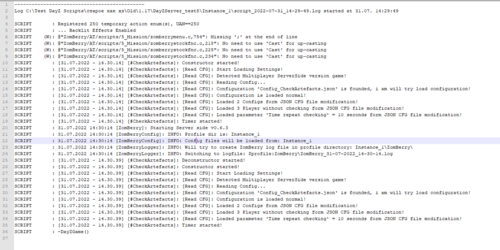
Можно задавать критерии поиска, такие как учет поиска предмета(ов) в инвентаре игрока или руках, а также нахождение игрока в той или иной зоне(ах) Можно задавать список предметов, которые ищем Можно задавать точки на карте с их радиусами, в которых ищем игрока Можно комбинировать и требовать оба значения фильтра поиска (наличие предмета + точка на карте), либо требовать наличия любого фильтра из тех, что обнаружатся. Фильтры поиска можно отключать Можно задавать список исключений из предметов, которые будут пропускаться при поиске Можно применять (выдавать, либо снимать) разнообразные значения к игроку при наличии найденного предмета в списке, начиная от HP и крови, и заканчивая болезнями, симптомами, порезами и болезнями Возможность переписать код скрипта под себя, если вам это нужно Настройки мода вынесены в json-конфиг мода, позволяющий быстро настроить необходимые параметры и делать несколько конфигураций с разными настройками. При ошибках в конфиге мода он будет пересоздан автоматически на стандартный, при этом ошибки будут отмечены в script-логе сервера. Рекоммендуется держать копию конфигурации и наблюдать за логами сервера после его старта! Важно:
Скрипт проверен на чистой версии игр на момент публикации и является работоспособным по сей день и час. Если вы укажете настройки скрипта не верно, сервер сам пересоздат конфигурацию мода 'поумолчанию' Основной функционал отлажен и протестирован на чистом сервере. При ошибках в конфиге мода он будет пересоздан автоматически на стандартный (старый файл будет переименован), при этом ошибки будут отмечены в script-логе сервера. Рекоммендуется наблюдать за логами сервера после его старта! Перепаковка, запаковка работы и изменение по своему вкусу разрешены при указании авторства на текущий мод!
Настройки приложены в архиве.
Type: MOD (server)
Authorship: 123new
Compatible, tested and tested on clean versions of the game: 1.07, 1.08, 1.09,1.10,1.11,1.12,1.13,1.14,1.15,1.16,1.17,1.18,1.19,1.20
The page of work in the Steam workshop: https://steamcommunity.com/sharedfiles/filedetails/?id=2842850280
The page of the old version of the work on the forum: https://s-platoon.ru/topic/12370-checkartefacts/
Description:
A script that allows you to apply certain customizable actions to a player if he has a particular item in his inventory everywhere. There is a list of configurable exceptions.
Features:
You can set search criteria, such as taking into account the search for the item(s) in the player's inventory or hands, as well as finding the player in a particular zone (s), you can set a list of items that we are looking for You can set points on the map with their radii, in which we are looking for a player You can combine and require both values of the search filter (the presence of an object + a point on the map), or require the presence of any filter from those that are found. Search filters can be disabled You can set a list of exceptions from items that will be skipped during the search You can apply (issue or remove) a variety of values to the player in the presence of a found item in the list, ranging from HP and blood, and ending with diseases, symptoms, cuts and diseases The ability to rewrite the script code for yourself, if you need it The mod settings are made in the json config of the mod, which allows you to quickly configure the necessary parameters and make several configurations with different settings. If there are errors in the mod's config, it will be recreated automatically to the standard one (the old file will be renamed), while the errors will be noted in the server's script log. It is recommended to monitor the server logs after its start! Important:
The script was tested on a clean version of the games at the time of publication and is operational to this day and hour. If you specify the script settings incorrectly, the server itself will recreate the mod configuration 'by silence' The main functionality is debugged and tested on a clean server. The author of the script is not obliged to support his work for free. Any of your donations are welcome. Repacking, packing the work and changing to your liking are allowed if you specify the authorship of the current mod!
Settings added in mod files.
Config_CheckArtefacts.rar
566 скачиваний
(2 отзыва)Обновлено
-
Бесплатно
NightZoneMod
Автор:
123new
Игра, для который подходит данный товар: DayZ Standalone
Тип: мод (клиентский + серверный)
Авторство: Sania (проект ZoS)
Товар совместим, тестировался и проверялся на чистых версиях игры: 1.14,1.15,1.16,1.17,1.18,1.19,1.20
Описание:
Мод, добавляющий 'затемняемые' (для локального игрового мира игрока) зоны в обозначенных на карте зонах. Можно настраивать точки на карте, радиус зоны, коэфициент затемнения, вхождение игрока в диапазон тех или иных координат, а также нахождение игрока на тех или иных поверхностях. Мод требуется к наличию игрокам и является клиент-серверным. В чисто серверной связке не работает!!!
Идея по детекту игрока и затемнению игрового мира взята с мода Namalsk.
Видео-демонстрация работы на локальном сервере:
При проблемах с доступом к файлу: Свяжитесь с Dr.Tauren в личных сообщениях.
Почему работа бесплатно и больше не поддерживается: читаем тут
Адрес страницы работы в мастерской Steam: https://steamcommunity.com/sharedfiles/filedetails/?id=2768728225
Возможности:
'Затемняемые' (или ночь) локально у каждого игрока на экране при входе игрока в зону и нахождении в ней. При выходе игрока из зоны "затемнение" снимается. Можно совмещать несколько зон в одном месте с разными радиусами Настройки мода вынесены в json-конфиг мода, позволяющий быстро настроить нужное количество зон вам быстро и непритязательно. При ошибках в конфиге мода он будет пересоздан автоматически на стандартный, при этом ошибки будут отмечены в script-логе сервера. Рекоммендуется держать копию конфигурации и наблюдать за логами сервера после его старта! Возможность задать для каждой точки свои настройки.
Важно:
Скрипт проверен на чистой версии игры версии игры на момент публикации и является работоспособным по сей день и час.
Для определения игрока как 'в зоне затемнения' используются 2 варианта работы скрипта, или по вхождению игрока в радиус, или по вхождению игрока в диапазон координат в указаннгых границах. Подробнее об этом ниже в настройках!
Не ставьте коэфициент затемнения как 0.000 - он отключит работу прибора ночного видения. Установите хотя бы 0.005, это позволит достичь и приемлемой картинки, и оставит прибор рабочим. Это не исправляется.
Модификация не выставляет внутриигровое клиентское время для игрока как 'ночное'. Он симулирует затемнение экрана, создавая видимость наступления темного периода времени в отдельно взятой зоне на карте. Следует это понимать при работе на сервере!
ВАЖНО ПРО СОВМЕСТИМОЛСТЬ И КОНФЛИКТЫ С МОДИФИКАЦИЯМИ:
СОВМЕСТИМОСТЬ С ДРУГИМИ МОДАМИ НЕ ПРОВЕРЯЛАСЬ! Я НЕ ВЕДУ ПОДДЕРЖКИ ПО СОВМЕСТИМОСТИ И АДАПТАЦИИ С ДРУГИМИ МОДИФИКАЦИЯМИ, НЕ ГАРАНТИРУЮ ИХ РАБОТУ НА ДРУГИХ МОДИФИКАЦИЯХ, КАРТАХ И СЕРВЕРАХ, ОТТЛИЧНЫХ ОТ СТАНДАРТНЫХ ВАНИЛЬНЫХ ВЕРСИЙ ИГРЫ! ПО ПРОБЛЕМАМ СОВМЕСТИМОСТИ С ТАКОВЫМИ ОБРАЩАЙТЕСЬ К АВТОРАМ ЭТИХ МОДИФИКАЦИЙ!!!!!!!!!!!!!!!!!!!!!!!!!!!!!!!!!!!!!!!!!!!!
Особенности работы:
Чтобы работал ПНВ достаточно установить зону затемнения не на полный 0.00 а на хотя бы 0.005 Известные проблемы:
Наблюдаются проблемы с отображением света от костров и факелов в затемняемой зоне. Исправление пока не найдено!
Составляющая товара:
Файлы самой модификации Описание настроек и модификации в отдельном файле Пример json-конфигурации мода с именем Config_NightZones.json (вы можете изучить пример Config_NightZones.rar)
Настройка приложена в архиве с работой
Похожие товары, которые могут вас заинтересовать:
The game for which this product is suitable: DayZ Standalone
Type: Mod (client + Server)
Authorship: Sanya (ZoS project)
The product is compatible, tested and tested on clean versions of the game: 1.14,1.15,1.16,1.17,1.18,1.19,1.20
Description:
A mod that adds 'darkened' (for the player's local game world) zones in the zones marked on the map. You can adjust the points on the map, the radius of the zone, the dimming coefficient, the player's entry into the range of certain coordinates, as well as the player's location on certain surfaces. The mod is required for the presence of players and is client-server. It doesn't work in a purely server bundle!!!
The idea of detecting the player and darkening the game world is taken and 'copied' from the Namalsk mod.
Video demonstration of work on a local server:
If you have problems accessing the file: Contact Dr.Tauren in private messages.
Why the work is free and no longer supported: read here
Steam Workshop page: https://steamcommunity.com/sharedfiles/filedetails/?id=2768728225
Opportunities:
'Darkened' (or night) locally for each player on the screen when the player enters the zone and is in it. When the player leaves the zone, the "blackout" is removed. It is possible to combine several zones in one place with different radius. The mod settings are made in the json config of the mod, which allows you to quickly configure the right number of zones for you quickly and unassumingly. If there are errors in the mod's config, it will be recreated automatically to the standard one, while the errors will be noted in the server's script log. It is recommended to keep a copy of the configuration and monitor the server logs after it starts! The ability to set your own settings for each point.
Important:
The script was tested on a clean version of the game version of the game at the time of publication and is operational to this day and hour.
To define a player as 'in the blackout zone', 2 variants of the script are used, either by entering the player into the radius, or by entering the player into the coordinate range within the specified boundaries. Read more about this below in the settings!
Do not set the dimming coefficient as 0.000 - it will disable the operation of the night vision device. Set at least 0.005, this will allow you to achieve an acceptable picture, and leave the device working. This is not fixed.
The modification does not set the in-game client time for the player as 'night'. It simulates the darkening of the screen, creating the appearance of the onset of a dark period of time in a particular area on the map. It should be understood when working on the server!
IT IS IMPORTANT ABOUT COMPATIBILITY AND CONFLICTS WITH MODIFICATIONS:
COMPATIBILITY WITH OTHER MODS HAS NOT BEEN TESTED! I DO NOT SUPPORT COMPATIBILITY AND ADAPTATION WITH OTHER MODIFICATIONS, I DO NOT GUARANTEE THEIR WORK ON OTHER MODIFICATIONS, MAPS AND SERVERS OTHER THAN THE STANDARD VANILLA VERSIONS OF THE GAME! FOR COMPATIBILITY ISSUES WITH SUCH, PLEASE CONTACT THE AUTHORS OF THESE MODIFICATIONS!!!!!!!!!!!!!!!!!!!!!!!!!!!!!!!!!!!!!!!!!!!!IT IS IMPORTANT ABOUT COMPATIBILITY AND CONFLICTS WITH MODIFICATIONS: COMPATIBILITY WITH OTHER MODS HAS NOT BEEN TESTED! I DO NOT SUPPORT COMPATIBILITY AND ADAPTATION WITH OTHER MODIFICATIONS, I DO NOT GUARANTEE THEIR WORK ON OTHER MODIFICATIONS, MAPS AND SERVERS OTHER THAN THE STANDARD VANILLA VERSIONS OF THE GAME! FOR COMPATIBILITY ISSUES WITH SUCH, PLEASE CONTACT THE AUTHORS OF THESE MODIFICATIONS!!!!!!!!!!!!!!!!!!!!!!!!!!!!!!!!!!
Information about work:
In order for the NightVision to work, it is enough to set the dimming zone not to full 0.00 but to at least 0.005 Known issues:
There are problems with the display of light from bonfires and torches in the darkened area. The fix has not been found yet!
Component of the product:
Files of the modification itself Description of settings and modifications in a separate file An example of a json configuration of a mod named Config_Nightzone.json (you can study an example Config_NightZones.rar)
Customization added in arhive work.
Similar products that may interest you:
926 скачиваний
(10 отзывов)Обновлено
-
Бесплатно
Restart System with Autokick / Система рестартов с автокиком игроков
Автор:
123new
Описание:
Серверный скрипт, осуществляющий автоматические рестарты сервера с уведомлениями в чате сервера о времени до рестартов, времени работы сервера, а также автоматической блокировкой возможности входа на сервер, киком игроков с сервера на момент блокировки сервера, а также выключением сервера.
Для полноценного рестарта вам остается лишь включить сервер заного снова (например, из настроенного вами batch-файла или любой другой программы).
Игра, для который подходит данный товар: DayZ Standalone
Тип: серверный скрипт
Авторство: я (123new)
Товар совместим, тестировался и проверялся на чистых версиях игры: 1.07, 1.08, 1.09,1.10,1.11,1.12,1.13,1.14,1.15,1.16,1.17,1.18,1.19,1.20
Description:
A server script that performs automatic server restarts with notifications in the server chat about the time before restarts, the server's operating time, as well as automatically blocking the possibility of logging in to the server, kicking players from the server at the time of blocking the server, as well as turning off the server.
For a full restart, you just need to turn on the server again again (for example, from the batch file you configured or any other program).
The game for which this product is suitable: DayZ Standalone
Type: Server script
Authorship: I (123new)
The product is compatible, tested and tested on clean versions of the game: 1.07, 1.08, 1.09,1.10,1.11,1.12,1.13,1.14,1.15,1.16,1.17,1.18,1.19,1.20
При проблемах с доступом к файлу: Свяжитесь с Dr.Tauren в личных сообщениях.
Почему работа бесплатно и больше не поддерживается: читаем тут
If you have problems accessing the file: Contact Dr.Tauren in private messages.
Why the work is free and no longer supported: read here
Возможности:
Автоматические уведомления в чате о времени до рестарта (можно отключить) Автоматические уведомления в чате о времени работы сервера с момента старта (можно отключить) Автоматические настраиваемые уведомления перед непосредственным рестартом сервера для игроков в чат. (можно отключить) Автоматическая блокировка входа на сервер за X минут до физического рестарта сервера (можно отключить) Автоматический кик всех играющих на сервере игроков с сервера за X минут до физического рестарта сервера. (можно отключить) К сожалению, возможности выводить причину кика на экран не возможно сделать без своего клиент-серверного мода (особенность языка игры). Сохранение персонажа при этом выполняется штатными системами сервера игры. Автоматический кик (иммитация блокировки сервера) всех входящих на сервер игроков, если сервер заблокирован. (можно отключить) К сожалению, возможности выводить причину кика на экран не возможно сделать без своего клиент-серверного мода (особенность языка игры). Автоматическое выключение сервера в момент рестарта с корректным выключением сервера. (можно отключить) Настраиваемые тексты уведомлений и оповещений в чат перед каждым действием. Два типа рестартов с возможностью включения и настройки нужного режима: 1) рестарт фиксированный, по указанному времени (аналог sheduler BEC). 2) рестарт динамичный, через фиксированное время от момента запуска сервера. Комманды, доступные извне для других скриптов через вызов кода Get_RestartServer_System() для исполнения в своих скриптах и службах. С их помощью возможна ручная блокировка, разблокировка сервера, кик всех игроков и перезагрузка сервера. Opportunities:
Аautomatic notifications in the chat about the time before the restart (you can disable it) Automatic notifications in the chat about the server's operating time from the start (you can disable it) Automatic customizable notifications before the direct restart of the server for players in the chat. (can be disabled) Automatic blocking of the login to the server for X minutes before the physical restart of the server (you can disable it) Automatic kick of all players playing on the server from the server X minutes before the physical restart of the server. (can be disabled) Unfortunately, it is not possible to display the reason for the kick on the screen without its own client-server mod (a feature of the game language). The character is saved at the same time by the regular systems of the game server. Automatic kick (imitation of server blocking) of all players entering the server, if the server is blocked. (can be disabled) Unfortunately, it is not possible to display the reason for the kick on the screen without its own client-server mod (a feature of the game language). Automatic shutdown of the server at the time of restart with the correct shutdown of the server. (can be disabled) Customizable texts of notifications and alerts in the chat before each action. Two types of restarts with the ability to enable and configure the desired mode: 1) the restart is fixed, at the specified time (analogous to sheduler BEC). 2) the restart is dynamic, after a fixed time from the moment the server starts. Commands that are accessible from the outside for other scripts via a code call Get_RestartServer_System() for execution in their own scripts and services. With their help, it is possible to manually lock, unlock the server, kick all players and restart the server.
Если вдруг кому-то понадобится:
Поднятие сервера после его выключения можете реализовать например по способам, описанным в теме
Рекоммендую для простоты програмку из способа 3.
If suddenly someone needs:
Raising the server after it is turned off can be implemented, for example, according to the methods described in the topic
I recommend for simplicity the program from method 3.
Важно:
Работоспособность скрипта напрямую зависит от функции и исполнения игрой CallLater (отложенный запуск). Если вдруг после какой-то модификации или обновления игры функция будет сломана, либо заторможена, рестарт может быть задержан на какое-то время. На момент работы с патчем 1.07 такие зависания найдены после работы сервера 5.5 часов без перезагрузки (без модов), на более старых версиях игры таких проблем не наблюдалось. По этой причине не рекоммендую ставить частоту рестартов выше 5 часов! Скрипт проверен на чистой версии игры на момент публикации и является работоспособным по сей день и час. Important:
The performance of the script directly depends on the function and execution of the game Call Later (delayed launch). If suddenly, after some modification or update of the game, the function is broken or slowed down, the restart may be delayed for some time. At the time of working with patch 1.07, such freezes were found after the server was running for 5.5 hours without rebooting (without mods), no such problems were observed on older versions of the game. For this reason, I do not recommend setting the restart frequency above 5 hours! The script was tested on a clean version of the game at the time of publication and is operational to this day and hour. Настройка:
Настройка скрипта состоит из нескольких блоков, часть настроек в которых зависит друг от друга. Советую вам крайне внимательно отнестись к заполнению настроек!
Общие настройки:
Параметр Name_Block_Log_Script - метка, отображаемая в script.log файлах в моменты исполнения скриптовых комманд данного скрипта, включая информацию об отправках сервера на рестарт и чат. Формат значений - Произвольные значения текста! Метка поможет оледить выполнение работы скрипта и исправлять ошибки. Параметр enable_work_script - включает и отключает работу всего скрипта. При false будет отключен, и не будет ничего делать впринципе вообще. Формат значений - true или false Параметр enable_shutdown_server_procedures - включает и отключает функционал рестартов сервера скриптом (при false отключится именно сам функционал рестартов, остальное будет работать) Параметр Enabled_Restarts_In_fixed_time - переключение режима рестартов сервера (true - по фиксированному времени, false - по времени от старта сервера) (параметр 'enable_shutdown_server_procedures' не влияет на это зачение) (время используемое для кика игроков и блокировки сервера при 'true' используется фиксированное, при 'false' - динамическое от старта сервера) Далее для полноценной работы скрипта обязательно необходимо настроить один из 2 блоков ниже! Именно настроить, а не удалить, закомментировать!!!
От них зависит работоспособность функционала блокировки сервера и кика игроков, даже если "enable_shutdown_server_procedures = false;"
Блок 1 - фиксированное время выключений сервера:
Параметр-массив Restarts_Fixed_Time - Фиксированное время для рестартов сервера (работает при Enabled_Restarts_In_fixed_time = true) (если enable_shutdown_server_procedures = false и Enabled_Restarts_In_fixed_time = true то от этого времени будет зависеть функционал блокировки и автокика с сервера) Блок 2 - динамическое время выключений сервера:
Параметр time_format - Формат времени для динамических рестартов (по времени от старта сервера) для значения ниже. Возможные значения: seconds, minutes, hours. (работает при Enabled_Restarts_In_fixed_time = false) Параметр time_wait_autorestart - Время для динамического рестарта, которое сервер будет отсчитывать от момента запуска сервера. Значение указывается в формате по параметру time_format (например 3.2) (не рекоммендуется ставить более 4 часов). Формат значений - число с точкой. Например, если указано 3.0 и hours то это значит что рестарт будет через 3.0 часа. (работает при Enabled_Restarts_In_fixed_time = false) Опциональный функционал скрипта:
1. Функционал, работающий только при включенной опции enable_shutdown_server_procedures = true;
Параметр Time_Wait_AfterChatInformation_shutdown_server - тут указывается за столько секунд перед фактическим рестартом будет автоинформирование в чат сервера. Формат значений - простое число, без точки. Время в секундах! Параметр text_ChatInformation_shutdown_server - сообщение автоинформирования в чат перед непосредственно выполнением рестарта сервера, для параметра выше. Вместо %time% будет автоматически подставлено время скриптом. Формат значений - любой текст. Параметр enable_shutdown_server_chat_RestartInformation_functions - включение-отключение функционала уведомлений в чат перед скорым рестартом по указанному ниже времени. Формат значений - true или false Параметр-массив RestartsInformation_chat_minutes - время, за сколько будет отправлено каждое уведомление в чат о скором рестарте сервера. Формат значений - простое число, без точки. Время в минутах! Работает только при enable_shutdown_server_chat_RestartInformation_functions = true. Параметр text_RestartsInformation_chat - Уведомление в чат о скором рестарте сервера. Вместо %time% будет автоматически подставлено время скриптом. Формат значений - любой текст. Работает только при enable_shutdown_server_chat_RestartInformation_functions = true. 2. Функционал, отвечающий за фоновые уведомления в чат о времени до рестарта и времени работы сервера (uptime)
Параметр enable_chat_info_restart_and_uptime - включение-отключение информирования в чат через равные промежутки времени о времени работы сервера и времени, оставшегося до рестарта сервера (true - вкл., false - откл.) Параметр text_chat_info_restart_and_uptime - Уведомление автоинформирования в чат. Вместо %time% и %uptime% будет автоматически подставлено время скриптом. Формат значений - любой текст. Работает только при enable_chat_info_restart_and_uptime = true. Параметр time_format_chat_info_restart_and_uptime - Формат времени, какое будет выводиться в сообщении выше. Может иметь только значения: 'seconds', 'minutes', 'hours'. Работает только при enable_chat_info_restart_and_uptime = true. Параметр match_time_chat_info_restart_and_uptime - включение-отключение округления времени в сообщении выше до целого числа (true - вкл., false - откл.). Работает только при enable_chat_info_restart_and_uptime = true. Параметр time_chat_information_autorestart - Время между повтором отправки в чат информации о том, сколько сервер работает и сколько времени осталось до рестарта.). Значение указывается в формате по параметру time_format_chat_info_restart_and_uptime. Формат значений - число с точкой. Например, если указано 0.10 и hours то значит каждые 0.10 часа (час напоминаю это 60 минут, т.е. значение 1.0 = 1 час, значит 0.10 от 1 часа (10% от 60 минут) это 6 минут). 3. Функционал, отвечающий за блокировки входа на сервер переод рестартом:
Параметр enable_lock_server_in_restart - включение-отключение блокировки входа на сервер перед рестартом (true - вкл., false - откл.) Параметр text_lock_server_in_restart - сообщение в чат, отправляемое играющим в чат, когда вход на сервер заблокирован. Формат значений - любой текст. Работает только при enable_lock_server_in_restart = true. Параметр time_undo_lock_server - Время в минутах до того, как сервер закроется на рестарт и перестанет пускать игроков (т.е. за X минут до момента самого рестарта). Формат значений - число с точкой. Время до рестарта берется в зависимости от настроек 1 из 2 обязательных блоков настроек выше. Работает только при enable_lock_server_in_restart = true. 4. Функционал, отвечающий за кик всех игроков перед рестартом сервера:
Параметр enable_kick_all_from_server_in_restart - включение-отключение кика всех игроков перед рестартом сервера (true - вкл., false - откл.) Параметр Time_kick_all_informationWait - время в секундах, за столько секунд перед фактическим киком с сервера будет автоинформирование в чат. Формат значений - простое число, без точки. Время в секундах! Работает только при enable_kick_all_from_server_in_restart = true. Параметр text_kick_all_from_server_in_restart - сообщение автоинформирования в чат перед непосредственно выполнением кика всех игроков с сервера, для параметра выше. Вместо %time% будет автоматически подставлено время скриптом. Формат значений - любой текст. Работает только при enable_kick_all_from_server_in_restart = true. Параметр time_undo_kick_all_from_server_after_lock - время в минутах, за столько будет запущен автокик всех игроков с сервера (перед фактическим рестартом сервера). Формат значений - число с точкой. Работает только при enable_kick_all_from_server_in_restart = true.
Customization:
The script setup consists of several blocks, some of the settings in which depend on each other. I advise you to pay very careful attention to filling in the settings!
General settings:
Parameter Name_Block_Log_Script - the label displayed in script.log files at the time of execution of the script commands of this script, including information about sending the server to restart and chat. The format of the values is Arbitrary text values! The tag will help you track the execution of the script and correct errors. Parameter enable_work_script - enables and disables the entire script. By false it will be disabled, and will not do anything in principle at all. Value format - true or false Parameter enable_shutdown_server_procedures - enables and disables the functionality of server restarts with a script (if false, it is the restart functionality itself that will be disabled, the rest will work) Parameter Enabled_Restarts_In_fixed_time - switching the server restart mode (true - at a fixed time, false - at the time from the server start)(Parameter 'enable_shutdown_server_procedures' does not affect this value) (the time used for kicking players and blocking the server is fixed for 'true', for' false ' - dynamic from the start of the server) Next, for the full operation of the script, you must configure one of the 2 blocks below! It is to configure, not delete, comment out!!!
The performance of the server blocking functionality and the kick of players depends on them, even if "enable_shutdown_server_procedures = false;"
Block 1 - fixed server shutdown time:
Parameter-array Restarts_Fixed_Time - Fixed time for server restarts (works when Enabled_Restarts_In_fixed_time = true) (if enable_shutdown_server_procedures = false and Enabled_Restarts_In_fixed_time = true then the functionality of blocking and auto-kicking from the server will depend on this time) Block 2-dynamic time of server shutdowns:
Parameter time_format - The time format for dynamic restarts (according to the time from the server start) for the value below. Possible values: seconds, minutes, hours. (works when Enabled_Restarts_In_fixed_time = false) Parameter time_wait_autorestart- The time for a dynamic restart, which the server will count from the moment the server starts. The value is specified in the format by parameter time_format (for example 3.2) ((it is not recommended to put more t Optional script functionality: 1. Functionality that works only when the option is enabled enable_shutdown_server_procedures = true; Parameter Time_Wait_AfterChatInformation_shutdown_server - it indicates how many seconds before the actual restart there will be auto-information in the server chat. The format of the values is a simple number, without a dot. Time in seconds! Parameter text_ChatInformation_shutdown_server - an autoinforming message to the chat before directly restarting the server, for the parameter above. Instead of %time%, the time will be automatically substituted by the script. The format of the values is any text. Parameter enable_shutdown_server_chat_RestartInformation_functions - enabling-disabling the functionality of notifications in the chat before the fast restart at the time specified below. Value format - true or false Parameter-massive RestartsInformation_chat_minutes - the time for how long each notification will be sent to the chat about the imminent restart of the server. The format of the values is a simple number, without a dot. Time in minutes! Works only when enable_shutdown_server_chat_RestartInformation_functions = true. Parameter text_RestartsInformation_chat - Notification in the chat about the imminent restart of the server. Instead of %time%, the time will be automatically substituted by the script. The format of the values is any text. Works only when enable_shutdown_server_chat_RestartInformation_functions = true. 2. The functionality responsible for background notifications in the chat about the time before the restart and the server operation time (uptime)
Parameter enable_chat_info_restart_and_uptime - enabling-disabling informing the chat at regular intervals about the server operation time and the time remaining before the server restart (true-on, false-off) Parameter text_chat_info_restart_and_uptime - Notification of auto-information in the chat. Instead of %time% and %uptime%, the time will be automatically substituted by the script. The format of the values is any text. Works only when enable_chat_info_restart_and_uptime = true. Parameter time_format_chat_info_restart_and_uptime - The format of the time that will be displayed in the message above. It can only have the following values: 'seconds', 'minutes', 'hours'. Works only when enable_chat_info_restart_and_uptime = true. Parameter match_time_chat_info_restart_and_uptime - enable-disable rounding the time in the message above to an integer (true-on, false-off). Works only when enable_chat_info_restart_and_uptime = true. Parameter time_chat_information_autorestart - The time between the repetition of sending information to the chat about how long the server is running and how much time is left before the restart.). The value is specified in the format by parameter time_format_chat_info_restart_and_uptime. The format of the values is a number with a dot. For example, if the following is specified 0.10 and hours that means every 0.10 hours (I remind you that an hour is 60 minutes, i.e. the value 1.0 = 1 hour, means 0.10 of 1 hour (10% of 60 minutes) this is 6 minutes). 3. The functionality responsible for blocking the entrance to the server before restarting:
Parameter enable_lock_server_in_restart - enabling-disabling the server login lock before restarting (true-on, false-off) Parameter text_lock_server_in_restart - a chat message sent by the player in the chat when the entrance to the server is blocked. The format of the values is any text. Works only when enable_lock_server_in_restart = true. Parameter time_undo_lock_server - The time in minutes before the server closes for a restart and stops letting players in (i.e. X minutes before the restart itself). The format of the values is a number with a dot. The time to restart is taken depending on the settings of 1 of the 2 mandatory settings blocks above. Works only when enable_lock_server_in_restart = true. 4. The functionality responsible for the kick of all players before the server restart:
Parameter enable_kick_all_from_server_in_restart - enabling-disabling the kick of all players before the server restart (true-on, false-off) Parameter Time_kick_all_informationWait - time in seconds, the number of seconds before the actual kick from the server will be auto-information in the chat. The format of the values is a simple number, without a dot. Time in seconds! Works only when enable_kick_all_from_server_in_restart = true. Parameter text_kick_all_from_server_in_restart - an auto-information message to the chat before directly kicking all players from the server, for the parameter above. Instead of %time%, the time will be automatically substituted by the script. The format of the values is any text. Works only when enable_kick_all_from_server_in_restart = true. Parameter time_undo_kick_all_from_server_after_lock - time in minutes, for as long as the auto-kick of all players from the server will be launched (before the actual restart of the server). The format of the values is a number with a dot. Works only when enable_kick_all_from_server_in_restart = true.
1769 скачиваний
(19 отзывов)Обновлено
-
660,00 ₽
Full order / Полный порядок
Автор:
 nytlenc
If you want your players to have a complete order at the base, you can help them with this!
nytlenc
If you want your players to have a complete order at the base, you can help them with this!
This mod allows you to place containers on the base with one mouse movement.
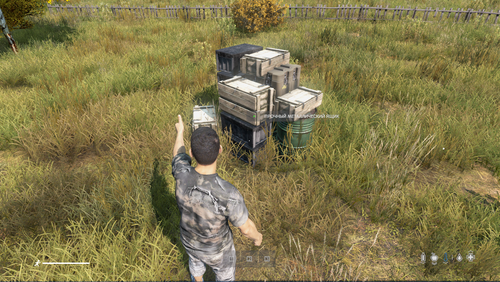
If desired, the player directs the hologram of the box that he is holding in his hands and tries to place it on another box or barrel, and the assistant will immediately offer to place the box on top of the barrel or box on another - which is already installed on the ground.
The mod does not prohibit placing containers on the base at random if the player wishes.
Если вы хотите чтобы у ваших игроков был полный порядок на базе, вы можете им в этом помочь!
Данный мод позволяет одним движением мыши осуществлять расстановку контейнеров на базе.
При желании игрок наводит голограмму ящика который держит в руках и пытается разместить на другой ящик или бочку, и помощник сразу предложит разместить ящик сверху бочки или ящика на другой - который уже установлен на земле.
Мод не запрещает размещать контейнеры на базе как попало если на то есть желание игрока.
20 покупок 56 скачиваний
(0 отзывов)Обновлено
- Кто может продавать файлы?
- Условия использования








Объявления
-
Рекомендуемый продукт
VIP-статус
330.00 RUB
385.00 RUB -
Отзывы
-

-

-

-
 Автор: SuperNova45 · Опубликовано:Скрипт не стартует, сервер работает, в логах только это: SCRIPT (W): @"$CurrentDir:mpmissions/dayzOffline.chernarusplus/Restart_System.c,789": FIX-ME: Unexpected statement 'ref' SCRIPT (W): @"$CurrentDir:mpmissions/dayzOffline.chernarusplus/Restart_System.c,93": Possible variable name conflict 'Name_Block_Log_Script' SCRIPT (W): @"$CurrentDir:mpmissions/dayzOffline.chernarusplus/Restart_System.c,383": Possible variable name conflict 'time_wait_autorestart' SCRIPT (W
 -

-
 Автор: Subility · Опубликовано:Привет. Может кто подсказать что я делаю не так? Выдает вот такую ошибку Compile error Can't compile mission init script'! $CurrentDir://mpmissions//dayzOffline.chernarusplus//BotMissions//BotGr oupMissionTisy.c(69): Undefined function 'SurvivorBotBase.SetUseCheckpoint'
 -

-

-