
Нужна помощь?
Создайте тему в соответствующем разделе
Не нужно писать всё в чат!Загляните на торговую площадку
Там вы можете купить
всё что касается игровых серверовНе хотите бан?
Пожалуйста, ознакомьтесь с нашими правилами
Не нарушайте порядок!Продаёте или покупаете?
Пользуйтесь услугами гаранта
Мы сделаем вашу сделку безопасной
- Кто может продавать файлы?
- Условия использования
184 файла
-

Бесплатно
MaskRelease
Автор:
 skadjna
Экшен на снятие любой маски и перемещение её в инвентарь.
skadjna
Экшен на снятие любой маски и перемещение её в инвентарь.
Сгодится РП серверам для поднятия антуражности действа снятия противогаза/балаклавы/и т.д.
Демонстрация
Экшен доступен всегда, что бы ни находилось у вас в руках(оружие, например), если в инвентаре нет места-ничего не произойдет.
Action for detach any items in mask slot and dropping it to player inventory.
Little feature for roleplay servers helping make this a bit realistic
Demonstration
Action available alltime, you can carry in hands any items (gun, for example), if player have no cargo space - nothing happens, mask will not come off
56 скачиваний
(0 отзывов)Обновлено
-
2 750,00 ₽
[RU] Стартовый инвентарь для игроков. [EN] Start inventory for players
Автор:
NoNameUltima
Starting inventory for players.
Provided as a server-side mod.
Functional:
You can create an inventory checkout file for all players. You can create a player-specific inventory file. You can give out items to your inventory. You can specify which specific object should be handed over to the player. You can specify the attachment of the object in the player's hands (For example, immediately hang the scope and insert the battery into the scope. EXCEPTION - MAGAZINES!) You can specify which items to give to the player, and add them to the hot slots.
DO NOT FORGET TO REMOVE THE OLD STARTING INVENTORY FROM init.c FILE IN THE mpmission FOLDER!
Стартовый инвентарь для игроков.
Предоставляется в виде серверного мода.
Функционал:
Вы можете создать файл выдачи инвентаря для всех игроков. Вы можете создать файл инвентаря для конкретного игрока. Вы можете выдавать предметы в инвентарь. Вы можете указать какой конкретно объект надо выдать в руки игроку. Вы можете указать обвес объекта в руках игрока(Например сразу же навесить прицел, и в прицел вставить батарейку. ИСКЛЮЧЕНИЕ - МАГАЗИНЫ!) Вы можете указать какие предметы выдать игроку, и добавить их же в горячие слоты.
НЕ ЗАБУДЬТЕ УДАЛИТЬ ИЗ init.c фАЙЛА В ПАПКЕ mpmission СТАРЫЙ СТАРТОВЫЙ ИНВЕНТАРЬ!
11 покупок 19 скачиваний
(2 отзыва)Обновлено
-
1 650,00 ₽
Скрипт-мод для создания анимационного меню.
Автор:
NoNameUltima
Скрипт-мод для создания анимационного меню.
Меню создается путем раскадровки видео, и задачей в конфигурации порядка проигрывания кадров. От 0 до последнего и обратно, либо цикличность от 0 до последнего и снова так же.
Подбор подходящего видео, и раскадровка делается самостоятельно!
Конфигурация:
A script mod for creating an animated menu.
The menu is created by storyboarding the video, and the task is to configure the frame playback order. From 0 to the last and back, or a cycle from 0 to the last and again the same.
The selection of a suitable video, and the storyboard is done on your own!
Configuration:
// Включение, выключение отображения модов в стартовом меню, если оно включено const bool UC_MM_BOOL_SHOW_MODS = true; // Кол-во кадров в меню const int UC_MM_INT_CADRS_MAX = 10; // Пауза между кадрами в мс const int UC_MM_INT_CADRS_PAUSE = 90; // Проигрывать от 0 кадра до последнего с обратной последовательностью, или простой цикличностью.( true - обратной последовательностью, false - простой цикличностью ) const bool UC_MM_BOOL_REVERSE_SEQUENCE = true; ПРИМЕР
EXAMPLE
0 покупок 0 скачиваний
(0 отзывов)Обновлено
-
3 300,00 ₽
Car Immobilizer
Автор:
Armor
ИНФОРМАЦИЯ ЧАСТИЧНО УСТАРЕЛА
Мод требует ВАЙПА техники.
Мод добавляет:
Возможность установить пин-код на любой транспорт. (работоспособность на моддовых машинах не гарантирована) Пин-код требуется вводить при перезаходе на сервер/смерти/удаления от транспорта на ~1 км Пин-код дает возможность блокировки/разблокировки транспорта, как дистанционной ~15 метров, так и при прямом взаимодействии. (клавиша устанавливается в настройках управления игры) Если машина заблокирована НИКТО, включая владельца не сможет открыть двери, если разблокирована, то любой игрок. Пин-код можно сбросить взломав дверь или через специальное действие, если это разрешено в конфиге. Пин-код можно установить если: Игрок завел двигатель Машина не имеет пин-кода Логирование. Два уровня логирования: (конфиг -> "ImmbLogLevel") Первый уровень(значение в конфиге: 1) - логируются действия с машиной связанные с модификацией (установка/сброс/взламывание пин-кода) Второй уровень(значение в конфиге: 2) - логируются все действия из первого уровня + ванильные (сел в машину/завел двигатель/вышел из машины) Конфиг: Класснейм инструмента для взлома (конфиг -> "Tool") Урон по инструменту после попытки взлома (указывается в единицах хп) (конфиг -> "ToolDamage") Длительность взлома(в секундах) (конфиг -> "UnlockDuration") Шанс взлома (в процентах, 0.3 = 30% ) (конфиг -> "UnlockChance") Будет ли дверь ломаться и отваливаться при успешном взлома (значение 0/1) (конфиг -> "DestroyDoorAfterUnlock") Может ли игрок, который авторизован в машине сбросить пинкод (значение 0/1) (конфиг -> "AllowResetPincode") Список steam айди администраторов. (конфиг -> "Admins") Привилегии администрации Посмотреть пин-код Сбросить пин-код THE INFORMATION IS PARTIALLY OUTDATED
The mod requires a WIPE all transports.
The mod adds:
The ability to set a PIN code for any transport. (correct operation on non-vanilla transport is not guaranteed) The PIN code must be entered when re-entering the server / death / departure from transport for ~ 1 km The PIN code makes it possible to lock /unlock vehicles, both remotely ~ 15 meters, and with direct interaction. (the key is set in the game control settings) If the car is locked, NO ONE, including the owner, will be able to open the doors, if unlocked, then any player. The PIN code can be reset by breaking the door or through a special action, if it is allowed in the config. The PIN code can be set if: The player started the engine The car does not have a PIN code Logging. Two logging levels: (config -> "ImmbLogLevel") The first level (value in the config: 1) - logged actions with the car related to modification (installation / reset / cracking of the PIN code) The second level (the value in the config: 2) - all actions from the first level are logged + vanilla (got into the car / started the engine / got out of the car) Config: Classname of the hacking tool (config -> "Tool") Damage to the tool after a hacking attempt (indicated in hp units) (config -> "ToolDamage") The duration of the hack (in seconds) (config -> "UnlockDuration") Chance of hacking (percentage, 0.3 = 30% ) (config -> "UnlockChance") Will the door break and fall off upon successful hacking (value 0/1) (config -> "DestroyDoorAfterUnlock") Can a player who is logged in to the car reset the pincode (value 0/1) (config -> "AllowResetPincode") List of steam ID administrators. (config -> "Admins") Administration privileges View pin code Reset pin
69 покупок 97 скачиваний
(1 отзыв)Обновлено
-
5 500,00 ₽
Tooltip Extra
Автор:
Malinin
Аддон TooptipExtra добавляет всплывающему окну оружий дополнительные параметры, вплоть до вывода дальности слышимости звука выстрела.
Вывод следующих параметров:
Используемые калибры (урезано до двух, чтобы в некоторых случаях, окно не расширялось на весь экран при 10 калибрах разных модов)
Режимы стрельбы
Отдача
Точность
Скорость перезарядки(досылания патрона в патронник)
Слышимость выстрела (работает со всеми ванильными патронами, для модовых патронов, возможно, необходима будет переделка названий саундшейдеров под ванильный формат)
Скорость пули
Скорострельность
Длина ствола
И многое другое.
The TooptipExtra addon adds additional parameters to the weapon pop-up window, including displaying the audibility range of the shot sound.
Outputs the following parameters:
Calibers used (trimmed to two, so that in some cases the window does not expand to fill the entire screen with 10 calibers of different mods)
Shooting modes
Recoil
Accuracy
Reload speed (sending a cartridge into the chamber)
Shot audibility (works with all vanilla cartridges; for mod cartridges, it may be necessary to change the names of the sound shaders for the vanilla format)
Bullet speed
Rate of fire
Barrel length
And much more.
0 покупок 0 скачиваний
(0 отзывов)Обновлено
-
7 150,00 ₽
[RU] Админка для DayZ SA [EN] Admin panel for DayZ SA
Автор:
NoNameUltima
Админка для серверов DayZ SA (R27)
Клиентская часть R_27, для примера находится в STEAM: https://steamcommunity.com/sharedfiles/filedetails/?id=2518748358 работает Offline, при необходимости можно посмотреть. Серверная часть приватная.
Функционал:
Отображение на карте:
Настройки дальности отображения(До1500м. Не рекомендуется использовать более 300м - диаметр 600м) Игроки Техника Зомби Животные НПЦ Постройки Объекты
Отображение в 3D(ESP):
Настройки дальности отображения(До1500м. Не рекомендуется использовать более 300м - диаметр 600м) Игроки Техника Зомби Животные НПЦ Постройки Объекты
Сервер:
Установка времени Установка погоды
Журналы:
Сохранение позиции и направления Сохранение инвентаря
Собственные:
Телепорт по векторам( По умолчанию: 4 - по направлению взгляда. 5 - вверх ) Телепорт по карте( ДЛКМ ) Неуязвимость Бесконечный БК Невидимость* - В данный момент не работает. - Но добавлен комплект вещей-невидимок для администратора. Щит от зомби Свободная камера( По умолчанию: F10 выход из режима )
Игроки:
Телепорт администратора к игроку Телепорт игрока к адимнистратору Телепорт в координаты Лечение Шок Ремонт техники Очистка инвентаря Выдача БК к оружию в руках Создание объектов из файла, перед игроком( Достаточно вписать имя файла, хранящегося на сервере, в конфигах, и все объекты вписанные в файл, будут созданы. Данный пункт служит для быстрого создания наборов ). Высадить из техники Изменить баланс наличных(Только при совместной работе с модом Ultima) Изменить банковский баланс(Только при совместной работе с модом Ultima) Изменить баланс донат-чеков(Только при совместной работе с модом Ultima) Изменить репутацию(Только при совместной работе с модом Ultima) Изменить кол-во убийств зомби(Только при совместной работе с модом Ultima) Изменить кол-во убийств людей(Только при совместной работе с модом Ultima) Сообщение игроку Сообщение всем игрокам Обнулить топливо Сломать двигатель Заблокировать(Отключить управление) Разблокировать(Включить управление) Убить Отсоединить Забанить вписав вручную UID(свой файл). Забанить(Выбрав игрока из списка - свой файл) Снять бан(свой файл)
Техника:
Создать ключ к технике(Только при совместной работе с модом Ultima)
Создание:
Первичное оружие Вторичное оружие Магазины Предметы Техника НПЦ Постройки Рецепты *Все предметы есть в админке, автоматически, включая модовые. Но чОткого разделения Предметов, и Построек, и т.п. в DZSA нет, так что категории могут логически не соответствовать!
**В каждую категорию создания добавлена строка поиска, по имени класса(можно ввести только часть имени).
Удаление:
Удалить все объекты в радусе Х( Радиус задается в открывающемся окне ) Удалить все объекты в радиусе Х, по имени класса( Радиус задается в открывающемся окне, имя класса так же )
Другое:
Список администрации онлайн. Список модераторов онлайн. Привилегии для отображения пунктов меню, у администраторов и модераторов. Вывод сообщений в чат всем игрокам, о действиях модератора. Пароль для администрации и модераторов, для включения админики. Используется если у Вас пиратка, с возможностью замены UID'ов! Наблюдение за игроком. Вывод информации об объекте в курсоре. Удаление объекта в курсоре. Вывод небольшого дебага администратора. Горячие клавиши задаются в клиенте игры.(Для игроков не прописанных в админы, данные клавиши не видны). Авто-сохранение и подключение включенных опций, при входе, и выходе. Сохранение и выдача инвентаря с\для игрока в прицеле, или выбранного из списка игроков.
Вы можете скачать со Steam клиентский мод с админкой, и оценить его работу в режиме ОФФЛАЙН.
*Некоторые функции админки могут не работать даже оффлан, но об этом Вам будет написано.
**Поддержка осуществляется в Discord, после приобретения.
P.S. Обновления админки(вносящие доп. функционал, либо внушительно кол-во правок при патчах DZSA), являются платными: 25% от текущей стоимости.
Admin panel for DayZ SA servers (R18)
The client part of R_14, for example, is located in STEAM: https://steamcommunity.com/sharedfiles/filedetails/?id=2268962336 it works Offline, if necessary, you can view it. The server part is private.
Functionality:
Display on the map:
Display range settings(Up to 1500m. It is not recommended to use more than 300m-600m diameter). Technic Zombie Animals NPC Buildings Objects
3D Display(ESP):
Display range settings(Up to 1500m. It is not recommended to use more than 300m-600m diameter) Players Technic Zombie Animals NPC Buildings Objects
Server:
Setting the time Setting the weather
Logs:
Saving position and direction Saving inventory
Your own:
Teleport by vectors( Default: 4 - by the direction of view. 5-up ) Teleport on the map (DLKM ) Invulnerability Infinite BC Invisibility* - Currently not working. - But added a set of invisible things for the administrator. Zombie Shield Free camera( Default: F10 exit mode )
Players:
Teleport the administrator to the player Teleport the player to the adimnistrator Teleport to Coordinates Treatment Shock Repair of equipment Clearing inventory Issuance of the BC to arms in the hands of Creating objects from a file, before the player (Just enter the name of the file stored on the server in the configs, and all the objects entered in the file will be created. This item is used to quickly create sets ). Disembark from the vehicle Change your cash balance(Only when working together with the Ultima mod) Change the bank balance(Only when working together with the Ultima mod) Change the balance of donat checks(Only when working together with the Ultima mod) Change your reputation(Only when working together with the Ultima mod) Change the number of zombie kills(Only when working together with the Ultima mod) Change the number of people killed(Only when working together with the Ultima mod) Message to the player Message to all players Reset fuel to zero Break the engine Lock(Disable control) Unlock (Enable control) Kill Detach Ban by manually entering the UID (your file). Ban (By selecting a player from the list - your file) Remove the ban(your file)
Technic:
Create a key to the technique(Only when working together with the Ultima mod)
Creation:
Primary weapons Secondary weapons The shops Items Technic NPC Buildings Recipes *All items are in the admin panel, automatically, including mod ones. But there is no clear division of Objects, Buildings, etc. in DZSA, so the categories may not logically correspond!
**A search bar has been added to each creation category, by class name(you can enter only part of the name).
Removal:
Delete all objects in radius X( The radius is set in the window that opens ) Delete all objects in radius X, by class name( The radius is set in the window that opens, the class name is the same )
Other:
The administration list is online. List of moderators online. Admins and moderators have the privileges to display menu items. Output of messages in the chat to all players, about the actions of the moderator. Password for the administration and moderators, to enable adminki. Used if you have a pirate, with the ability to replace the UIDS! Watching the player. Displays information about the object in the cursor. Deleting an object in the cursor. Output of a small administrator debag. The keyboard shortcuts are set in the game client.(For players not registered in the admins, these keys are not visible). Auto-save and enable the enabled options, when entering, and exiting. Save and issue inventory with\for the player in the scope, or selected from the list of players.
You can download the client mod from Steam with the admin panel, and evaluate its work in OFFLINE mode.
*Some functions of the admin panel may not work even offline, but this will be written to you.
** Support is provided in Discord, after purchase.
P.S. Updates to the admin panel(making additional functionality, or an impressive number of edits with DZSA patches) are paid: 25% of the current cost.the player.
8 покупок 11 скачиваний
(0 отзывов)Обновлено
-
Бесплатно
CacheSpawner
Автор:
 123new
Игра, для который подходит данный товар: DayZ Standalone
123new
Игра, для который подходит данный товар: DayZ Standalone
Тип: скрипт (серверный)
Авторство: я (123new)
Авторская страница модификации в мастерской Steam: https://steamcommunity.com/sharedfiles/filedetails/?id=2768705995
Товар совместим, тестировался и проверялся на чистых версиях игры: 1.07-1.24
Описание:
Скрипт, добавляющий спавн схронов (любых указанных объектов с лутом) в указанных зонах на карте. В скрипте можно указывать свои объекты для схрона по их ID объекта в игре, а также задавать количество схронов на карте и их точки спавна. Скрипт не требуется к наличию игрокам и является серверным.
Отличие от ObjectsSpawner: в данном скрипте можно указать лут на объекте, т.е. спавн происходит простых объектов с лутом. В ObjectsSpawner объекты спавнятся только без лута!
При проблемах с доступом к файлу: Свяжитесь с Dr.Tauren в личных сообщениях.
Почему работа бесплатно и больше не поддерживается: читаем тут
Дата последнего обновления работы: версия 1.0.4 от 04.01.2021 with fix 3 19.04.2022 + fix от 23.02.2024
Возможности:
Спавн схронов (объектов с лутом) в указанных точках на карте Можно задавать любые ID объектов схронов на карте, известные вам в игре Можно задавать основные характеристики для каждого лута, который будет появляться в схроне Можно определять состав лута для каждого схрона Можно задавать несколько разных точек на карте для спавна схрнов Автоматический переспавн уже отспавнившихся схронов на карте через указанное время с очисткой старого схрона Можно задать минимальное и максимальное количество схронов, среди которых сервер при запуске выберет сам случайным образом количество схронов из всего списка. При указании или выпадении количества схронов меньшего количества, чем количество координат суммарно в списке, будут выбраны случайным образом схроны к спавну на карте Спавнер является чисто-серверным скриптом Возможность переписать код скрипта под себя, если вам это нужно Настройки мода вынесены в json-конфиг мода, позволяющий быстро настроить нужное количество схронов, точек их спавна и лута.
При ошибках в конфиге мода он будет пересоздан автоматически на стандартный, при этом ошибки будут отмечены в script-логе сервера. Рекоммендуется держать копию конфигурации и наблюдать за логами сервера после его старта!
Важно:
Скрипт проверен на чистой версии игр на момент публикации и является работоспособным по сей день и час. Для работы скрипта требуются любые объекты с для хранения лута, не закрытые поумолчанию для добавления лута в них игроком! Использовать для этого можно любые игровые вещи! Если лут не помещается в схрон - он не будет в нем создан! Лут добавляется в объект по списку, как он указан в JSON-файле скрипта в виде 'поумолчанию в свободную ячейку инвентаря'. Раскладывать лут по свободным ячейкам, играя в тетрис и переворачивая лут скрипт не умеет!!! Если вы укажете настройки скрипта не верно, сервер сам пересоздат конфигурацию спавна мода 'поумолчанию' Основной функционал отлажен и протестирован на чистом сервере. Скрипт расставляет объекты на карте по строго указанным координатам их размещения из конфигурации сервера. Он не проверяет эти координаты и не корректирует их Скрипт целиком и полностью зависит от корректности работы официальных игровых функций расстановки объектов и добавления вещей в объект (функции, имеющиеся в игре и добавленные в нее авторами игры). Автор скрипта (т.е. я) снимает с себя ответственность за некорректность работы данных функций (да, были прецеденты)
The game for which this product is suitable:DayZ Standalone
Type: script (server-side)
Authorship: I am (123new)
The author's modification page in the Steam workshop: https://steamcommunity.com/sharedfiles/filedetails/?id=2768705995
The product is compatible, tested and tested on clean versions of the game: 1.07, 1.08, 1.09,1.10,1.11,1.12,1.13,1.14,1.15,1.16,1.17,1.18,1.19,1.20
Description:
A script that adds spawn of caches (any specified objects with loot) in the specified zones on the map. In the script, you can specify your objects for the cache by their object ID in the game, as well as set the number of caches on the map and their spawn points. The script is not required for the presence of players and is server-side.
Difference from Object spawner:in this script, you can specify the loot on the object, i.e. the spawn occurs of simple objects with loot. In Object spawner, objects are spawned only without loot!
If you have problems accessing the file: Contact Dr.Tauren in private messages.
Why the work is free and no longer supported: read here
The date of the last update of the work: version 1.0.4 from 04.01.2021 with fix 3 19.04.2022
Opportunities:
Spawn of caches (objects with loot) at the specified points on the map
You can set any ID of cache objects on the map that you know in the game
You can set the main characteristics for each loot that will appear in the cache
You can determine the composition of loot for each cache
You can set several different points on the map for spawn caches
Automatic re-spawn of already spawned caches on the map after a specified time with the cleaning of the old cache
You can set the minimum and maximum number of caches, among which the server will randomly select the number of caches from the entire list at startup.
If you specify or drop out the number of caches less than the total number of coordinates in the list, the caches to spawn on the map will be randomly selectedThe sp
awner is a purely server-side script
The ability to rewrite the script code for yourself, if you need it
The mod settings are made in the json config of the mod, which allows you to quickly configure the desired number of caches, their spawn points and loot.
If there are errors in the mod's config, it will be recreated automatically to the standard one, and the errors will be noted in the server's script log. It is recommended to keep a copy of the configuration and monitor the server logs after it starts!
Important:
The script was tested on a clean version of the games at the time of publication and is operational to this day and hour. For the script to work, any objects with for storing loot that are not closed by silence for adding loot to them by the player are required! You can use any game items for this! If the loot does not fit into the cache, it will not be created in it! Loot is added to the object according to the list, as it is specified in the JSON file of the script in the form of 'silence to a free inventory cell'. The script does not know how to lay out loot in free cells, playing Tetris and turning loot over!!! If you specify the script settings incorrectly, the server itself will recreate the configuration of the spawn mod 'by silence' The main functionality is debugged and tested on a clean server. The script places objects on the map according to the strictly specified coordinates of their placement from the server configuration. It does not check these coordinates and does not correct them The script depends entirely on the correctness of the official game functions of placing objects and adding things to the object (functions available in the game and added to it by the authors of the game). The author of the script (i.e., I) disclaims responsibility for the incorrect operation of these functions (yes, there were precedents)
Настройка в скриншотах / Settings in screenshots:
Похожие товары, которые могут вас заинтересовать / Similar products that may interest you:
1341 скачивание
(12 отзывов)Обновлено
-
8 800,00 ₽
DeathMatch
Автор:
Malinin
DeathMatch каким он должен быть.
Возможности:
Настройка всех параметров через json файлы.
Спавн локаций, созданных с помощью VPP(.c файлы карт)
Очерёдная сменность локаций каждый рестарт, возможность кастомизировать каждую локацию своими параметрами использования шлемов, бронежилетов, использования только автоматики/только винтовок
Рандомная выдача пресетов одежды
Выдача основных предметов с закреплением их в панели быстрого доступа
Рандомная выдача шлемов/брони
Рандомная выдача оружия(2 пресета для автоматики и винтовок), автоматическая зарядка оружия(человек появляется с заряженным оружием, остаётся только стрелять), поддержка аттачментов, прицелы спавнятся с батарейкой, если есть такая необходимость.
В комплекте с модом, вам будет предоставлен гайд по настройке конфигов.
Мод будет дорабатываться со временем, цена будет расти.
DeathMatch as it should be.
Possibilities:
Setting all parameters through json files.
Spawn locations created with VPP (.c map files)
Another change of locations every restart, the ability to customize each location with your own parameters for using helmets, body armor, using only automatics / only rifles
Random distribution of clothing presets
Issuance of the main items with fixing them in the quick access panel
Random issue of helmets/armor
Random issuance of weapons (2 presets for automatics and rifles), automatic loading of weapons (a person appears with a loaded weapon, all that remains is to shoot), support for attachments, sights spawn with a battery, if necessary.
Complete with the mod, you will be provided with a guide for setting up configs.
The mod will be improved over time, the price will rise.
4 покупки 11 скачиваний
(0 отзывов)Обновлено
-
Бесплатно
PoD_CheckPulseConfig
Автор: rival_jf
Небольшой серверный мод, который добавляет возможность получить сообщение идентификации (SteamID64) "только с игроков" после проверки пульса.
При наличии определенной вещи в слоте, которая вписана в JSON конфиг - выводит сообщение о недоступности идентификации.
Настройки конфига
JSON конфиг создается автоматически в папке профиля -> PoD -> PoD_CheckPulseConfig.json
"MaskAttachmentToggle" - Если 0 - класснэймы вещей в "maskItems" запрещают вывод идентификации. Если 1, то все вещи в слоте маски у игрока запрещают вывод идентификации, но указанные вещи в "maskItems" разрешают вывод идентификации.
"maskItems" - Класснэймы вещей (через запятую) только для слота маски. Запрещает/Разрешает вывод идентификации в зависимости от параметра 0 или 1 в "MaskAttachmentToggle".
"otherItems" - Класснэймы вещей (через запятую) для всех слотов, кроме слота маски. Запрещает вывод идентификации.
Разрешения
РАЗРЕШЕНО использовать только на СЕРВЕРНОЙ СТОРОНЕ.
РАЗРЕШЕНО изменять скриптовую часть мода у себя на сервере.
ЗАПРЕЩЕНО повторно публиковать данный мод в STEAM мастерскую. (Данный мод может быть загружен в STEAM только автором!)
Автор модификации: STEAM / DISCORD
Если необходима доработка данного мода под ваш проект -> DISCORD
A small server mod that adds the ability to receive an identification message (steamID64) "only from players" after checking the pulse.
If there is a certain thing in the slot that is written into the JSON config, it displays a message about the unavailability of identification.
Configuration Settings
The JSON config is created automatically in the profile folder -> PoD -> PoD_CheckPulseConfig.json
"MaskAttachmentToggle" - If 0 - class names of things in "maskItems" prohibit identification output. If 1, then all the things in the player's mask slot prohibit the output of identification, but the specified things in "maskItems" allow the output of identification.
"maskItems" - Cool names of things (separated by commas) only for the mask slot. Prohibits/Allows identification output depending on the parameter 0 or 1 in the "MaskAttachmentToggle".
"otherItems" - Cool names of things (separated by commas) for all slots except the mask slot. Prohibits identification output.
Permissions
IT is ALLOWED to use only on the SERVER SIDE.
It is allowed to change the script part of m
45 скачиваний
(0 отзывов)Обновлено
-
3 410,00 ₽
Ultima NVG \ Ultima ПНВ
Автор:
NoNameUltima
Мод :
Клиент Описание:
Использование класса UC_NVG, с батарейкой, для включения ПНВ, со звуком. В настройках можно отключить использование вигнетки - ПНВ будет на весь экран.
*При желании, можно изменить цвет в скрипте.
P.S. Модель ПНВ выглядит как наголовный ремешок от ПНВ. Mod :
Client Description:
Using the UC_NVG class, with a battery, to turn on the NVG, with sound. In the settings, you can disable the use of the vignette - the NVG will be full screen. *If desired, you can change the color in the script.
1 покупка 1 скачивание
(0 отзывов)Обновлено
-
1 925,00 ₽
Zombie nun
Автор:
Asteria_group
Монашка в стиле зомби
Отличное дополнение на ваш сервер, что бы развлечь игроков. Пока что звуки стандартные, в ближайшее время будет дополнение с новыми звуками.
Монашка сделана в двух цветах в Чёрном и Белом.
Также есть одна в балахоне, одетая.
Zombie nun
A great addition to your server to entertain players. So far the sounds are standard, in the near future will be an addition with new sounds.
Nun is made in two colors in Black and White.
There is also one in a hoodie, dressed.
3 покупки 13 скачиваний
(0 отзывов)Обновлено
-
Бесплатно
Custom barrels,chests,boxes / Кастомные бочки,сундуки,ящики
Автор:
MrGreenFox
Мод добавляет кастомные Бочки/Сундуки/Ящики.
Расцветка:
- 4 Цвета камуфляжа.
- Бочки имеют стикеры с обозначением принадлежности. (Бочка для патронов - Стикер патронов, и т.д.).
Размеры:
- 200
- 500
-1000
Слоты:
- Медицина.
- Патроны.
- Одежда.
- Оружие.
- Материалы.
- Инструменты.
The mod adds custom Barrels/Chests/Crates.
Colors:
- 4 Camouflage Colors.
- The barrels have stickers indicating ownership. (Ammo Barrel - Ammo Sticker, etc.).
Dimensions:
- 200
- 500
-1000
Slots:
- Medicine.
- Cartridges.
- Cloth.
- Weapon.
- Materials.
- Tools.
163 скачивания
(0 отзывов)Обновлено
-
3 300,00 ₽
Car Locked on Keys
Автор:
Equadro
Игра: DayZ Standalone
Тип: мод (серверный) для ванильных серверов без модов
Совместимость: 1.23
Автор: Equadro
Описание:
- Для поездки на автомобиле требуются ключи.
- Взлом автомобиля отвёрткой.
- Оповещение владельца при взломе.
Так как мод серверный, ключи используются от наручников.
Прежде чем покупать обратитесь в продавцу для подробного уточнения функционала. Discord Equadro#6913
Имеется клиент версия под мод Trader для взлома автомобиля с оповещением владельца о взломе.
Функционал:
13.11.2023 ▸ Проверена совместимость с 1.23 ▸ Мелкий фикс фар. 31.05.2022 ▸ Подогнан код под версию 1.17 ▸ Конфиг под детали авто. 25.02.2021 ▸ Подогнан код под версию 1.15 ▸ Уничтожение багажника открывает инвентарь автомобиля (без возможности его угнать); ▸ Уничтоженный багажник автоматически открывается (либо дропает, добавлю позже по желанию); ▸ Устанавливая багажник, на уже ранее используемый автомобиль, он закроется. ▸ При взломе автомобиля (бывшему) владельцу приходит сообщение, если тот онлайн. ▸ При включении зажигания открытый багажник закроется. 24.02.2021 ▸ после успешного взлома можно привязать свой ключ; 11.12.2020 ▸ вкл/выкл администраторский режим; ▸ редактируемый список администраторов; ▸ администратору не нужен ключ; ▸ вкл/выкл взлом машины; ▸ редактируемый список предметов для взлома; ▸ редактирование сообщений; ▸ при вторичном использовании авто ключ можно держать в одежде. 09.12.2020 ▸ Автомобиль привязывается к ключу; ▸ Ключи требуются только для первого запуска двигателя, далее авто привязывается к игроку открывая доступ к дверям, капоту и багажнику; ▸ При закрытом багажнике блокируется инвентарь автомобиля, что собственно не дает стянуть колеса (если багажника нет, то увы); ▸ Для блокировки инвентаря грузовика используется капот; ▸ Из запертого грузовика нельзя вытаскивать брёвна; ▸ Автомобиль можно вскрыть с небольшим шансом с помощью отвёртки; ▸ Для изготовления дубликата ключа заведенный двигатель нужно заглушить новым ключом; ▸ Поддерживается несколько владельцев, достаточно передать ключ другому игроку чтобы он завел двигатель. ▸ При утере ключа вас спасет только отвёртка. Конфиг создается в ServerProfile/Car/config.json
Параметры файла настроек:
AdminsEnable - вкл/выкл функцию администраторов;
AdminsMessage - вкл/выкл админ сообщение;
CanUseOwner - вкл/выкл возможность владельцам использовать автомобиль без ключа;
DebugLog - вкл/выкл логирование действий;
ShowMessages - вкл/выкл сообщений в чат;
UseHackingItems - вкл/выкл возможность взлома авто;
CloseTrunkOnEngine - вкл/выкл закрывает багажник при включении зажигания;
OpenTrunkRuined - вкл/выкл открывает багажник при его разрушении, иначе дропает;
HackingChance - шанс взлома;
LostItemHP - кол-во повреждений получаемое предмету при неудачном взломе;
Admins - список администраторов;
HackingItems - список вещей которыми можно взламывать;
KeysHandsOnly - требовать наличие ключа только в руках (иначе ключ можно держать как в руках так и в вещах).
В будущем:
- убрать мертвое тело водителя;
- ваши пожелания.
Game: DayZ Standalone
Type: mod (server-side)
Compatibility: 1.23
Author: Equadro
Description:
- Keys are required to travel by car.
- Car inventory is blocking;
- Hacking.
- Alerting the owner when hacked.
Since the mod is server-based, the keys are used from the handcuffs.
Before buying, contact the seller for a detailed specification of the functionality. Discord Equadro#6913
Function:
11/13/2023 ▸ Checked compatibility for version 1.23; ▸ Fix car lights. 05/31/2021 ▸ Сode version 1.17 02/25/2021 ▸ Сode version 1.15 ▸ Destroying the trunk opens the car's inventory (without the ability to drivin); ▸ The destroyed trunk automatically opens (or drops, I will add later if desired); ▸ When attaching the roof rack to an already used car, it will close. ▸ When a car is broken into, the (former) owner receives a message if he is online. ▸ When the engine is switched on, the open trunk will close. 02.24.2021 ▸ after successful hacking, you can bind your key; 11.12.2020 ▸ on / off administrator mode; ▸ editable list of administrators; ▸ the administrator does not need a key; ▸ on / off hacking of the car; ▸ editable list of items for hacking; ▸ editing messages; ▸ For secondary use, the car key can be kept in your clothing. 09.12.2020 ▸ The car is tied to the key; ▸ Keys are required only for the first start of the engine, then the car is tied to the player, opening access to the doors, hood and trunk; ▸ When the trunk is closed, the car's inventory is blocked, which actually does not allow the wheels to be pulled off (if there is no trunk, then alas); ▸ The hood is used to lock the truck inventory; ▸ Logs must not be removed from a locked truck; ▸ The car can be opened with a small chance with a screwdriver; ▸ To make a duplicate of the key, the running engine must be turned off with a new key; ▸ Multiple owners are supported, just give the key to another player to start the engine. ▸ If you lose the key, only a screwdriver will save you. Config creation in folder 'ServerProfile/Car/config.json'
Parameters:
AdminsEnable - on/off admins function;
AdminsMessage - on/off admin messages;
CanUseOwner - on/off owners use car without keys;
DebugLog - on/off logs;
ShowMessages - on/off chat messages;
UseHackingItems - on/off hacking a car;
CloseTrunkOnEngine - on/off closes the trunk when the engine is turned on;
OpenTrunkRuined - on/off opens trunk when it is destroyed, otherwise it drops;
HackingChance - hacking chanse;
LostItemHP - amount of damage received by the item with unsuccessful hacking;
Admins - admins list;
HackingItems - list of items that can be hacked;
KeysHandsOnly - require the presence of the key only in the hands (otherwise the key can be held both in the hands and in things).
In future:
- remove the dead body of the driver;
- your wishes.
18 покупок 57 скачиваний
(2 отзыва)Обновлено
-
19 800,00 ₽
-=ArenA=-
Автор:
NoNameUltima
-=ArenA=-
Модификация позволяет проводить автоматизированные события в игре DayZ, - устраивать арены против NPC's, с наградами.
Конфигурация клиента( Внутри PBO ?
// Задержка при открытии меню( время колесика прогресса ) const int UC_Arena_INT_OPEN_MENU_DELAY = 1; // Массив типов предметов, при взгляде на которые появляется пункт для открытия меню const ref TStringArray UC_Arena_ARRAY_ITEMS_TARGET_MENU_OPEN = { "AKM" };
Конфигурация в настройках самой игры позволяет:
Установить горячую клавишу для открытия меню АренА. - По умолчанию "O". Установить горячую клавишу для получения конфигурации инвентаря, и присоединенных предметов для объекта в прицеле, в файл.
Конфигурация сервера( внутри PBO ?
// Путь к файлу с временем и типами арен. const string US_ARENA_STRING_TIMES = "$profile:US_Arena//US_ARENA_TIMES.json"; // Путь к конфигурационному файлу арен. const string US_ARENA_STRING_DATA = "$profile:US_Arena//US_ARENA_DATA.json"; // Путь к конфигурационному файлу с регистрациями. const string US_ARENA_STRING_PLAYERS_TIMES = "$profile:US_Arena//US_ARENA_PLAYERS_TIMES.json"; // Путь к файлу БД с откатами арен для игроков const string US_ARENA_STRING_PLAYERS_DELAY = "$profile:US_Arena//US_ARENA_PLAYERS_DELAY.json"; // Максимальное кол-во регистраций на разные арены для одного игрока. const int US_ARENA_INT_MAX_PLAYER_REGISTRATION = 2; // Запрещать регистрацию на одну и туже арену в разное время const bool US_ARENA_BOOL_DENY_REGISTRATION_TO_SAME_ARENA = true; // Время отката в часах, для регистрации на пройденную арену const int US_ARENA_INT_DELAY_REGISTRATION_TO_SAME_ARENA = 10; // Кол-во секунд после старта арены, до телепорта игроков внутрь( чтобы успели собраться на точке телепортации в арену ). за данное время приходит оповещение. const int US_ARENA_INT_DELAY_TO_TELEPORT_IN = 10; // Кол-во секунд после телепорта на арену, до начала события. const int US_ARENA_INT_DELAY_TO_START = 10; // Кол-во секунд между волнами. const int US_ARENA_INT_DELAY_TO_WAVE = 10; // Кол-во секунд после окончания арены, до телепорта игроков из нее( время на сбор лута - призов ). const int US_ARENA_INT_DELAY_TO_VICTORY = 30; // Администраторы ( для получения инвентаря объекта в прицеле с помощью скрипта, и последующего составления конфигурации ящиков с наградами и предметов ). const ref TStringArray US_ARENA_ARRAY_ADMINS = { "45645645674344" }; Пример конфигурация даты и времени проведения( в профиле сервера )
[ { "m_Arena": "Castle", "m_Type":0, "m_MaxPlayers": 2, "m_NeedItems":[ "Apple" ], "m_DaysTimes":[ { "m_Day":1, "m_Times":[ "00:00", "01:00" ] }, { "m_Day":26, "m_Times":[ "21:32" ] } ] } ] Описание параметров:
m_Arena - Имя арены. m_MaxPlayers - Максимальное кол-во игроков для данной арены. m_NeedItems - Список необходимых предметов в инвентаре игрока, для успешной регистрации на арену.( Данные предметы будут удалены у игрока, при успешной регистрации! ) m_DaysTimes - Список: Число + список времени проведения. m_Day - Число месяца проведения арены. m_Times - Список: Время проведения арены.
Пример конфигурация арены( в профиле сервера )
[ { "m_Arena":"Castle", "m_PositionTeleportIn":[ 11486, 342.208, 11339.3 ], "m_PositionTeleportFrom":[ 11494.6, 338.804, 11303.7 ], "m_Radius":20, "m_Waves":[ { "m_LifeTime":120, "m_Animals":[ { "m_Position":[ 11494.6, 338.804, 11303.7 ], "m_Type":"ZmbM_HermitSkinny_Beige", "m_Count":4, "m_SpawnDelay":0 }, { "m_Position":[ 11494.6, 338.804, 11303.7 ], "m_Type":"ZmbM_SoldierNormal", "m_Count":4, "m_SpawnDelay":20 } ], "m_SoundWave":"UC_Arena_Sound_Start_Wave", "m_Objects":[ { "m_Type":"AKM", "m_ObjectPDO":{ "m_Position":[ 11494.6, 338.804, 11303.7 ], "m_Direction":[ 0, 0, 0 ], "m_Orientation":[ 0, 0, 0 ] }, "m_ObjectItems":[ { "m_Type": "Mag_AKM_30Rnd", "m_SlotId": -493635884, "m_Row": -1, "m_Col": -1, "m_IsFlip": 0, "m_CurrentHealth": 100.0, "m_HealthPercent": 100, "m_Quantity": 7, "m_FoodStageType": 0, "m_TextureIndex": 0, "m_MaterialIndex": 0, "m_AdditionalData": "", "m_ItemsInfo": [] }, { "m_Type": "PSO1Optic", "m_SlotId": 1449537616, "m_Row": -1, "m_Col": -1, "m_IsFlip": 0, "m_CurrentHealth": 50.0, "m_HealthPercent": 100, "m_Quantity": 0, "m_FoodStageType": 0, "m_TextureIndex": 0, "m_MaterialIndex": 0, "m_AdditionalData": "", "m_ItemsInfo": [] } ], "m_SpawnDelay":0, "m_Chance":100 } ], "m_WaveBoxes":[ { "m_BoxType":"SeaChest", "m_BoxPDO":{ "m_Position":[ 11494.6, 338.804, 11303.7 ], "m_Direction":[ 0, 0, 0 ], "m_Orientation":[ 0, 0, 0 ] }, "m_BoxItems":[ { "m_Type": "BandageDressing", "m_SlotId": -1, "m_Row": 4, "m_Col": 7, "m_IsFlip": 0, "m_CurrentHealth": 50.0, "m_HealthPercent": 100, "m_Quantity": 4, "m_FoodStageType": 0, "m_TextureIndex": 0, "m_MaterialIndex": 0, "m_AdditionalData": "", "m_ItemsInfo": [] }, { "m_Type": "Apple", "m_SlotId": -1, "m_Row": 6, "m_Col": 6, "m_IsFlip": 0, "m_CurrentHealth": 4.566567420959473, "m_HealthPercent": 45, "m_Quantity": 98, "m_FoodStageType": 1, "m_TextureIndex": 0, "m_MaterialIndex": 0, "m_AdditionalData": "", "m_ItemsInfo": [] }, { "m_Type": "Chemlight_White", "m_SlotId": -1, "m_Row": 0, "m_Col": 9, "m_IsFlip": 0, "m_CurrentHealth": 11.682613372802735, "m_HealthPercent": 58, "m_Quantity": 100, "m_FoodStageType": 0, "m_TextureIndex": 0, "m_MaterialIndex": 0, "m_AdditionalData": "", "m_ItemsInfo": [] }, { "m_Type": "AKM", "m_SlotId": -1, "m_Row": 0, "m_Col": 0, "m_IsFlip": 0, "m_CurrentHealth": 300.0, "m_HealthPercent": 100, "m_Quantity": 0, "m_FoodStageType": 0, "m_TextureIndex": 0, "m_MaterialIndex": 0, "m_AdditionalData": "", "m_ItemsInfo": [ { "m_Type": "Mag_AKM_30Rnd", "m_SlotId": -493635884, "m_Row": -1, "m_Col": -1, "m_IsFlip": 0, "m_CurrentHealth": 100.0, "m_HealthPercent": 100, "m_Quantity": 30, "m_FoodStageType": 0, "m_TextureIndex": 0, "m_MaterialIndex": 0, "m_AdditionalData": "", "m_ItemsInfo": [] } ] } ] } ] } ], "m_RewardBoxes":[ { "m_BoxType":"SeaChest", "m_BoxPDO":{ "m_Position":[ 11494.6, 338.804, 11303.7 ], "m_Direction":[ 0, 0, 0 ], "m_Orientation":[ 0, 0, 0 ] }, "m_BoxItems":[ { "m_Type": "BandageDressing", "m_SlotId": -1, "m_Row": 4, "m_Col": 7, "m_IsFlip": 0, "m_CurrentHealth": 50.0, "m_HealthPercent": 100, "m_Quantity": 4, "m_FoodStageType": 0, "m_TextureIndex": 0, "m_MaterialIndex": 0, "m_AdditionalData": "", "m_ItemsInfo": [] }, { "m_Type": "Apple", "m_SlotId": -1, "m_Row": 6, "m_Col": 6, "m_IsFlip": 0, "m_CurrentHealth": 4.566567420959473, "m_HealthPercent": 45, "m_Quantity": 98, "m_FoodStageType": 1, "m_TextureIndex": 0, "m_MaterialIndex": 0, "m_AdditionalData": "", "m_ItemsInfo": [] }, { "m_Type": "Chemlight_White", "m_SlotId": -1, "m_Row": 0, "m_Col": 9, "m_IsFlip": 0, "m_CurrentHealth": 11.682613372802735, "m_HealthPercent": 58, "m_Quantity": 100, "m_FoodStageType": 0, "m_TextureIndex": 0, "m_MaterialIndex": 0, "m_AdditionalData": "", "m_ItemsInfo": [] }, { "m_Type": "AKM", "m_SlotId": -1, "m_Row": 0, "m_Col": 0, "m_IsFlip": 0, "m_CurrentHealth": 300.0, "m_HealthPercent": 100, "m_Quantity": 0, "m_FoodStageType": 0, "m_TextureIndex": 0, "m_MaterialIndex": 0, "m_AdditionalData": "", "m_ItemsInfo": [ { "m_Type": "Mag_AKM_30Rnd", "m_SlotId": -493635884, "m_Row": -1, "m_Col": -1, "m_IsFlip": 0, "m_CurrentHealth": 100.0, "m_HealthPercent": 100, "m_Quantity": 30, "m_FoodStageType": 0, "m_TextureIndex": 0, "m_MaterialIndex": 0, "m_AdditionalData": "", "m_ItemsInfo": [] } ] } ] } ] } ] Описание параметров:
m_Arena - Имя арены. m_PositionTeleportIn - Центр арены. m_PositionTeleportFrom - Центр круга сбора. - В данном кругу должны собраться игроки, перед тем как их перенесет на арену.После завершения арены в эту координату будут перенесены игроки с арены. Так же при релоге внутри арены, или заходе игрока внутри арены во время ее проведения, игроки будут перенесены в данную точку. m_Radius - Радиус арены. m_Waves - Волны арены. m_LifeTime - Общее время на уничтожении всех NPC данной волны. m_Animals - Список NPC данной волны. m_Position - Позиция создания NPC. m_Type - Тип NPC( класс ). m_Count - Кол-во NPC. m_SpawnDelay - Задержка создания NPC после старта волны. m_SoundWave - Звук проигрываемый при старте волны.( Должен быть добавлен в конфигурацию звуков модификации ). m_Objects - Объекты создаваемые во время волны. m_Type - Тип объекта( класс ). m_ObjectPDO - Данные для размещения объекта при создании. m_Position - Позиция создания объекта. m_Direction - Направление объекта. m_Orientation - Ориентация объекта. m_ObjectItems - Предметы присоединенные к объекты, и находящиеся внутри объекта( в инвентаре ). - Данный список создается с помощью клавиши администратора. см. Видео ниже. m_SpawnDelay - Задержка создания объекта. m_Chance - Шанс создания объекта от 0.0 до 100.0 m_WaveBoxes - Объект( зачастую - коробка ) с наградами, или вспомогательными предметами который будет создан в конце волны. - Если объектов несколько, будет создан только один, случайным образом! m_BoxType - Тип объекта - коробки. m_ObjectPDO - Данные для размещения объекта при создании. m_Position - Позиция создания объекта. m_Direction - Направление объекта. m_Orientation - Ориентация объекта. m_BoxItems - Предметы присоединенные к объекты, и находящиеся внутри объекта( в инвентаре ). - Данный список создается с помощью клавиши администратора. см. Видео ниже. m_RewardBoxes - Объект( зачастую - коробка ) с наградами, или вспомогательными предметами который будет создан по окончании всех волн, в случае победы игроков. - Если объектов несколько, будет создан только один, случайным образом! m_BoxType - Тип объекта - коробки. m_ObjectPDO - Данные для размещения объекта при создании. m_Position - Позиция создания объекта. m_Direction - Направление объекта. m_Orientation - Ориентация объекта. m_BoxItems - Предметы присоединенные к объекты, и находящиеся внутри объекта( в инвентаре ). - Данный список создается с помощью клавиши администратора. см. Видео ниже.
The modification allows you to conduct automated events in the game DayZ, - to arrange arenas against NPCs, with rewards.
Client Configuration(Inside the PBO ?
// Задержка при открытии меню( время колесика прогресса ) // Mouse action delay const int UC_Arena_INT_OPEN_MENU_DELAY = 1; // Массив типов предметов, при взгляде на которые появляется пункт для открытия меню // Array of item types, when looking at which an item appears to open the menu const ref TStringArray UC_Arena_ARRAY_ITEMS_TARGET_MENU_OPEN = { "AKM" }; The configuration in the settings of the game itself allows:
Set a hotkey to open the ArenA menu. - Default is "O". Set a hotkey to get the inventory configuration, and the attached items for the object in sight, to a file.
Server Configuration (inside the PBO )
// АБВ // Путь к файлу с временем и типами арен. // The path to the file with the time and types of arenas. const string US_ARENA_STRING_TIMES = "$profile:US_Arena//US_ARENA_TIMES.json"; // Путь к конфигурационному файлу арен. // Path to the arena configuration file. const string US_ARENA_STRING_DATA = "$profile:US_Arena//US_ARENA_DATA.json"; // Путь к конфигурационному файлу с регистрациями. // Path to the configuration file with registrations. const string US_ARENA_STRING_PLAYERS_TIMES = "$profile:US_Arena//US_ARENA_PLAYERS_TIMES.json"; // Путь к файлу БД с откатами арен для игроков // Path to the database file with arena rollbacks for players const string US_ARENA_STRING_PLAYERS_DELAY = "$profile:US_Arena//US_ARENA_PLAYERS_DELAY.json"; // Максимальное кол-во регистраций на разные арены для одного игрока. // Maximum number of registrations to different arenas for one player. const int US_ARENA_INT_MAX_PLAYER_REGISTRATION = 2; // Запрещать регистрацию на одну и туже арену в разное время // Prohibit registration to the same arena at different times const bool US_ARENA_BOOL_DENY_REGISTRATION_TO_SAME_ARENA = true; // Время отката в часах, для регистрации на пройденную арену // Rollback time in hours, to register for the completed arena const int US_ARENA_INT_DELAY_REGISTRATION_TO_SAME_ARENA = 10; // Кол-во секунд после старта арены, до телепорта игроков внутрь( чтобы успели собраться на точке телепортации в арену ). за данное время приходит оповещение. // // Number of seconds after the start of the arena, before teleporting players inside (so that they have time to gather at the teleportation point for rent). during this time, an alert is received. const int US_ARENA_INT_DELAY_TO_TELEPORT_IN = 10; // Кол-во секунд после телепорта на арену, до начала события. // Number of seconds after teleporting to the arena, before the event starts. const int US_ARENA_INT_DELAY_TO_START = 10; // Кол-во секунд между волнами. // Number of seconds between waves. const int US_ARENA_INT_DELAY_TO_WAVE = 10; // Кол-во секунд после окончания арены, до телепорта игроков из нее( время на сбор лута - призов ). // Number of seconds after the end of the arena, before teleporting players out of it (time to collect loot prizes). const int US_ARENA_INT_DELAY_TO_VICTORY = 30; // Администраторы ( для получения инвентаря объекта в прицеле с помощью скрипта, и последующего составления конфигурации ящиков с наградами и предметов ). // Administrators (to get the inventory of the object in sight using a script, and then compile the configuration of boxes with rewards and items). const ref TStringArray US_ARENA_ARRAY_ADMINS = { "76561198011331626" }; Example configuration of the date and time of the event (in the server profile )
[ { "m_Arena": "Castle", "m_Type":0, "m_MaxPlayers": 2, "m_NeedItems":[ "Apple" ], "m_DaysTimes":[ { "m_Day":1, "m_Times":[ "00:00", "01:00" ] }, { "m_Day":26, "m_Times":[ "21:32", "05:04", "16:40", "16:45", "16:50", "16:55", "17:00" ] }, { "m_Day":3, "m_Times":[ "01:44" ] } ] } ] Description of parameters:
m_Arena - The name of the arena. m_Max Players - The maximum number of players for this arena. m_Need Items - A list of necessary items in the player's inventory for successful registration to the arena.(These items will be removed from the player, upon successful registration! ) m_Days Times - List: Number + list of the time of the event. m_Day - The date of the month of the arena. m_Times - List: The time of the arena.
Example arena configuration (in the server profile ?
[ { "m_Arena":"Castle", "m_PositionTeleportIn":[ 11486, 342.208, 11339.3 ], "m_PositionTeleportFrom":[ 11494.6, 338.804, 11303.7 ], "m_Radius":20, "m_Waves":[ { "m_LifeTime":120, "m_Animals":[ { "m_Position":[ 11494.6, 338.804, 11303.7 ], "m_Type":"ZmbM_HermitSkinny_Beige", "m_Count":4, "m_SpawnDelay":0 }, { "m_Position":[ 11494.6, 338.804, 11303.7 ], "m_Type":"ZmbM_SoldierNormal", "m_Count":4, "m_SpawnDelay":20 } ], "m_SoundWave":"UC_Arena_Sound_Start_Wave", "m_Objects":[ { "m_Type":"AKM", "m_ObjectPDO":{ "m_Position":[ 11494.6, 338.804, 11303.7 ], "m_Direction":[ 0, 0, 0 ], "m_Orientation":[ 0, 0, 0 ] }, "m_ObjectItems":[ { "m_Type": "Mag_AKM_30Rnd", "m_SlotId": -493635884, "m_Row": -1, "m_Col": -1, "m_IsFlip": 0, "m_CurrentHealth": 100.0, "m_HealthPercent": 100, "m_Quantity": 7, "m_FoodStageType": 0, "m_TextureIndex": 0, "m_MaterialIndex": 0, "m_AdditionalData": "", "m_ItemsInfo": [] }, { "m_Type": "PSO1Optic", "m_SlotId": 1449537616, "m_Row": -1, "m_Col": -1, "m_IsFlip": 0, "m_CurrentHealth": 50.0, "m_HealthPercent": 100, "m_Quantity": 0, "m_FoodStageType": 0, "m_TextureIndex": 0, "m_MaterialIndex": 0, "m_AdditionalData": "", "m_ItemsInfo": [] } ], "m_SpawnDelay":0, "m_Chance":100 } ], "m_WaveBoxes":[ { "m_BoxType":"SeaChest", "m_BoxPDO":{ "m_Position":[ 11494.6, 338.804, 11303.7 ], "m_Direction":[ 0, 0, 0 ], "m_Orientation":[ 0, 0, 0 ] }, "m_BoxItems":[ { "m_Type": "BandageDressing", "m_SlotId": -1, "m_Row": 4, "m_Col": 7, "m_IsFlip": 0, "m_CurrentHealth": 50.0, "m_HealthPercent": 100, "m_Quantity": 4, "m_FoodStageType": 0, "m_TextureIndex": 0, "m_MaterialIndex": 0, "m_AdditionalData": "", "m_ItemsInfo": [] }, { "m_Type": "Apple", "m_SlotId": -1, "m_Row": 6, "m_Col": 6, "m_IsFlip": 0, "m_CurrentHealth": 4.566567420959473, "m_HealthPercent": 45, "m_Quantity": 98, "m_FoodStageType": 1, "m_TextureIndex": 0, "m_MaterialIndex": 0, "m_AdditionalData": "", "m_ItemsInfo": [] }, { "m_Type": "Chemlight_White", "m_SlotId": -1, "m_Row": 0, "m_Col": 9, "m_IsFlip": 0, "m_CurrentHealth": 11.682613372802735, "m_HealthPercent": 58, "m_Quantity": 100, "m_FoodStageType": 0, "m_TextureIndex": 0, "m_MaterialIndex": 0, "m_AdditionalData": "", "m_ItemsInfo": [] }, { "m_Type": "AKM", "m_SlotId": -1, "m_Row": 0, "m_Col": 0, "m_IsFlip": 0, "m_CurrentHealth": 300.0, "m_HealthPercent": 100, "m_Quantity": 0, "m_FoodStageType": 0, "m_TextureIndex": 0, "m_MaterialIndex": 0, "m_AdditionalData": "", "m_ItemsInfo": [ { "m_Type": "Mag_AKM_30Rnd", "m_SlotId": -493635884, "m_Row": -1, "m_Col": -1, "m_IsFlip": 0, "m_CurrentHealth": 100.0, "m_HealthPercent": 100, "m_Quantity": 30, "m_FoodStageType": 0, "m_TextureIndex": 0, "m_MaterialIndex": 0, "m_AdditionalData": "", "m_ItemsInfo": [] } ] } ] } ] } ], "m_RewardBoxes":[ { "m_BoxType":"SeaChest", "m_BoxPDO":{ "m_Position":[ 11494.6, 338.804, 11303.7 ], "m_Direction":[ 0, 0, 0 ], "m_Orientation":[ 0, 0, 0 ] }, "m_BoxItems":[ { "m_Type": "BandageDressing", "m_SlotId": -1, "m_Row": 4, "m_Col": 7, "m_IsFlip": 0, "m_CurrentHealth": 50.0, "m_HealthPercent": 100, "m_Quantity": 4, "m_FoodStageType": 0, "m_TextureIndex": 0, "m_MaterialIndex": 0, "m_AdditionalData": "", "m_ItemsInfo": [] }, { "m_Type": "Apple", "m_SlotId": -1, "m_Row": 6, "m_Col": 6, "m_IsFlip": 0, "m_CurrentHealth": 4.566567420959473, "m_HealthPercent": 45, "m_Quantity": 98, "m_FoodStageType": 1, "m_TextureIndex": 0, "m_MaterialIndex": 0, "m_AdditionalData": "", "m_ItemsInfo": [] }, { "m_Type": "Chemlight_White", "m_SlotId": -1, "m_Row": 0, "m_Col": 9, "m_IsFlip": 0, "m_CurrentHealth": 11.682613372802735, "m_HealthPercent": 58, "m_Quantity": 100, "m_FoodStageType": 0, "m_TextureIndex": 0, "m_MaterialIndex": 0, "m_AdditionalData": "", "m_ItemsInfo": [] }, { "m_Type": "AKM", "m_SlotId": -1, "m_Row": 0, "m_Col": 0, "m_IsFlip": 0, "m_CurrentHealth": 300.0, "m_HealthPercent": 100, "m_Quantity": 0, "m_FoodStageType": 0, "m_TextureIndex": 0, "m_MaterialIndex": 0, "m_AdditionalData": "", "m_ItemsInfo": [ { "m_Type": "Mag_AKM_30Rnd", "m_SlotId": -493635884, "m_Row": -1, "m_Col": -1, "m_IsFlip": 0, "m_CurrentHealth": 100.0, "m_HealthPercent": 100, "m_Quantity": 30, "m_FoodStageType": 0, "m_TextureIndex": 0, "m_MaterialIndex": 0, "m_AdditionalData": "", "m_ItemsInfo": [] } ] } ] } ] } ] Description of parameters:
m_Arena - The name of the arena. m_PositionTeleportIn - The center of the arena. m_PositionTeleportFrom - The center of the collection circle. - Players must gather in this circle before they are transferred to the arena.After the arena is completed, players from the arena will be moved to this coordinate. Also, when a relog inside the arena, or a player enters the arena during its holding, the players will be transferred to this point. m_Radius - The radius of the arena. m_Waves - Waves of the arena. m_LifeTime - The total time to destroy all NPCs of this wave. m_Animals is a list of NPCs of this wave. m_Position - The position of the NPC creation. m_Type - Type of NPC( class). m_Count - Number of NPCs. m_SpawnDelay - Delay in creating an NPC after the start of the wave. m_SoundWave - The sound played at the start of the wave.(Must be added to the modification sounds configuration). m_Objects - Objects created during the wave. m_Type - Object type( class). m_ObjectPDO - Data for placing the object when it is created. m_Position - The position of the object creation. m_Direction - The direction of the object. m_Orientation - Object orientation. m_ObjectItems - Items attached to objects, and located inside the object (in the inventory). - This list is created using the admin key. see the video below. m_SpawnDelay - Object creation delay. m_Chance - The chance of creating an object from 0.0 to 100.0 m_WaveBoxes - An object (often a box) with rewards, or auxiliary items that will be created at the end of the wave. - If there are several objects, only one will be created, randomly! m_BoxType - Type of the box object. m_ObjectPDO - Data for placing the object when it is created. m_Position - The position of the object creation. m_Direction - The direction of the object. m_Orientation - Object orientation. m_BoxItems - Items attached to objects, and located inside the object (in the inventory). - This list is created using the admin key. see the video below. m_RewardBoxes is an object (often a box) with rewards, or auxiliary items that will be created at the end of all waves, in case the players win. - If there are several objects, only one will be created, randomly! m_BoxType - The type of the box object. m_ObjectPDO - Data for placing the object when it is created. m_Position - The position of the object creation. m_Direction - The direction of the object. m_Orientation - Object orientation. m_BoxItems - Items attached to objects, and located inside the object (in the inventory). - This list is created using the admin key. see the video below.
0 покупок 0 скачиваний
(0 отзывов)Обновлено
-
935,00 ₽
2 монстра
Автор:
MikhailGrimm
Класс нейм Kenzo
При разрезки выпадает голова возможно отредактировать урон и хп так же добавить части для выпадение при резке
Class name Kenzo When cutting, the head falls out, it is possible to edit the damage and hp as well as add parts for falling out when cutting
Автор модели Robin.Mikalsen
The author of the model is Robin.Mikalsen
Автор модели Robin.Mikalsen
3 покупки 3 скачивания
(0 отзывов)Обновлено
-
11 000,00 ₽
Killfeed
Автор:
DadFedor
Реализовано
► Собранное оружие
► Отображение дистанции смерти
► Настройка сообщений смерти по неизвестной причине
► Настройка сообщений смерти от рук зомби
► Настройка сообщений смерти от животных
► Настройка сообщений смерти от машины (показывает кто кого задавил)
► Настройка сообщений смерти от падения с высоты
► Настройка сообщений смерти от потери крови
► Настройка сообщений смерти от голода
► Настройка цвета сообщения
► Настройка цвета никнейма убийцы
► Настройка цвета никнейма жертвы
Дополнительно
► Реализована возможность настроить цвет никнейма каждому игроку отдельно
► Добавлена возможность включать/выключать отображение той или иной ситуации в килчате
Основной конфиг настройки
Implemented
► Assembled weapons
► Display distance of death
► Setting up messages of death for an unknown reason
► Customize death messages at the hands of zombies
► Customize animal death messages
► Setting up death messages from the car (shows who crushed whom)
► Customization of messages of death from falling from a height
► Setting up death messages from blood loss
► Customization of death by starvation messages
► Customize message color
► Customize killer nickname color
► Customize the color of the victim's nickname
Additionally
► Implemented the ability to customize the color of the nickname for each player separately
► Added the ability to enable / disable the display of a particular situation in kilchat
Main setup config
{ "botName": "Survivor (AI)", "carDeath": { "isActive": 1, "phrases": [ " размазал по капоту " ] }, "unknownDeath": { "isActive": 1, "phrases": [ " умер по неизвестной причине " ] }, "handsDeath": { "isActive": 1, "phrases": [ " забил кулаками " ] }, "zmbDeath": { "isActive": 1, "phrases": [ " о♥♥♥♥♥♥♥♥юлился от зомби" ] }, "animalDeath": { "isActive": 1, "phrases": [ " загрызли животные" ] }, "fallDeath": { "isActive": 1, "phrases": [ " ♥♥♥♥♥♥♥♥♥♥♥♥♥♥ с кровати", " подскользнулся" ] }, "bleedDeath": { "isActive": 1, "phrases": [ " истек", " отхаркнул последнюю каплю крови" ] }, "starvingDeath": { "isActive": 1, "phrases": [ " подох с голоду", " пережрал бургеров" ] }, "messageColor": { "r": 1, "g": 255, "b": 1, "a": 255 }, "killerColor": { "r": 255, "g": 182, "b": 64, "a": 255 }, "victimColor": { "r": 66, "g": 130, "b": 211, "a": 255 } }
Конфиг настройки цветов для каждого игрока в отдельности:
Color changing config
{ "players": [ { "steamID64": "76561198077282054", "color": { "r": 252, "g": 0, "b": 255, "a": 255 } } ] }
If you found any bug, or you have any question, write to me:
My Discord: ⚛ Дядя Федор ⚛#6301
Discrod channel: https://discord.gg/6YRsCWsxQs
Если вы нашли ошибку, баг или есть какие-то вопросы:
Мой дискорд: ⚛ Дядя Федор ⚛#6301
Discord канал: https://discord.gg/6YRsCWsxQs
7 покупок 16 скачиваний
(0 отзывов)Обновлено
-
Бесплатно
Anomaly_Tuman
Автор: raNty_22
При проблемах с файлом: Свяжитесь с 1_ranty_1 в личных сообщениях дс.
Адрес страницы работы в мастерской Steam: https://steamcommunity.com/sharedfiles/filedetails/?id=3030835103
В данном моде имеется:
3 вида различных туманов
каждый туман имеет настройки скорости и размера облака , в одном цвете 12 вариаций ,
Всего 36 вариаций тумана
If there are problems with the file: Contact 1_ranty_1 in private messages ds.
The address of the work page in the Steam workshop: https://steamcommunity.com/sharedfiles/filedetails/?id=3030835103
In this mod there are:
3 types of different fogs
each fog has settings for the speed and size of the cloud, in one color there are 12 variations ,
There are 36 fog variations in total
ClassName
DFRP_FOG_50M_A2_SLOWDFRP_FOG_50M_A2_STABLE DFRP_FOG_50M_A2_VERYSLOW DFRP_FOG_50M_A8_SLOW DFRP_FOG_50M_A8_STABLE DFRP_FOG_50M_A8_VERYSLOW DFRP_FOG_50M_A16_SLOW DFRP_FOG_50M_A16_STABLE DFRP_FOG_50M_A16_VERYSLOW DFRP_FOG_50M_A32_SLOW DFRP_FOG_50M_A32_STABLE DFRP_FOG_50M_A32_VERYSLOW DFRP_FOG_50M_A2_SLOW_MUD DFRP_FOG_50M_A2_STABLE_MUD DFRP_FOG_50M_A2_VERYSLOW_MUD DFRP_FOG_50M_A8_SLOW_MUD DFRP_FOG_50M_A8_STABLE_MUD DFRP_FOG_50M_A8_VERYSLOW_MUD DFRP_FOG_50M_A16_SLOW_MUD DFRP_FOG_50M_A16_STABLE_MUD DFRP_FOG_50M_A16_VERYSLOW_MUD DFRP_FOG_50M_A32_SLOW_MUD DFRP_FOG_50M_A32_STABLE_MUD DFRP_FOG_50M_A32_VERYSLOW_MUD DFRP_FOG_50M_A2_SLOW_TOXIC DFRP_FOG_50M_A2_STABLE_TOXIC DFRP_FOG_50M_A2_VERYSLOW_TOXIC DFRP_FOG_50M_A8_SLOW_TOXIC DFRP_FOG_50M_A8_STABLE_TOXIC DFRP_FOG_50M_A8_VERYSLOW_TOXIC DFRP_FOG_50M_A16_SLOW_TOXIC DFRP_FOG_50M_A16_STABLE_TOXIC DFRP_FOG_50M_A16_VERYSLOW_TOXIC DFRP_FOG_50M_A32_SLOW_TOXIC DFRP_FOG_50M_A32_STABLE_TOXIC DFRP_FOG_50M_A32_VERYSLOW_TOXIC
159 скачиваний
(0 отзывов)Обновлено
-
5 940,00 ₽
Лотерейная коробка( LotteryBox )
Автор:
NoNameUltima
Коробка при использовании которой в случае успеха появляются предметы, исходя из шансов создания. Так же можно задать в настройках, чтобы появлялся только один предмет из списка, исходя из шансов создания в конфигурации( см. тему поддержки ).
Конфигурация:
JSON Моды:
Клиентский Серверный
LotteryBox with one item.
Configuration:
JSON Mod:
Client Server
7 покупок 24 скачивания
(0 отзывов)Обновлено
-
Бесплатно
NoDamageAtLantia
Автор:
skadjna
Modifier override for Lantia, Namalsk. All debuffs are disabled.
Перезапись модификатора атмосферы лантии, все пагубные эффекты отключены.
Сгодится для ПВП проектов.
40 скачиваний
(0 отзывов)Обновлено
-
11 385,00 ₽
US_MA Ultima Server Mission Animals
Автор:
NoNameUltima
Возможность создавать миссии с НПЦ( зомби, животные и т.п. ). Миссия считается завершенной, если за указанное время убиты все НПЦ. Миссия считается проваленной, если за указанное время не удалось убить всех НПЦ. Миссия стартует только если в пределах определенного радиуса есть игроки. Есть возможность создавать в координатах миссии определенные статические объекты( антураж ). Миссия удаляет все статические объекты, если игроки покинули зону миссии. Миссия удаляет НПЦ, если игроки покинули зону миссии. После старта, миссия продолжает отсчет выделенного времени, даже если игроков нет в зоне миссии. Миссия воссоздает НПЦ и объекты, если время миссии не завершено, и игроки вновь появились в радиусе миссии. Миссия может быть повторяемой, или нет( зависит от настроек конфигурации миссии ).
The ability to create missions with NPCs (zombies, animals, etc.). The mission is considered completed if all NPCs are killed during the specified time. The mission is considered a failure if it was not possible to kill all the NPCs within the specified time. The mission starts only if there are players within a certain radius. It is possible to create certain static objects in the coordinates of the mission (entourage). The mission removes all static objects if the players have left the mission area. The mission removes the NPC if the players have left the mission area. After the start, the mission continues to count down the allotted time, even if the players are not in the mission area. The mission recreates NPCs and objects if the mission time is not completed and players have reappeared in the mission radius. The mission can be repeatable or not (depends on the mission configuration settings).
Video instruction:
Configuration example:
{ // Mission name( unique ) "m_Name":"TEST_1", // Mission type( as in file: US_MA_STRING_JSON_TYPES_FILE.json ) "m_Type":"ZMB_EVENT", // Can be repeated for a restart? "m_IsRespawned":false, // Create a mission only if players have entered the radius? "m_SpawnOnlyIfPlayerExistInRadius":false, // Use messages about the start and end of the mission? "m_UseMessages":true, // Number of seconds to complete the mission, after launch. "m_TimeToEnd":30, // The chance that the mission will be added to the queue when restarting. "m_Chance":100.0, // Minimum time in seconds from the start of the mission "m_MinTime":20, // The maximum time in seconds from the start of the mission "m_MaxTime":30, *Between the minimum and maximum time in seconds, a gap will be selected (in the example from 20 to 30 seconds). Before this, the mission will not appear for sure! // Mission position (to calculate the entry and exit of players into its radius) "m_Position":[ 11486, 342.208, 11337.3 ], // The radius of the mission (to control the presence of players inside, - for despawn, or spawn objects if there is no one in the radius). "m_Radius":50, // Static and non-static mission objects (entourage). All these objects will be deleted after completing the mission! "m_US_MA_Objects":[ { // Classname "m_Classname":"AKM", // Minimum quantity "m_MinAmount":2, // Maxinmum quantity "m_MaxAmount":3, // Chance "m_Chance":99.9, // Position "m_Position":[ 11490, 343, 11339.3 ], // Direction "m_Direction":[ 0, 0, 0 ] } ], // Creatures on a mission "m_US_MA_Animals":[ { // Classname "m_Classname":"ZmbM_HermitSkinny_Beige", // Minimum quantity "m_MinAmount":2, // Maxinmum quantity "m_MaxAmount":3, // Chance "m_Chance":99.9, // Position "m_Position":[ 11490, 342.208, 11339.3 ], // Direction "m_Direction":[ 0, 0, 0 ] } ], // Chests that will appear buried in the ground after completing the mission "m_US_MA_Chests":[ { // Classname "m_Classname":"SeaChest", // Position "m_Position":[ 11490, 342.208, 11339.3 ], // Chance "m_Chance":100, // Items of this chest "m_US_MA_ChestItems":[ { // Classname "m_Classname":"Apple", // Minimum quantity "m_MinAmount":2, // Maxinmum quantity "m_MaxAmount":3, // Chance "m_Chance":99.9, // Does not play a role, because it will be in the chest! "m_Position":[ 0, 0, 0 ], // Does not play a role, because it will be in the chest! "m_Direction":[ 0, 0, 0 ] } ] } ] }
Пример конфигурации:
{ // имя миссии( должно быть уникальным ) "m_Name":"TEST_1", // Тип миссии( должен быть в файле: US_MA_STRING_JSON_TYPES_FILE.json ) "m_Type":"ZMB_EVENT", // Может повторяться за рестарт? "m_IsRespawned":false, // Создавать миссию, только если в радиус вошли игроки? "m_SpawnOnlyIfPlayerExistInRadius":false, // Использовать оповещения о старте, и завершении миссии? "m_UseMessages":true, // Кол-во секунд на завершение миссии, после старта. "m_TimeToEnd":30, // Шанс, что миссия будет добавлена в очередь при рестарте. "m_Chance":100.0, // Минимальное время в секундах от старта миссии "m_MinTime":20, // Максимальное время в секундах от старта миссии "m_MaxTime":30, *Между минимальным и максимальным временем в секундах, будет выбран промежуток( в примере от 20 до 30сек ). Раньше этого миссия не появится точно! // Позиция миссии( для расчета входа, и выхода игроков в ее радиус ) "m_Position":[ 11486, 342.208, 11337.3 ], // Радиус миссии( для контроля нахождения игроков внутри, - для деспавна, или спавна объектов, если в радиусе нет никого ). "m_Radius":50, // Статичные, и не статичные объекты миссии( антураж ). Все данные объекты будут удалены после завершения миссии! "m_US_MA_Objects":[ { // Класснейм "m_Classname":"AKM", // Минимальное кол-во "m_MinAmount":2, // Максимальное кол-во "m_MaxAmount":3, // Шанс появления "m_Chance":99.9, // Позиция "m_Position":[ 11490, 343, 11339.3 ], // Направление "m_Direction":[ 0, 0, 0 ] } ], // Существа на миссии "m_US_MA_Animals":[ { // Класснейм "m_Classname":"ZmbM_HermitSkinny_Beige", // Минимальное кол-во "m_MinAmount":2, // Максимальное кол-во "m_MaxAmount":3, // Шанс появления "m_Chance":99.9, // Позиция "m_Position":[ 11490, 342.208, 11339.3 ], // Направление "m_Direction":[ 0, 0, 0 ] } ], // Сундуки которые появятся зарытыми в землю, после завршения миссии "m_US_MA_Chests":[ { // Класснейм "m_Classname":"SeaChest", // Позиция "m_Position":[ 11490, 342.208, 11339.3 ], // Шанс появления "m_Chance":100, // Предметы данного сундука "m_US_MA_ChestItems":[ { // Класснейм "m_Classname":"Apple", // Минимальное кол-во "m_MinAmount":2, // Максимальное кол-во "m_MaxAmount":3, // Шанс появления "m_Chance":99.9, // Не играет роли, т.к. будет в сундуке! "m_Position":[ 0, 0, 0 ], // Не играет роли, т.к. будет в сундуке! "m_Direction":[ 0, 0, 0 ] } ] } ] }
[ { "m_Type":"ZMB_EVENT", "m_MaxCount":1 } ] m_Type - тип миссии
m_MaxCount - максимальное кол-во одновременно работающих миссий данного типа.
m_Type - mission type
m_MaxCount - the maximum number of simultaneous missions of this type.
1 покупка 8 скачиваний
(0 отзывов)Обновлено
-
15 950,00 ₽
Ultima Battle Royal mod mission
Автор:
NoNameUltima
DayZ SA BattleRoyal mod
Мод-миссия: "Королевская битва"
Автор: Я. NoNameUltima
Клиент-серверная миссия.
Пример конфигурации и описание параметров:
Условия старта:
Минимум два игрока на сервере.
До старта миссии:
После старта сервера, выбирается миссия из конфигурации.( Время старта, настраивается - смотрите выше пример конфигурации ) За 10 минут до старта миссии происходят оповещения игроков.
После старта миссии:
Все игроки находящиеся в технике - будут убиты. Все вновь заходящие игроки будут кикаться с сервера до окончании миссии. Все убитые игроки будут кикаться до окончания миссии. Миссия продолжается до тех пор пока на сервере не останется один живой игрок, или вовсе не останется игроков. Победителем считается последний выживший игрок. У всех игроков появится маркер центра миссии, с указателем дистанции до центра, и в скобочках будет указан текущий безопасный радиус. Всех игроков телепортирует на стартовые точки миссии( Указываются в конфигурации ). Каждую секунду круг миссии сжимается. ( Скорость сжатия указывается в конфигурации. Можно указать разную скорость сжатия для разных радиусов. см. Пример конфигурации ). Игрокам находящимся вне безопасного радиуса, наносится урон. ( Настраивается в конфигурации ). В настройках доступно включение безлимитной выносливости на время миссии. Если победитель определен миссия прекращается, а победителю выдается приз( см. пример конфигурации ). DayZ SA BattleRoyal mod
Mod-mission: "Battle Royal"
Автор: I'm. NoNameUltima
Client-Server mission.
Example configuration, and parameters:
Start conditions:
At least two players on the server.
Before the start of the mission:
After the server starts, the mission is selected from the configuration.( The start time is configurable - see the configuration example above ) 10 minutes before the start of the mission, player alerts occur.
After the start of the mission:
All players who are in the technique will be killed. All incoming players will kick from the server until the end of the mission. All killed players will kick until the end of the mission. The mission continues until there is only one live player left on the server, or there are no players left at all. The winner is the last surviving player. All players will have a marker of the mission center, with an indication of the distance to the center, and the current safe radius will be indicated in parentheses. All players are teleported to the starting points of the mission (Specified in the configuration). Every second the mission circle shrinks. ( The compression rate is specified in the configuration. You can specify different compression rates for different radii. see configuration example). Players outside the safe radius are dealt damage. (Configurable in the configuration ). In the settings, you can enable unlimited endurance for the duration of the mission. If the winner is determined, the mission is terminated, and the winner is awarded a prize (see the configuration example).
1 покупка 3 скачивания
(0 отзывов)Обновлено
-
6 930,00 ₽
[RU] Банк для мода Trader [EN] Bank for Trader MOD
Автор:
NoNameUltima
DayZ Standalone UltimaServerBankForTraderMod(@USBFT)
Функционал и особенности:
Мод предоставляется в нескольких частях:
Со стима. Кол-во 1:
Клиентский мод со стима @UCBFT. Ключи и подписи, присутствуют. Серверный мод(только для сервера). Кол-во: 1.
Серверный мод со @USBFT. *Моды связанны между собой.
Что присутствует:
Позволяет взаимодействовать с валютой торговца, из мода Trader. Есть возможность конфигурировать места доступности банка(координаты+радиус)
Контакты:
Functionality and features:
The mod is provided in several parts:
From steam. Qty 1:
Client mod from steam @UCBFT. Keys and signatures are present. Server mod(only for the server). Qty: 1.
Server mod with @USBFT. * Mods are connected to each other.
What is present:
Allows you to interact with the trader's currency, from the Trader mod. It is possible to configure the bank's availability locations(coordinates+radius)
Contacts:
skype: hf-trade
discord: https://discord.gg/T9YAJDm
3 покупки 6 скачиваний
(0 отзывов)Обновлено
-
5 940,00 ₽
[RU] Уведомления для любых событий [EN] Notifications for any events
Автор:
NoNameUltima
Мод для отображения уведомлений.
Мод поставляется в 2 частях
Клиент: https://steamcommunity.com/sharedfiles/filedetails/?id=1914594443 Сервер: В архиве, при приобретении.
Возможности( вы можете):
Добавлять в свои, или сторонние скрипты, и моды уведомления. Задать общую продолжительность отображения уведомления Задать иконку уведомления(в моде предоставлена для примера 1 иконка с колокольчиком, как на скришноте) Заголовок уведомления Задать текст уведомления Отправлять уведомления всем игрокам Отправлять уведомление выбранному игроку индивидуально Отправлять уведомления со стороны сервера Отправлять уведомления со стороны клиента, не используя сервер *Уведомления автоматически поднимаются выше, при приходе нового, и затухают по достижении времени отображения.
A mod for displaying notifications.
The mod comes in 2 parts
Client: https://steamcommunity.com/sharedfiles/filedetails/?id=1914594443 Server: In the archive, when purchased.
Features( you can):
Add notifications to your own or third-party scripts and mods. Set the total duration of the notification display Set the notification icon(the mod provides for example 1 icon with a bell, as in the screenshot) Notification title Set the notification text Send notifications to all players Send a notification to the selected player individually Send notifications from the server side Send notifications from the client side without using the server * Notifications automatically rise higher when a new one arrives, and fade out when the display time is reached.
3 покупки 5 скачиваний
(0 отзывов)Обновлено
-
5 940,00 ₽
Сase for loading magazines / Кейс для заряжания магазинов.
Автор:
NoNameUltima
Автоматическое заряжание магазина из кейса( коробки ).
Вы можете заменить модель кейса( по умолчанию используется стандартная подарочная коробка из DayZ ). Вы можете указать в настройках - ломать, или нет заряжаемый магазин( как по умолчанию в DayZ, при заряжании, магазин по немного ломается ). Вы можете добавить в конфигурацию собственные кейсы-коробки, со своими настройками кол-ва ячеек( по умолчанию добавлено 2 коробки, с ячейками 1х2=2, и 4х4=16 ). Экшен( действия мышки ) зарядки появляется только в том случае, если в ячейку магазина кейса вставлен не полный магазин, и в инвентаре кейса есть подходящие по типу магазина патроны. Патроны заряжаются в магазин пока он не будет заполнен, поочередно, пока есть патроны в кейсе. Вы можете увеличить в скрипте время зарядки магазина из кейса. Automatic loading of the magazine from the case (box).
You can replace the case model (by default, a standard gift box from DayZ is used). You can specify in the settings whether to break or not the charged magazine(as by default in DayZ, when charging, the magazine breaks down a little). You can add your own case boxes to the configuration, with your own settings for the number of cells (by default, 2 boxes are added, with cells 1x2=2, and 4x4= 16). The action (mouse actions) of charging appears only if an incomplete magazine is inserted into the cell of the case magazine, and there are cartridges suitable for the type of magazine in the inventory of the case. Cartridges are loaded into the magazine until it is filled, alternately, while there are cartridges in the case. You can increase the charging time of the store from the case in the script.
Video:
3 покупки 4 скачивания
(0 отзывов)Обновлено
-
5 940,00 ₽
Bonus codes\Бонус коды (Server side)
Автор:
NoNameUltima
Серверный мод - Бонус коды для DayZ SA
Описание:
Вы можете задавать команды чата, с помощью которых будет активирована выдача предметов.
Возможности:
Указать дату с которой начинает действие Бонус-код( либо "-" если код не имеет срока давности ). Указать кол-во дней от начала действия Бонус-кода, в которые данный код активен( Не имеет значения, если код не имеет срока давности ). Указать UID'ы игроков, для которых действует данный код. Или "ALL" если для всех игроков. Указать - одноразовый ли код, или многоразовый. - Если одноразовый, то после его первого же использования, в пределах сессии, его нельзя будет повторить ни одному игроку. Если игрок использовал бонус код, данные об использовании будут сохранены в БД папки профиля. Выдавать можно предметы, и технику. Для любой техники можно создать конфигурацию запчастей, которые будут установлены на нее при создании.
*Если конфигурации для техники нет, то - ванильная техника будет создана в сборе, а модовая( зачастую ), - только каркас.
Server mod - Bonus codes for DayZ SA
Description:
You can set chat commands that will activate the delivery of items.
Opportunities:
Specify the date on which the Bonus Code begins to take effect( or "-" if the code does not have a statute of limitations ). Specify the number of days from the start of the Bonus Code, in which this code is active( It does not matter if the code does not have a statute of limitations ). Specify the UIDS of the players for which this code is valid. Or "ALL" if for all players. If the player used the bonus code, the usage data will be saved in the DB of the profile folder. You can give out items and vehicles.
9 покупок 37 скачиваний
(0 отзывов)Обновлено
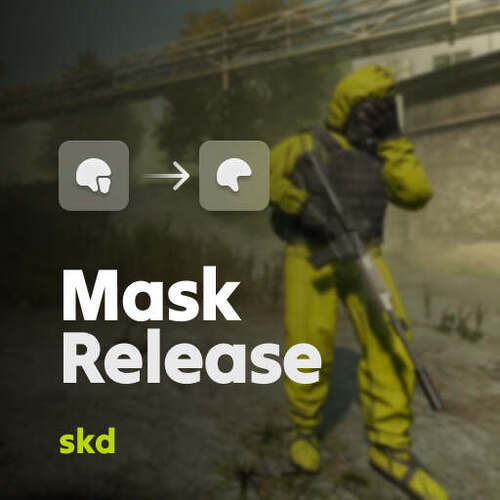


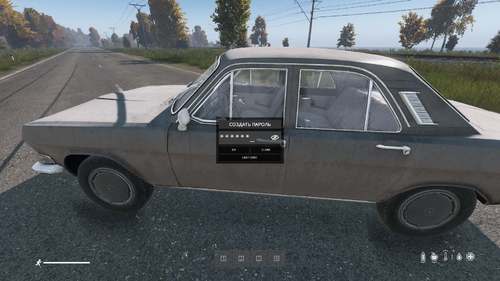
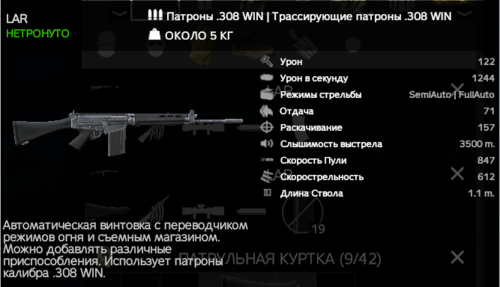
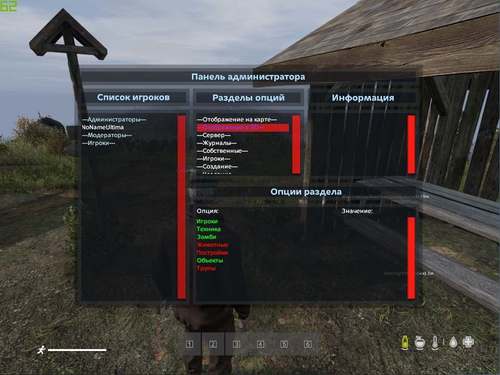
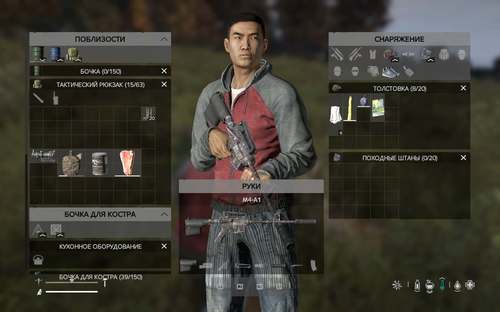

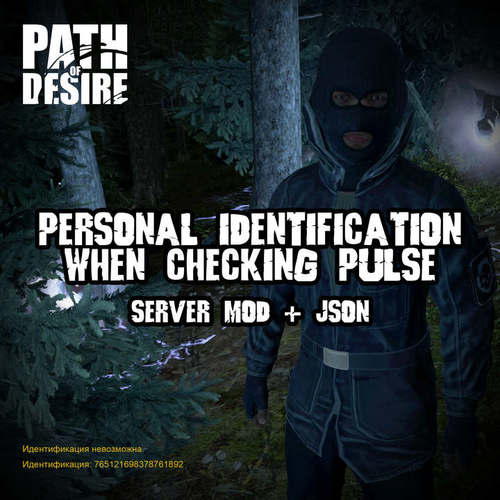
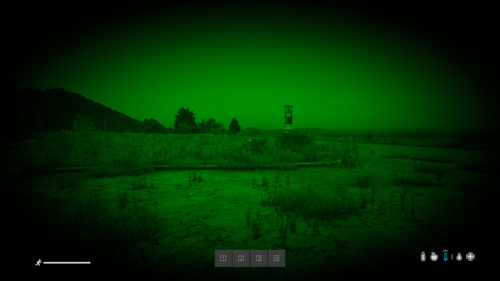
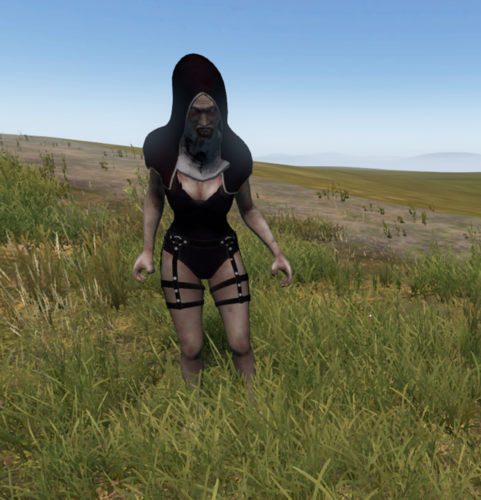
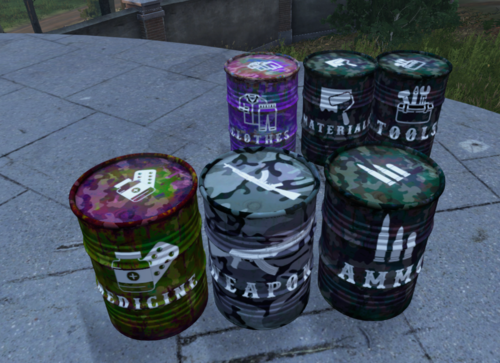
.thumb.png.6816db1114bfffa8b2e3140fc43171e3.png)
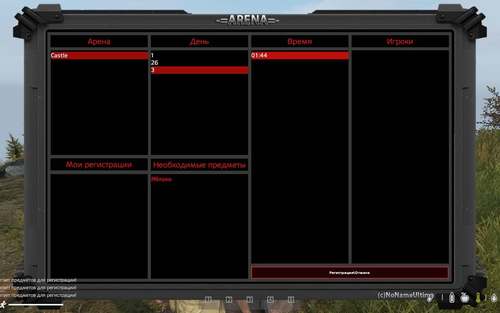
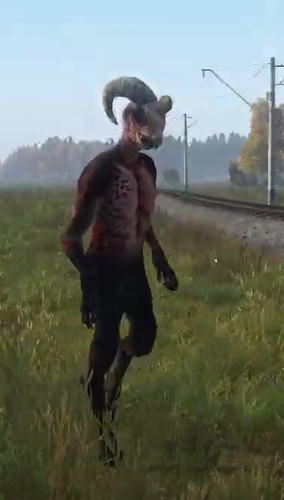

.thumb.png.13c0a4144ac41b30c884f359b85b47d2.png)

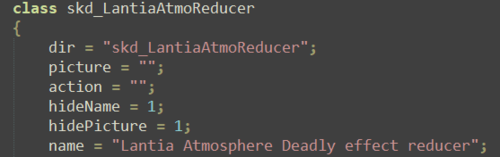



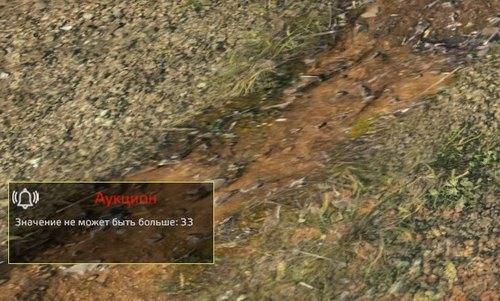


- Кто может продавать файлы?
- Условия использования
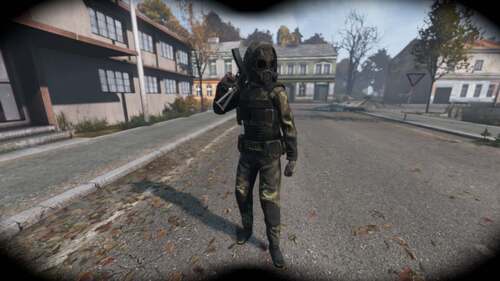
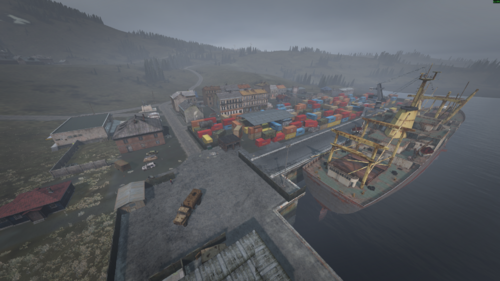
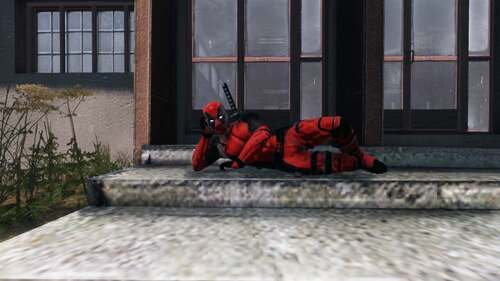
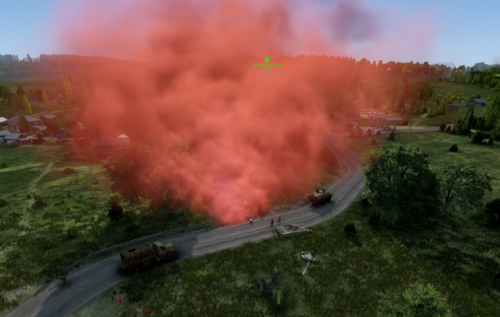
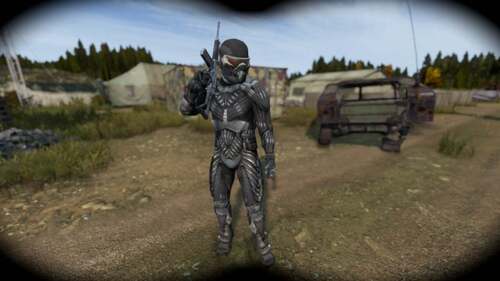
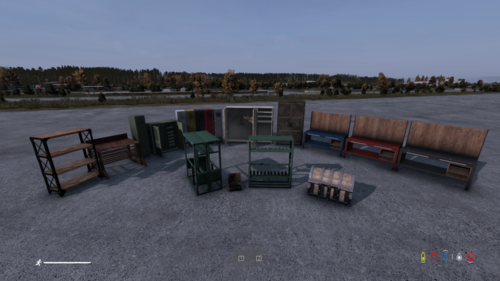
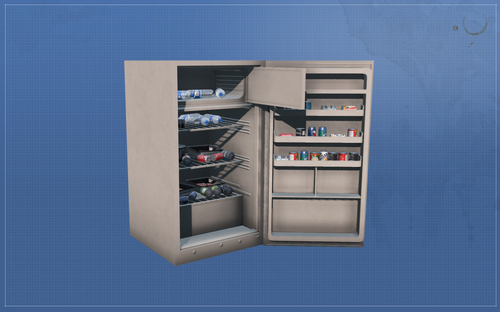

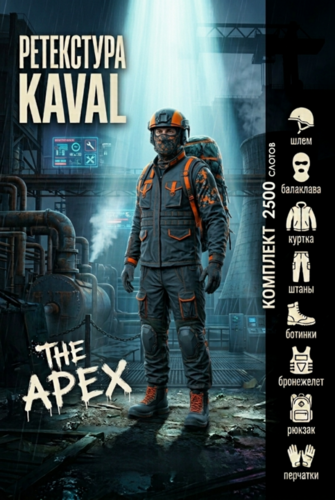
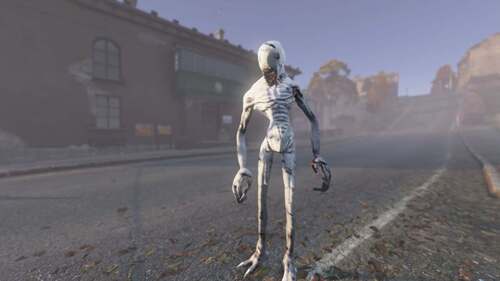
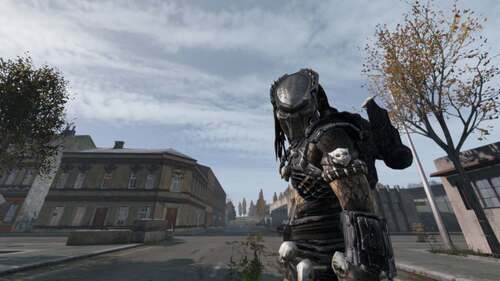
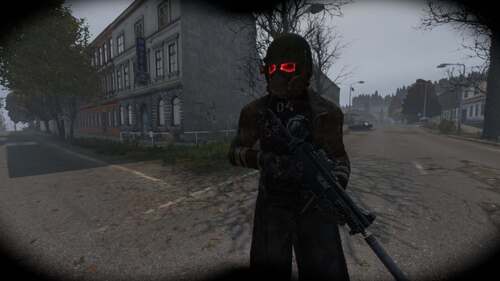
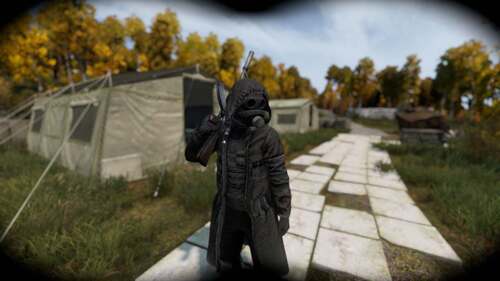
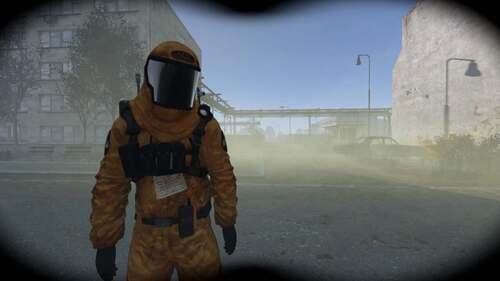
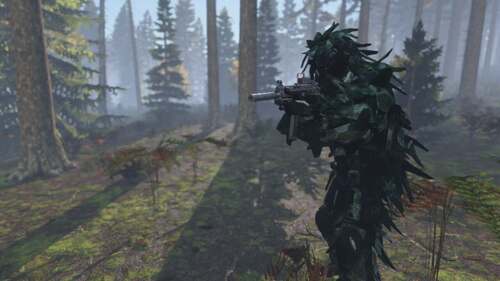
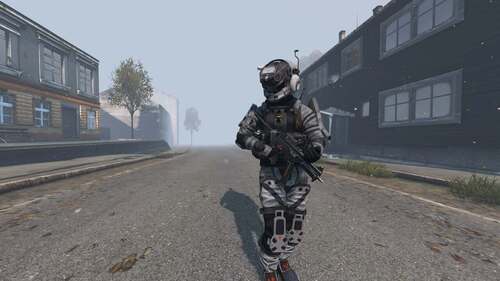
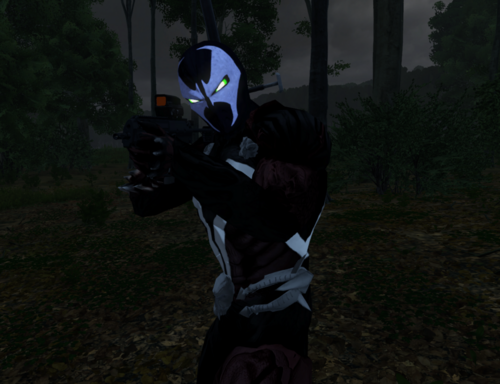

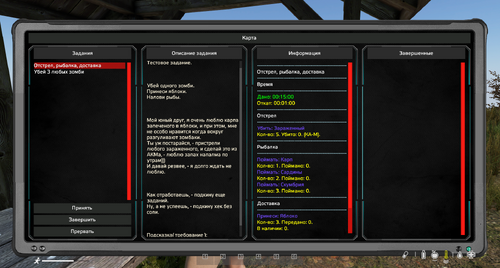
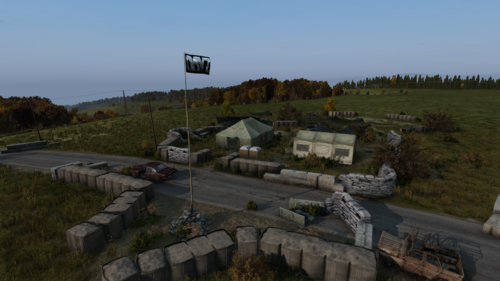
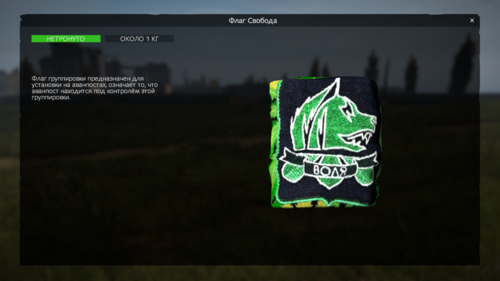
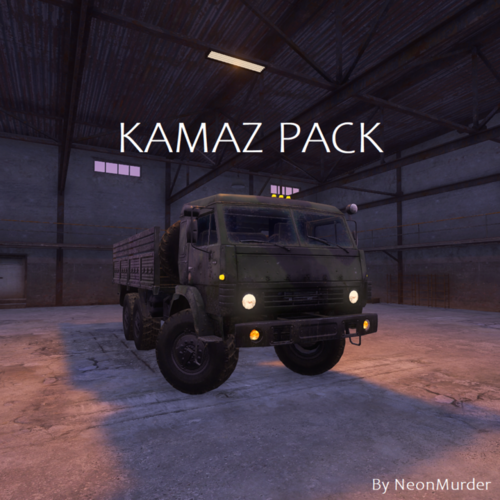

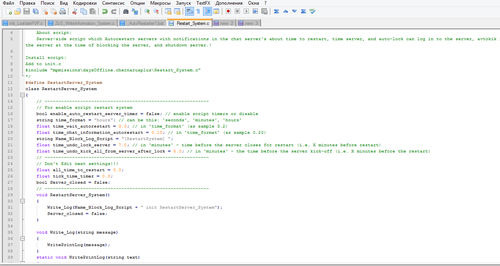
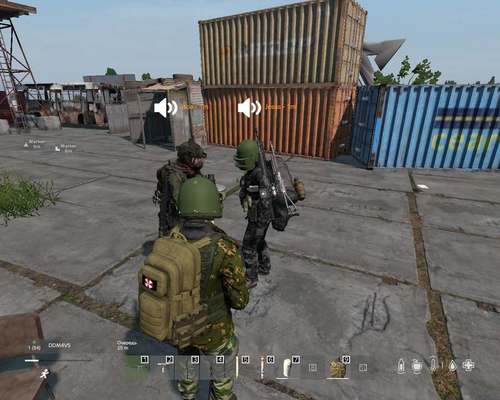



Объявления
-
Рекомендуемый продукт
VIP-статус
330.00 RUB
385.00 RUB -
Отзывы
-

-

-

-
 Автор: SuperNova45 · Опубликовано:Скрипт не стартует, сервер работает, в логах только это: SCRIPT (W): @"$CurrentDir:mpmissions/dayzOffline.chernarusplus/Restart_System.c,789": FIX-ME: Unexpected statement 'ref' SCRIPT (W): @"$CurrentDir:mpmissions/dayzOffline.chernarusplus/Restart_System.c,93": Possible variable name conflict 'Name_Block_Log_Script' SCRIPT (W): @"$CurrentDir:mpmissions/dayzOffline.chernarusplus/Restart_System.c,383": Possible variable name conflict 'time_wait_autorestart' SCRIPT (W
 -

-
 Автор: Subility · Опубликовано:Привет. Может кто подсказать что я делаю не так? Выдает вот такую ошибку Compile error Can't compile mission init script'! $CurrentDir://mpmissions//dayzOffline.chernarusplus//BotMissions//BotGr oupMissionTisy.c(69): Undefined function 'SurvivorBotBase.SetUseCheckpoint'
 -

-

-